Manual · Allen-Bradley
StrataScan Bar Code Readers (Cat. Nos. 2755-LHR-5B, 2755-LHR-3C, 2755-LHR-5C, and 2755-LHR-5BX1) User Manual
Manual68 pagesPDF 649 KB
User manual for the Allen-Bradley StrataScan 2755-LHR holographic bar code readers and the 2755-LHB-1 interface box.
What this file really is
The old site listed this file as “22” for the Allen-Bradley 2755-DS. Linked as a 2755-DS document, this is the user manual for the Allen-Bradley StrataScan 2755-LHR holographic bar code readers and 2755-LHB-1 interface box, and it does not mention the 2755-DS.
Filed with · 1 model
Also filed with these models on the old site

Summary
What is in it
The hardware user manual for the Allen-Bradley StrataScan holographic bar code readers, catalog numbers 2755-LHR-5B, -3C, -5C and -5BX1, and the 2755-LHB-1 interface box. It gives a step-by-step startup procedure, describes reader and interface box features, decoding and laser safety, explains how to design a scanning system (symbol quality, orientation, read range), and shows RS-232 and master/slave installations. Maintenance, troubleshooting, specifications, dimensions, cable pinouts and EU compliance close the manual.
Its parts
- Preface
- Introduction to StrataScan Bar Code Readers
- Hardware Features
- Designing Your System
- Installing Your Hardware
- Maintenance and Troubleshooting
From the manual
Key facts from this manual
Each line names its page in the PDF.
This is the Allen-Bradley user manual (Publication 2755-6.13) for the StrataScan holographic bar code readers 2755-LHR-5B, 2755-LHR-3C, 2755-LHR-5C and 2755-LHR-5BX1, with the 2755-LHB-1 interface box. The site files it under the 2755-DS decoder, but the pages read describe only these readers. It covers reader features, read ranges, RS-232 installation, troubleshooting and specifications.
- Device
- StrataScan holographic readers: 2755-LHR-5B and -5BX1 high density five laser, 2755-LHR-3C medium density three laser, 2755-LHR-5C medium density five laser p. 21
- Scan pattern
- Omnidirectional, 360 tilt; NEMA 12 steel case p. 47
- Power
- +12V dc regulated from power supply 77126-896-01 (100 to 240V ac input) p. 47, 48
- Host link
- RS-232 through null modem cable 2755-LHC-11 (9-pin to PLC or PC, 25-pin to reader); 50 ft. maximum, RS422 up to 2000 feet p. 28, 29
- Symbologies
- UPC/EAN, Codabar, Code 11, Code 39 (Full ASCII, Mod 43), Code 93, Code 128, Interleaved 2 of 5, Paraf, MSI Plessey, UK Plessey, Airline 2 of 5, Matrix 2 of 5, telepen p. 17
- Range, 2755-LHR-5B
- 18 to 38 in. (45.7 to 96.5 cm) for 0.008 in. minimum bar width; 12 in. scan width p. 26
- Cables and box
- Interface box 2755-LHB-1; master/slave cable 2755-LHC-1; interface box cable 2755-LHC-2; interface box master/slave cable 2755-LHC-3; unterminated cable 2755-LHC-12 p. 21
- Brackets and covers
- 2755-LHR-5B: bracket 77126-898-01, cover 77126-899-01; 2755-LHR-3C and -5C: bracket 77126-898-02; 2755-LHR-3C, -5C, -5BX1: cover 77126-899-02 p. 21
- Software
- StrataScan Programming Software 2755-LHS-1; StrataSet Programming Guide 2755-6.14 p. 6, 21
- Interface box
- 2755-LHB-1: 100, 115 or 230V ac (UL and cUL); triac output; +12V dc @ 200 mA for a sensor; 32F to 122F p. 48
- LEDs
- Solid red: power; solid red with flashing green: good read or program mode; flashing red and green: motor failure (a command can swap the colors) p. 15
- Dimensions
- 2755-LHR-5B: 11.45, 11.12 and 5.75 in.; 2755-LHR-3C, -5C, -5BX1: 15.19, 14.31 and 7.25 in. (front and side views) p. 49
- Scanning disc
- Rotating holographic disc with 15 to 21 sectors in place of lenses and a mirror p. 14
What this manual walks you through
- Unpacking and planning a StrataScan system p. 7, 8
- Understanding the interface box parts and jumpers p. 16
- Finding the read range for each reader p. 26
- Installing a reader for a PLC or PC over RS-232 p. 28, 29
- Cleaning the scan window p. 41
- Troubleshooting power, motor, communication and reading problems p. 42, 43, 44
- Loading the default configuration to verify basic reading p. 44
Good to know
- Turn off reader power before cleaning the window, to avoid laser light exposure. p. 41
- The reader has no serviceable parts; do not open the housing. p. 41
- Set the interface box voltage selector switch before applying power. p. 16
- Place the power supply within 12 ft. (3.66 m) of the reader. p. 29
- Strong vibration or jarring can cause a temporary motor failure condition that clears once it stops. p. 42
Questions this manual answers
What cable connects a StrataScan reader to a PC?
The 2755-LHC-11 null modem cable, with a 9-pin connector at the PLC or PC and a 25-pin connector at the reader. p. 29
How long can the StrataScan RS-232 cable be?
Up to 50 ft. (15.24 m) on RS232; RS422 is used for distances up to 2000 feet. p. 28
What do flashing red and green LEDs mean on a 2755-LHR reader?
The reader has a motor failure (unless a command has swapped the LED meanings). p. 15
What does DOS error 68 mean with StrataScan software?
Device unavailable: the COM port accessed does not exist or has a problem; try another COM port or reboot. p. 44
What read duration can the StrataScan reader use with package detect?
Read duration can be set from 100 msec to 8.9 sec. p. 43
Contents
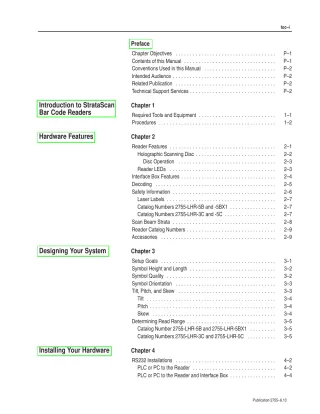
Chapters and sections
Each line opens the PDF at its page.
- Front Cover1
- Important User Information2
- Preface5
- 1 - Introduction to StrataScan Bar Code Readers7
- 2 - Hardware Features13
- 3 - Designing Your System22
- 4 - Installing Your Hardware27
- 5 - Maintenance and Troubleshooting41
- A - Specifications46
18 more lines, from page 49 on
The whole text · 9 parts
Read the manual here as text
Its text as extracted from the PDF, unedited, in parts; each page opens the PDF at that page.
The file