Manual · Zebra
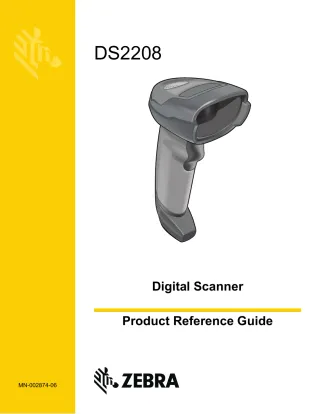
DS2208 Digital Scanner Product Reference Guide
Manual404 pagesPDF 12 MB
Product reference guide for the Zebra DS2208 digital scanner: setup, scanning, maintenance, specifications and programming bar codes.
Covers · 1 model
The models it covers
Summary
What is in it
The Zebra product reference guide for the DS2208 series digital scanner, a corded area imager that reads both 1D and 2D bar codes in hand-held or hands-free use. It covers unpacking and cable setup, 123Scan and software tools, beeper and LED meanings, decode ranges, cleaning, troubleshooting, technical specifications and pinouts, plus programming bar codes for user preferences, signature capture, the USB, SSI, RS-232, IBM 468X/469X and keyboard wedge interfaces, and symbologies.
Its parts
- About This Guide
- Getting Started
- 123Scan and Software Tools
- Data Capture
- Maintenance & Technical Specifications
- User Preferences & Miscellaneous Options
- Signature Capture Preferences
- USB Interface
- SSI Interface
- RS-232 Interface
- IBM 468X / 469X Interface
- Keyboard Wedge Interface
- Symbologies
From the manual
Key facts from this manual
Each line names its page in the PDF.
Product reference guide for the Zebra DS2208 corded digital scanner, an area imager that reads both 1D and 2D bar codes in the hand or on a stand. It explains setup, cable connection, scanning and decode ranges, cleaning, troubleshooting and technical specifications. Later chapters give programming bar codes for USB, SSI, RS-232, IBM 468X/469X and keyboard wedge hosts.
- Device
- Corded area imager scanner for 1D and 2D bar codes, hand-held or hands-free p. 19, 25
- Host interfaces
- USB, RS232, keyboard wedge, TGCS (IBM) 46XX over RS-485 p. 46
- Input voltage
- 4.5 to 5.5 VDC, host powered or from an external power supply p. 46
- Current draw
- 250 mA operating, 150 mA standby (typical, at 5.0V) p. 46
- Image sensor
- 640 x 480 pixels; field of view 32.8° H x 24.8° V nominal p. 47
- Aiming and illumination
- Linear 624nm amber LED aiming pattern; two 645nm Super-Red LEDs for illumination p. 47
- Decode range, 13 mil UPC
- .5 in to 14.5 in (1.3 cm to 36.8 cm), typical p. 40
- Dimensions
- 6.5 in H x 2.6 in W x 3.9 in D (16.5 cm H x 6.6 cm W x 9.8 cm D) p. 46
- Weight
- 5.7 oz. / 161.6 g p. 46
- Operating temperature
- 32.0° to 122.0° F / 0.0° to 50.0° C p. 47
- Sealing and drops
- IP42; designed for multiple 5.0 ft./1.5 m drops to concrete p. 47
- Stands and holders
- Gooseneck Intellistand 20-71043-04R; Universal Gooseneck Intellistand STND-GS00UNC-04; cup 21-71043-04R; desktop holder 20-67176-01R; wall mount holder 11-66553-06R p. 20
- Configurations
- DS2208-SR00006ZZWW (standard range, Nova White); DS2208-SR00007ZZWW (standard range, Twilight Black) p. 19
- Configuration software
- 123Scan programs parameters and upgrades firmware p. 48
What this manual walks you through
- Installing and removing the interface cable p. 27, 28
- Connecting an external power supply when the host does not power the scanner p. 28
- Aiming the scanner and typical decode ranges by bar code type p. 40
- Cleaning the scanner window and connectors p. 41, 42
- Troubleshooting by symptom and beep sequence p. 43, 44, 45
- Reporting the installed software version p. 46
- Cable connector pin-outs for USB, RS-232, keyboard wedge and IBM p. 49
Good to know
- Older non-shielded cables from products such as the LS2208 can be reused, but shielded cables give better ESD performance. p. 27
- The interface cable, and a universal power supply where the interface needs one, must be ordered separately. p. 28
- Acetone, ammonia solutions, benzene, isopropyl alcohol 70% and other listed chemicals damage the scanner plastics. p. 41
- Never apply liquid directly to the scanner or let it pool around the window, trigger or connector. p. 42
Questions this manual answers
What do 4 long low beeps mean on the DS2208?
A transmission error, usually because the scanner is not set up for the host or is connected to the wrong host type. Match the scanner's communication settings to the host. p. 44
Can I use my old LS2208 cable with a DS2208?
Yes, existing non-shielded cables from legacy products such as the LS2208 can be reused, though shielded cables give better ESD performance. p. 27
What power does the DS2208 need?
4.5 to 5.5 VDC, either from the host or from an external power supply plugged into the cable's power jack. p. 28, 46
What can I clean the DS2208 with?
The approved cleaners are hydrogen peroxide and mild dish soap, applied with a dampened soft cloth or pre-moistened wipes. p. 42
What bar codes can the DS2208 read?
1D codes such as Code 39, Code 128 and UPC/EAN, 2D codes such as PDF417, Data Matrix and QR Code, and postal codes. p. 47
Contents
Chapters and sections
Each line opens the PDF at its page.
- DS2208 Digital Scanner Product Reference Guide1
- About This Guide19
- Chapter 1 Getting Started25
- Chapter 2 123Scan and Software Tools29
- Chapter 3 Data Capture33
- Chapter 4 Maintenance & Technical Specifications41
- Chapter 5 User Preferences & Miscellaneous Options51
216 more lines, from page 52 on
- User Preferences/Miscellaneous Options Parameter Defaults52
- User Preferences55
- Parameter Bar Code Scanning56
- Beeper Volume57
- Beeper Tone58
- Beeper Duration59
- LED on Good Decode60
- Direct Decode Indicator61
- Low Power Mode62
- Trigger Mode65
- Hands-Free Mode66
- Hand-Held Decode Aiming Pattern67
- Hands-Free (Presentation) Decode Aiming Pattern68
- Picklist Mode69
- Continuous Bar Code Read70
- Decode Mirror Images (Data Matrix Only)73
- PDF Prioritization74
- Decoding Illumination75
- Low Light Scene Detection76
- Motion Tolerance (Hand-Held Trigger Modes Only)77
- Miscellaneous Scanner Parameters79
- Transmit Code ID Character80
- Prefix/Suffix Values81
- Scan Data Transmission Format82
- FN1 Substitution Values84
- Transmit “No Read” Message85
- Unsolicited Heartbeat Interval86
- Send Versions87
- Chapter 6 Signature Capture Preferences89
- Chapter 7 USB Interface95
- Chapter 8 SSI Interface113
- Introduction113
- Communication113
- SSI Transactions115
- Decoded Data Transmission116
- Communication Summary118
- Using Time Delay to Low Power Mode with SSI119
- Encapsulation of RSM Commands/Responses over SSI120
- Setting Parameters122
- Simple Serial Interface Parameter Defaults123
- SSI Host Parameters124
- Parity126
- Software Handshaking128
- Host RTS Line State129
- Host Serial Response Timeout130
- Host Character Timeout131
- Multipacket Option132
- Interpacket Delay133
- Event Reporting134
- Boot Up Event135
- Chapter 9 RS-232 Interface137
- Introduction137
- Setting Parameters137
- Scanning Sequence Examples138
- Connecting an RS-232 Interface138
- RS-232 Parameter Defaults139
- RS-232 Host Parameters140
- Baud Rate144
- Parity145
- Hardware Handshaking147
- Software Handshaking149
- Host Serial Response Timeout151
- RTS Line State152
- Intercharacter Delay153
- Nixdorf Beep/LED Options154
- ASCII Character Set for RS-232155
- Chapter 10 IBM 468X / 469X Interface157
- Chapter 11 Keyboard Wedge Interface163
- Chapter 12 Symbologies173
- Introduction173
- Setting Parameters173
- Scanning Sequence Examples174
- Symbology Parameter Defaults174
- Enable/Disable All Code Types180
- UPC/EAN/JAN180
- Bookland ISBN Format184
- Decode UPC/EAN/JAN Supplementals185
- User-Programmable Supplementals188
- UPC/EAN/JAN Supplemental AIM ID Format189
- UPC-A Preamble192
- UPC-E Preamble193
- UPC-E1 Preamble194
- Convert UPC-E to UPC-A195
- EAN/JAN Zero Extend196
- Coupon Report197
- Code 128198
- ISBT Concatenation201
- Code 128 <FNC4>203
- Code 39205
- Code 39 Security Level210
- Code 39 Reduced Quiet Zone212
- Code 93212
- Code 11215
- Code 11 Check Digit Verification217
- Transmit Code 11 Check Digits218
- Interleaved 2 of 5 (ITF)218
- I 2 of 5 Check Digit Verification221
- I 2 of 5 Security Level224
- I 2 of 5 Reduced Quiet Zone225
- Discrete 2 of 5 (DTF)225
- Codabar (NW - 7)228
- CLSI Editing230
- Codabar Upper or Lower Case Start/Stop Characters231
- MSI231
- MSI Check Digits234
- MSI Check Digit Algorithm235
- Chinese 2 of 5236
- Matrix 2 of 5236
- Korean 3 of 5240
- Inverse 1D241
- GS1 DataBar242
- GS1 DataBar Security Level245
- Symbology-Specific Security Features246
- Security Level248
- Intercharacter Gap Size250
- Composite250
- Composite Inverse252
- UPC Composite Mode253
- 2D Symbologies255
- Code 128 Emulation256
- Data Matrix Inverse258
- Decode Data Matrix Mirror Images259
- Maxicode260
- Aztec Inverse263
- Han Xin264
- Grid Matrix Mirror266
- Postal Codes268
- Australia Post Format272
- UPU FICS Postal274
- Appendix A Standard Default Parameters275
- Appendix B Country Codes287
- Appendix C Country Code Pages303
- Appendix D CKJ Decode Control317
- Appendix E Programming Reference327
- Appendix F Sample Bar Codes335
- Appendix G Numeric Bar Codes349
- Appendix H Alphanumeric Bar Codes353
- Appendix I ASCII Character Sets371
- Appendix J Communication Protocol Functionality383
- Appendix K Signature Capture Code385
- Appendix L Non-Parameter Attributes389
- Index395
The whole text · 48 parts
Read the manual here as text
Its text as extracted from the PDF, unedited, in parts; each page opens the PDF at that page.
- DS2208 Digital Scanner Product Reference Guide1-6
- Table of Contents, pages 7 to 127-12
- Table of Contents, pages 13 to 1813-18
- About This Guide19-24
- Chapter 1 Getting Started25-28
- Chapter 2 123Scan and Software Tools29-32
- Chapter 3 Data Capture33-40
- Chapter 4 Maintenance & Technical Specifications41-50
- Chapter 5 User Preferences & Miscellaneous Options, pages 51 to 6051-60
- Chapter 5 User Preferences & Miscellaneous Options, pages 61 to 7061-70
- Chapter 5 User Preferences & Miscellaneous Options, pages 71 to 8071-80
- Chapter 5 User Preferences & Miscellaneous Options, pages 81 to 8881-88
- Chapter 6 Signature Capture Preferences89-94
- Chapter 7 USB Interface, pages 95 to 10395-103
- Chapter 7 USB Interface, pages 104 to 112104-112
- Chapter 8 SSI Interface, pages 113 to 120113-120
- Chapter 8 SSI Interface, pages 121 to 128121-128
- Chapter 8 SSI Interface, pages 129 to 136129-136
- Chapter 9 RS-232 Interface, pages 137 to 146137-146
- Chapter 9 RS-232 Interface, pages 147 to 156147-156
- Chapter 10 IBM 468X / 469X Interface157-162
- Chapter 11 Keyboard Wedge Interface163-172
- Chapter 12 Symbologies, pages 173 to 182173-182
- Chapter 12 Symbologies, pages 183 to 192183-192
- Chapter 12 Symbologies, pages 193 to 202193-202
- Chapter 12 Symbologies, pages 203 to 212203-212
- Chapter 12 Symbologies, pages 213 to 222213-222
- Chapter 12 Symbologies, pages 223 to 232223-232
- Chapter 12 Symbologies, pages 233 to 242233-242
- Chapter 12 Symbologies, pages 243 to 252243-252
- Chapter 12 Symbologies, pages 253 to 262253-262
- Chapter 12 Symbologies, pages 263 to 272263-272
- Chapter 12 Symbologies, pages 273 to 274273-274
- Appendix A Standard Default Parameters275-286
- Appendix B Country Codes, pages 287 to 294287-294
- Appendix B Country Codes, pages 295 to 302295-302
- Appendix C Country Code Pages303-316
- Appendix D CKJ Decode Control317-326
- Appendix E Programming Reference327-334
- Appendix F Sample Bar Codes335-348
- Appendix G Numeric Bar Codes349-352
- Appendix H Alphanumeric Bar Codes, pages 353 to 361353-361
- Appendix H Alphanumeric Bar Codes, pages 362 to 370362-370
- Appendix I ASCII Character Sets371-382
- Pages 383 to 388383-388
- Appendix L Non-Parameter Attributes389-394
- Index, pages 395 to 399395-399
- Index, pages 400 to 404400-404
The file