Manual · Trimble
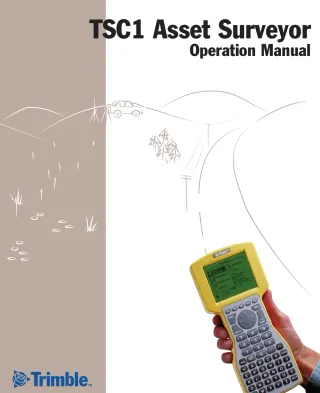
TSC1 Asset Surveyor Operation Manual
Manual470 pagesPDF 4.5 MB
Operation manual for the Asset Surveyor GPS mapping software on the Trimble TSC1 datalogger, from field setup to office processing.
Covers · 1 model
The models it covers
Summary
What is in it
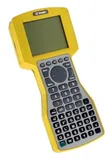
The Trimble operation manual for Asset Surveyor version 5.20 running on the TSC1 datalogger. It introduces the TSC1 (keys, screen, memory and PC cards, power, ports, servicing) and walks through GIS data collection: planning in the office, logging and updating features in the field, navigating with the map, then transferring, differentially correcting and exporting data. Later chapters cover carrier phase collection and RTK mapping, and appendices cover the GPS Pathfinder Pro XRS, Pro XR, Pro XL, Series 4000, 4600LS, GPS Total Station 4700 and 4800 receivers and laser rangefinders.
Its parts
- About This Manual
- Quick Setup
- Introduction to the Asset Surveyor Software
- Introduction to the TSC1 Datalogger
- Before Leaving the Office
- In the Field
- Back in the Office
- Carrier Phase Data Collection
- RTK Mapping
From the manual
Key facts from this manual
Each line names its page in the PDF.
Trimble's March 2001 operation manual (part number 34182-20-ENG, Revision A) for the Asset Surveyor software version 5.20 running on the TSC1 datalogger with Trimble GPS receivers for GIS data collection. It gives the TSC1 hardware specifications, memory and power details, rebooting steps and field and office procedures. Appendixes cover connecting several Trimble receivers, laser rangefinders, external sensors and NMEA output.
- Device
- Handheld field computer (Trimble System Controller) with full alpha-numeric keyboard and built-in real-time clock p. 42
- Memory
- 2 MB DRAM working memory and 2 MB flash disk, about 35,000 GPS positions p. 42
- Battery
- Lithium-ion, part number 29518, 7.4 V 1.2 AH rechargeable p. 52
- Ports
- Two data/power ports (bottom, and top on the back) that work the same way; 2 x RS232 serial p. 52, 56
- PC cards
- Type I or Type II ATA format; Trimble 16 MB card part number 33050-16 p. 49
- Display
- Graphics LCD with backlight p. 52
- Size
- 266 mm x 116 mm x 42 mm (10.5 in x 4.6 in x 1.65 in) p. 52
- Weight
- 844 gms (1.86 lbs) p. 52
- Temperature
- Operating –20°C to +65°C (–4°F to 150°F); storage –30°C to +80°C (–22°F to +176°F) p. 52
- Casing
- UV-resistant plastic, resistant to wind-driven rain and dust; 95 % non-condensing humidity p. 52
- Processor
- Proprietary processor based on the Motorola CPU32 core, up to 20 MHz p. 42
- Power draw
- <1 W p. 52
- Charging cables
- TSM extension cable P/N 14284 and TSC1 data/power cable P/N 32287-00 p. 55
- Software
- Asset Surveyor version 5.20 p. 4
What this manual walks you through
- Quick setup steps for field crews, from office to field and back p. 24, 25, 26
- Turning the TSC1 on and off and using hard keys, alternate keys and softkeys p. 45, 46
- Adjusting screen contrast and backlight p. 47, 48
- Choosing a PC card for extra storage p. 48, 49
- Rebooting, warm boot and cold boot p. 49, 50
- Estimating logging time for rover and base files p. 51
- Reading battery status and low battery warnings p. 53, 54
- Recharging the battery with a Trimble Support Module or a low voltage supply p. 54, 55, 56
- Using the Laser Technology Criterion 300 and 400 rangefinders p. 330, 331
- NMEA-0183 messages from Pro XL, Pro XR and Pro XRS receivers p. 444, 445
Good to know
- Use only Trimble-approved batteries in the internal battery compartment, or the unit may be damaged. p. 52
- Repeated exposure to direct sunlight can degrade the screen. p. 47
- A cold boot erases all data in memory, including data dictionaries and coordinate system files; the PC card is not affected. p. 50
- A warm boot keeps data but loses all configuration settings. p. 49
- If a faulty TSC1's data cannot be transferred, do not perform a cold boot. p. 57
Questions this manual answers
What battery does the Trimble TSC1 use?
A 7.4 V 1.2 AH rechargeable Lithium-ion battery, part number 29518. With a Trimble Support Module it recharges fully in about three hours. p. 52, 55
How much data can a TSC1 store?
It has 2 MB of flash disk memory for data, about 35,000 GPS positions, and PC cards can add more. p. 42, 48
Which PC cards work in the TSC1?
Type I or Type II ATA format cards. Trimble supplied a 16 MB card (part number 33050-16), and the manual lists Epson, IBM, SanDisk and Viking cards as tested. p. 49
How long can a TSC1 log rover data?
At a 1 second interval, about 6 hours with carrier logging off or 2 - 2.5 hours with it on; at 5 seconds, 30 or 10 hours. p. 51
What languages does TSC1 Asset Surveyor support?
English, French, German, Portuguese, Russian and Spanish. p. 35
Contents
Chapters and sections
Each line opens the PDF at its page.
- TSC1 Asset Surveyor Operation Manual3
- About This Manual19
- Quick Setup23
- Introduction to the Asset Surveyor Software33
- Introduction to the TSC1 Datalogger41
- Before Leaving the Office59
- In the Field83
- Back in the Office163
- Carrier Phase Data Collection183
- RTK Mapping207
- Pro XRS System253
- Pro XR System265
- Pro XL System273
- Series 4000279
- Site Surveyor 4400 Receiver293
- 4600LS Surveyor301
- GPS Total Station 4700311
- GPS Total Station 4800319
- Laser Rangefinders329
- External Sensors425
- NMEA Output Messages443
- Index453
- Reader Comment Form469
The whole text · 47 parts
Read the manual here as text
Its text as extracted from the PDF, unedited, in parts; each page opens the PDF at that page.
- Pages 1 to 101-10
- Pages 11 to 2011-20
- Pages 21 to 3021-30
- Pages 31 to 4031-40
- Pages 41 to 5041-50
- Pages 51 to 6051-60
- Pages 61 to 7061-70
- Pages 71 to 8071-80
- Pages 81 to 9081-90
- Pages 91 to 10091-100
- Pages 101 to 110101-110
- Pages 111 to 120111-120
- Pages 121 to 130121-130
- Pages 131 to 140131-140
- Pages 141 to 150141-150
- Pages 151 to 160151-160
- Pages 161 to 170161-170
- Pages 171 to 180171-180
- Pages 181 to 190181-190
- Pages 191 to 200191-200
- Pages 201 to 210201-210
- Pages 211 to 220211-220
- Pages 221 to 230221-230
- Pages 231 to 240231-240
- Pages 241 to 250241-250
- Pages 251 to 260251-260
- Pages 261 to 270261-270
- Pages 271 to 280271-280
- Pages 281 to 290281-290
- Pages 291 to 300291-300
- Pages 301 to 310301-310
- Pages 311 to 320311-320
- Pages 321 to 330321-330
- Pages 331 to 340331-340
- Pages 341 to 350341-350
- Pages 351 to 360351-360
- Pages 361 to 370361-370
- Pages 371 to 380371-380
- Pages 381 to 390381-390
- Pages 391 to 400391-400
- Pages 401 to 410401-410
- Pages 411 to 420411-420
- Pages 421 to 430421-430
- Pages 431 to 440431-440
- Pages 441 to 450441-450
- Pages 451 to 460451-460
- Pages 461 to 470461-470
The file