Manual · Trimble
Trimble Survey Controller Field Guide
Manual114 pagesPDF 2.7 MB
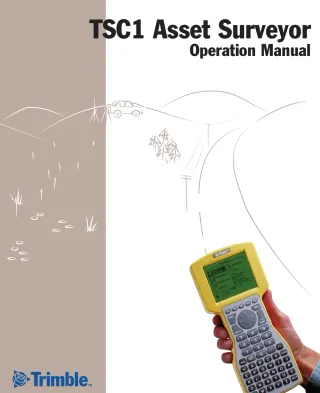
Field guide to Trimble Survey Controller software version 7.7 on the TSC1 data collector, for RTK, conventional and FastStatic surveys.
Covers · 1 model
The models it covers
Summary
What is in it
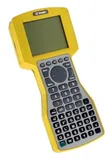
A field guide that gets surveyors working quickly with Trimble Survey Controller software version 7.7 running on the TSC1 data collector. It introduces GPS surveying methods, then shows how to operate the TSC1, run a real-time kinematic (RTK) GPS survey, survey with a conventional instrument, do a FastStatic survey, and back in the office recharge the TSC1 battery and transfer data.
Its parts
- About this Manual
- Surveying with GPS
- The TSC1 Data Collector
- RTK Field Procedures
- Conventional Instrument Field Procedures
- FastStatic Surveying
- In the Office
From the manual
Key facts from this manual
Some pages are scans or cannot be read; this says only what the readable text supports. Each line names its page in the PDF.
Trimble's January 2001 field guide (part number 32969-70-ENG, Revision A) for the Trimble Survey Controller software version 7.7 running on the TSC1 data collector. It walks through using the TSC1 keypad and menus, RTK and FastStatic GPS surveys, surveys with conventional instruments, charging the battery and moving data to an office computer.
- Software
- Trimble Survey Controller version 7.7 p. 4
- Battery
- Lithium-ion; recharges fully in about three hours p. 98
- PC and power cable
- TSC1 to DB9/power supply Y-cable, part number 32345 p. 98, 101
- OSM adaptor cable
- TSC1 to 5-pin Lemo adaptor cable, part number 32959 p. 99
- Charger AC adaptor
- Part number 30413, powers the optional battery charger p. 99
- Office Support Module
- OSM, part number 20669-40; an alternative way to connect the TSC1 to an office computer p. 102
- Charging options
- AC adaptor, OSM II charger, optional battery charger, or a receiver with external power or a camcorder battery p. 98
- Low voltage charging
- From a power source of less than 15 V, with Low voltage charging enabled set to Yes p. 100
- Storage
- Internal memory plus an optional PCMCIA (PC) card p. 23, 38
- RTK precision
- ±1 cm + 1 ppm typical horizontal; radio link required; baseline limit about 10 km p. 20
- GPS techniques
- Kinematic, Differential and FastStatic p. 16
- Conventional instruments
- Trimble, Leica, Geotronics (Spectra Precision), Nikon, Pentax, Sokkia SET, Topcon, Zeiss p. 72
- Instrument cables
- 0-shell Lemo to 0-shell Lemo; for third-party instruments, 0-shell Lemo to DB9 cable p. 72
- Office software
- Trimble Geomatics Office, Data Transfer, Trimble Survey Office, TRIMMAP, GPSurvey p. 100
What this manual walks you through
- Using the TSC1 keys, softkeys and menus p. 25, 26
- Choosing a GPS survey technique and its expected precision p. 16, 17, 18, 19, 20
- Setting up the base station for an RTK survey p. 43, 44
- Connecting a rover with a GPS Total Station 4800 or 4700 receiver p. 51, 52, 53
- Connecting the TSC1 to a conventional instrument p. 72
- Using the online help p. 36, 37
- Rebooting, warm boot and cold boot p. 37, 38
- Recharging the TSC1 battery p. 98, 99, 100
- Transferring files between the TSC1 and an office computer p. 100, 101, 102, 103
Good to know
- A cold boot erases all data in internal memory; use it only if a warm boot fails. p. 38
- A warm boot loses no data but restores the Trimble default settings. p. 38
- Do not start a survey while charging the battery from a low voltage supply. p. 100
- Do not force plugs into the ports; line up the red dot with the red line. p. 72
- Select the correct Survey Style before connecting to a Leica or Geodimeter instrument, or the instrument may need a reset. p. 72
Questions this manual answers
How do I charge the TSC1 battery?
Use the AC adaptor, an OSM II charger, the optional battery charger, or a receiver with external power. A full charge takes about three hours. p. 98
What cable connects a TSC1 to an office computer?
The TSC1 to DB9/power supply Y-cable, part number 32345, which also connects the AC adaptor and battery charger. p. 101
What do I do if the TSC1 stops responding to keys?
Turn it off and on again; if that fails, try a warm boot, which keeps data. First check that the TSC1 is receiving power. p. 37, 38
Does a cold boot erase the PC card in a TSC1?
No. A cold boot erases the internal memory but does not affect the PCMCIA (PC) card. p. 38
Which conventional instruments work with the TSC1 software?
The software interfaces with Trimble, Leica, Geotronics (Spectra Precision), Nikon, Pentax, Sokkia SET, Topcon and Zeiss instruments. p. 72
Contents
Chapters and sections
Each line opens the PDF at its page.
- Trimble Survey Controller1
- About this Manual11
- Surveying with GPS15
- The TSC1 Data Collector21
- RTK Field Procedures39
- Conventional Instrument Field Procedures69
17 more lines, from page 81 on
The whole text · 14 parts
Read the manual here as text
Its text as extracted from the PDF, unedited, in parts; each page opens the PDF at that page.
- Trimble Survey Controller1-6
- Contents7-10
- About this Manual11-14
- Surveying with GPS15-20
- The TSC1 Data Collector, pages 21 to 2921-29
- The TSC1 Data Collector, pages 30 to 3830-38
- RTK Field Procedures, pages 39 to 4839-48
- RTK Field Procedures, pages 49 to 5849-58
- RTK Field Procedures, pages 59 to 6859-68
- Conventional Instrument Field Procedures, pages 69 to 7869-78
- Conventional Instrument Field Procedures, pages 79 to 8879-88
- FastStatic Surveying89-96
- In the Office97-104
- Pages 105 to 114105-114
The file