Manual · Symbol
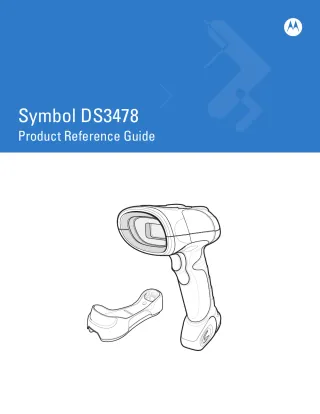
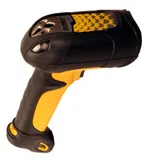
Symbol DS3478 Smart Focus Digital Scanner Product Reference Guide
Manual416 pagesPDF 9.5 MB
Product reference guide for the Symbol DS3478 cordless Smart Focus digital scanner and its cradle: setup, host interfaces and programming.
Covers · 1 model
The models it covers
Summary
What is in it
The full product reference guide for the Symbol DS3478 Smart Focus digital scanner, covering the DS3478-SF, DS3478-HD and DS3478-DP configurations. It explains unpacking, the cradle, battery charging and pairing, decode zones, maintenance, troubleshooting and technical specifications, then gives the programming bar codes for user and decoding preferences, each host interface (keyboard wedge, RS-232, USB, IBM 468X/469X, wand and scanner emulation), 123Scan, symbologies and advanced data formatting.
Its parts
- About This Guide
- Getting Started
- Digital Scanning
- Maintenance and Technical Specifications
- User Preferences
- Decoding Preferences
- Keyboard Wedge Interface
- RS-232 Interface
- USB Interface
- IBM 468X/469X Interface
- Wand Emulation Interface
- Scanner Emulation Interface
- 123Scan
- Symbologies
- Miscellaneous Scanner Options
From the manual
Key facts from this manual
Some pages are scans or cannot be read; this says only what the readable text supports. Each line names its page in the PDF.
Motorola product reference guide (72E-72109-05 Revision A, May 2009) for the Symbol DS3478 Smart Focus cordless digital scanner in its DS3478-SF, DS3478-HD and DS3478-DP configurations, and its STB 3478 cradle. It covers setting up the cradle, battery and pairing, scanning, maintenance, troubleshooting and specifications, then programming bar codes for every host interface, symbology and data format option.
- Device
- Cordless Smart Focus digital scanner that talks to its host through a radio cradle; DS3478-SF standard focus, DS3478-HD high density, DS3478-DP direct part mark p. 17, 22
- Battery
- Rechargeable Lithium-Ion 2200 mAh (3.7V); a complete charge can take up to four hours p. 28, 51
- Radio
- Bluetooth Class 1/Class 2 (2.4 GHz); Class 1 range up to 100m, Class 2 limits it to 10m p. 52, 66
- Interfaces
- Keyboard Wedge, RS-232, USB, IBM 468X/469X, Wand Emulation, Scanner Emulation and Synapse, through the cradle's 10-pin RJ host port p. 52, 53
- Cradle
- STB 3478: stand, charger and host interface; 4.75 - 14.0 VDC; pairs with up to four scanners in multipoint mode p. 22, 52
- Cradle current
- Not charging 105 mA @ 5V; fast rate charge 955 mA @ 5V; slow rate charge 480 mA @ 5V p. 52
- Cradle power
- External power supply or a powered host cable; host power charges more slowly and only in single point mode p. 25
- Size and weight
- 7.34 in. (18.65 cm) x 4.82 in. (12.25 cm) x 2.93 in. (7.43 cm); 14.6 oz (414 grams) p. 51
- Cradle size
- 9.5 in. (24.1 cm) x 4.0 in (10.2 cm) x 2.9 in (7.4 cm); 10.5 oz (298 grams) p. 52
- Temperature
- Operating -4° to 122° F (-20° to 50° C); storage -40° to 140° F (-40° to 60° C); charging 32° to 104° F (0° to 40° C) p. 51
- Optics
- Field of view 30º +/- 2º horizontal, 22.5º +/- 2º vertical; 650nm laser diode; minimum element width 5 mil (0.127 mm) p. 51, 52
- Codes read
- 1D and postal codes, GS1 DataBar, Composite Codes, PDF417, MicroPDF, Data Matrix (ECC 200), Maxicode, QR Code, MicroQR, Aztec; DPM on the DPM version only p. 51
- Durability
- 6.5 ft (2.0 m) drops to concrete p. 51
- Configuration
- Programming bar codes in the guide or the PC-based 123Scan tool p. 18, 30
What this manual walks you through
- Connecting the cradle to the host and to power p. 24, 25
- Connecting a Synapse cable p. 26
- Reestablishing a lost connection to the host p. 26
- Removing and inserting the battery p. 27
- Charging the battery and reading the charging LEDs p. 28, 35
- Pairing the scanner with the cradle and unpairing it p. 29, 30
- Choosing single point or multipoint mode p. 67
- Choosing Bluetooth Class 1 or Class 2 range p. 66
- Cleaning the scan window p. 47
- Troubleshooting beep sequences, decoding and transmission problems p. 48, 49, 50
Good to know
- Disconnect the cradle's power supply before changing host cables, or the scanner may not recognize the new host. p. 25
- Multipoint mode needs an external power supply to charge scanners in the cradle. p. 67
- In bus-powered mode, charge only the paired scanner in the cradle; another scanner disrupts communication. p. 67
- Do not spray water or cleaning liquids directly onto the scan window. p. 47
- With four scanners paired, a fifth cannot pair while a disconnected scanner's connection is reserved. p. 64
Questions this manual answers
What battery does the Symbol DS3478 use?
A rechargeable Lithium-Ion 2200 mAh (3.7V) battery in the handle; a full charge can take up to four hours. p. 28, 51
How far can the DS3478 be from its cradle?
Its Class 1 Bluetooth radio has a range of up to 100m; Class 2 mode limits it to 10m. p. 66
How many DS3478 scanners can share one cradle?
Up to four in multipoint mode, which needs an external power supply for charging; single point mode allows one. p. 29, 67
How do I pair a DS3478 to its cradle?
Scan the pairing bar code on the cradle; a short low-high beep confirms pairing. p. 29
What does a slow red flash mean when the DS3478 is charging?
Battery voltage is not increasing with charge; replace the battery. p. 35
Contents
Chapters and sections
Each line opens the PDF at its page.
- Patents4
- Revision History5
- About This Guide17
- Getting Started21
- Digital Scanning31
- Maintenance and Technical Specifications47
- User Preferences55
- Decoding Preferences69
110 more lines, from page 70 on
- Errors While Scanning70
- Keyboard Wedge Interface75
- RS-232 Interface99
- USB Interface123
- IBM 468X/469X Interface145
- Wand Emulation Interface151
- Scanner Emulation Interface159
- 123Scan171
- Symbologies173
- Introduction173
- Scanning Sequence Examples173
- Errors While Scanning173
- Symbology Default Parameters174
- UPC/EAN179
- Code 128195
- Code 39200
- Code 93208
- Code 11210
- Interleaved 2 of 5 (I 2 of 5)214
- Discrete 2 of 5 (D 2 of 5)218
- Codabar (NW - 7)220
- MSI223
- Chinese 2 of 5226
- Matrix 2 of 5227
- Inverse 1D230
- Postal Codes231
- GS1 DataBar (formerly RSS - Reduced Space Symbology)236
- Composite238
- 2D Symbologies241
- Redundancy Level248
- Security Level250
- Macro PDF Features253
- Miscellaneous Scanner Options255
- Advanced Data Formatting263
- Standard Default Parameters367
- Programming Reference377
- Sample Bar Codes385
- Numeric Bar Codes391
- Tell Us What You Think...413
The whole text · 50 parts
Read the manual here as text
Its text as extracted from the PDF, unedited, in parts; each page opens the PDF at that page.
- Pages 1 to 31-3
- Pages 4 to 104-10
- Pages 11 to 1611-16
- About This Guide17-20
- Getting Started21-30
- Digital Scanning, pages 31 to 3831-38
- Digital Scanning, pages 39 to 4639-46
- Maintenance and Technical Specifications47-54
- User Preferences55-68
- Decoding Preferences69-74
- Keyboard Wedge Interface, pages 75 to 8275-82
- Keyboard Wedge Interface, pages 83 to 9083-90
- Keyboard Wedge Interface, pages 91 to 9891-98
- RS-232 Interface, pages 99 to 10699-106
- RS-232 Interface, pages 107 to 114107-114
- RS-232 Interface, pages 115 to 122115-122
- USB Interface, pages 123 to 130123-130
- USB Interface, pages 131 to 138131-138
- USB Interface, pages 139 to 144139-144
- IBM 468X/469X Interface145-150
- Wand Emulation Interface151-158
- Scanner Emulation Interface159-170
- Pages 171 to 180171-180
- Pages 181 to 190181-190
- Pages 191 to 200191-200
- Pages 201 to 210201-210
- Pages 211 to 220211-220
- Pages 221 to 230221-230
- Pages 231 to 240231-240
- Pages 241 to 250241-250
- Pages 251 to 254251-254
- Miscellaneous Scanner Options255-262
- Advanced Data Formatting, pages 263 to 272263-272
- Advanced Data Formatting, pages 273 to 282273-282
- Advanced Data Formatting, pages 283 to 292283-292
- Advanced Data Formatting, pages 293 to 302293-302
- Advanced Data Formatting, pages 303 to 312303-312
- Advanced Data Formatting, pages 313 to 322313-322
- Advanced Data Formatting, pages 323 to 332323-332
- Advanced Data Formatting, pages 333 to 342333-342
- Advanced Data Formatting, pages 343 to 352343-352
- Advanced Data Formatting, pages 353 to 362353-362
- Advanced Data Formatting, pages 363 to 366363-366
- Standard Default Parameters367-376
- Programming Reference377-384
- Sample Bar Codes385-390
- Numeric Bar Codes, pages 391 to 398391-398
- Numeric Bar Codes, pages 399 to 406399-406
- Numeric Bar Codes, pages 407 to 412407-412
- Tell Us What You Think413-416
The file