Manual · PSC
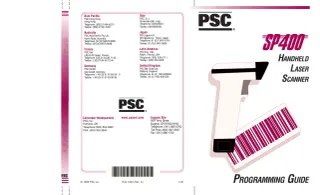
SP400 Programming Guide
Manual128 pagesPDF 2.8 MB
Programming guide for the PSC SP400 handheld laser scanner: interface selection, programming barcodes and factory defaults.
Covers · 1 model
The models it covers
Summary
What is in it
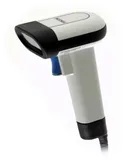
PSC's programming guide for the SP400 handheld laser scanner. It explains how to read the interface code in the model number, change interfaces by swapping cables and scanning a label, and use Programming Mode with SET and END labels. It holds programming barcodes for IBM 46xx, OCIA, Multidrop, Wand Emulation, Six-Bit, RS-232 and PC keyboard wedge interfaces, symbology options, audible signal and read verification settings, and each interface's factory defaults.
Its parts
- Introduction
- Programming Overview
- Interface Selection
- Symbologies
- General Features
From the manual
Key facts from this manual
Some pages are scans or cannot be read; this says only what the readable text supports. Each line names its page in the PDF.
Programming guide R44-1020 for the PSC SP400 handheld laser scanner, which also mentions the SP400HD and SP400AR versions. It explains how to change the scanner's interface and set its options by scanning programming barcodes. It holds label pages for each interface, symbology and beeper options, and the factory default lists.
- Device
- Handheld laser barcode scanner p. 1
- Interfaces
- IBM 468x and 469x ports, OCIA, multidrop, wand emulation, six-bit, RS-232 and PC keyboard wedge, as the unit's software allows p. 3, 4
- Interface code
- Part of the model number on the label; a table maps it to the interfaces the unit supports p. 8
- RS-232 baud rates
- 110 to 38,400 baud; 38,400 only on units made after June 1, 1995 p. 24
- RS-232 settings
- Parity, stop bits, data bits, CTS/RTS and Xon/Xoff handshaking, intercharacter delay, prefix and suffix p. 23
- Keyboard wedge
- Six PC types: PC/XT, AT and PS/2 models, each with a US or foreign keyboard, plus a laptop setting p. 44, 45
- Symbologies
- UPC-A, UPC-E, EAN-8, EAN-13, UPC-D, Code 39, Italian Code 39, Interleaved 2 of 5, Standard 2 of 5, Codabar, Code 93, Code 128, MSI/Plessey, Code 5 p. 62, 63
- High density codes
- SP400HD only: Code 49 and Code 16K p. 63
- Code 93 and 128 length
- 2 to 50 characters p. 63
- Good read tone
- 512, 1024, 2048 or 4096 Hz; short, medium or long; soft, normal or loud volume p. 88, 89
- Read verification
- One to four matching reads before data is sent p. 90
- Document number
- R44-1020 (Rev. K) p. 1
What this manual walks you through
- Finding which interfaces a unit supports from its model label p. 8, 9
- Changing the interface cable and enabling the new interface p. 10
- Programming with SET, feature and END labels p. 12, 13
- Returning the active interface to factory settings p. 13
- Setting RS-232 baud rate and communication options p. 23, 24
- Choosing the keyboard wedge PC type and laptop setting p. 44, 45
- Enabling and disabling barcode symbologies p. 62, 63
- Setting the beeper, tone and read verification p. 88, 89, 90
- Checking the factory default settings for each interface p. 111, 112
- Host programming and multifunction labels p. 126
Good to know
- The scanner can use an interface only if its software supports it, whatever cable is attached. p. 7
- The SP400AR supports only the undecoded, RS-232 and wand emulation interfaces. p. 10
- Settings changed with labels apply to the active interface only. p. 12
- Removing power before the END label is scanned discards the labels scanned in that session. p. 12
- More verification reads make each good read cycle take longer. p. 90
Questions this manual answers
How do I program the PSC SP400 with barcodes?
Scan the SET label, then the feature labels you want, then the END label to save and leave Programming Mode. The green lamp flashes while the scanner is in Programming Mode. p. 12
How do I change the interface on an SP400?
Fit the interface cable for the new host, then scan the interface label on that cable or the interface enable label in the guide. p. 10
What baud rates does the SP400 support?
110 up to 38,400 baud; the 38,400 baud label works only on units made after June 1, 1995. p. 24
Which SP400 reads Code 49 and Code 16K?
Only the SP400HD (High Density) scanner reads Code 49 and Code 16K. p. 63
How do I reset an SP400 to factory settings?
Scan the Return to Factory Settings label; it resets only the interface that is currently active. p. 13
The whole text · 13 parts
Read the manual here as text
Its text as extracted from the PDF, unedited, in parts; each page opens the PDF at that page.
The file