Manual · Microscan
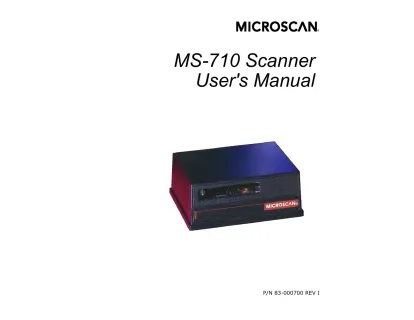
MS-710 Scanner User's Manual
Manual145 pagesPDF 1.9 MB
User's manual for the Microscan MS-710 fixed-mount laser bar code scanner: setup, menu and serial configuration, commands and specs.
Names · 1 model
The models it names
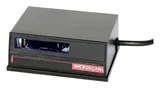
Filed with · 2 models
Also filed with these models on the old site
Summary
What is in it
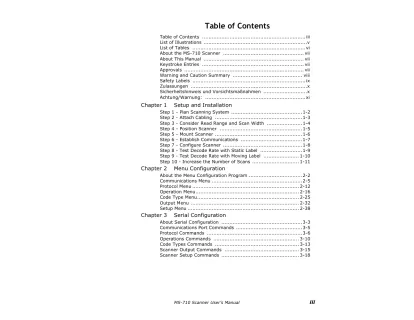
The user's manual for the Microscan MS-710, a programmable fixed-mount laser scanner. It gives step-by-step setup and installation, configuration through the ESP menu program (communications, protocol, operation, code types, output and setup) and by serial command, and the operational commands a host can send. Appendices cover scanner and electrical specifications, orientation, number of scans, troubleshooting, using the IB-105 interface box, the MS-sensor, interface standards and multidrop communications.
Its parts
- Quick Start
- Menu Configuration
- Serial Configuration
- Operational Commands
From the manual
Key facts from this manual
Each line names its page in the PDF.
User's manual (P/N 83-000700 REV I) for the Microscan MS-710, a programmable fixed-mount laser bar code scanner. It walks through planning, cabling, positioning, mounting and connecting the scanner, configuring it by menu or serial command, and gives specifications, pinouts, troubleshooting and a full appendix on the IB-105 interface box.
- Device
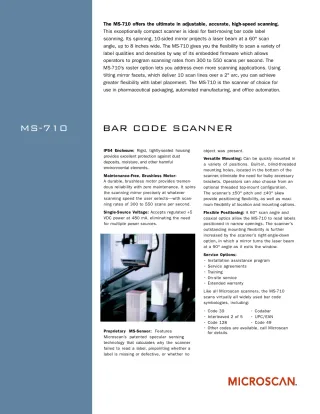
- Programmable fixed-mount laser bar code scanner with a 10-sided spinning mirror p. 7
- Interfaces
- RS-232, RS-422 and RS-485; 300 to 76.8K baud p. 106
- Connector
- Hard-wired 3-foot cable to an external 15-pin connector; RS-232 to host up to 47 feet p. 15
- Power
- +5 VDC ±4% regulated at 480 mA, 200 mV p-p max ripple p. 109
- Read range
- High density 2 to 4 in; low density 2 to 10 in; right-angle down 1 to 8.5 in; scan width 7 in max p. 107
- Scan rate
- 300 to 550 scans per second; scan angle typically 60° p. 106
- Light source
- 670 nm laser diode, CDRH Class II; 50,000 hours at 25°C p. 106
- Dimensions
- 3.47 x 2.59 x 1.32 in; 9 oz. (255 g) p. 106
- Operating temperature
- 32° to 122°F (0° to 50°C); enclosure IP54; humidity up to 90% non-condensing p. 106
- Default serial settings
- 9600 baud, even parity, 7 data bits, 1 stop bit p. 19
- Code types
- Code 39, Codabar, Interleaved 2 of 5, UPC/EAN, Code 128, Code 93, PDF 417 and others p. 106
- I/O signals
- Trigger input 3V to 24V; two TTL relay driver outputs (sink 10 mA, source 2 mA) p. 109
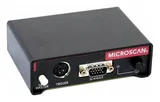
- IB-105 interface box
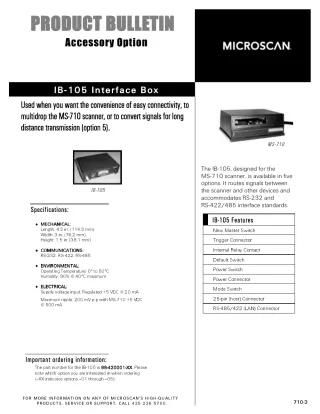
- P/N 99-420001-XX, sold separately; options -01 to -05 for RS-232, RS-422, RS-485 p. 122, 124
- Configuration
- By terminal menu, by serial command, or with ESP software p. 7, 19
What this manual walks you through
- Planning the scanning system and attaching cables p. 14, 15
- Positioning the scanner to avoid glare and specular reflection p. 17
- Top or bottom mounting and drilling the holes p. 18
- Connecting to a PC with ESP auto baud p. 19
- 15-pin connector pinouts for RS-232 and RS-422/485 p. 109
- Grounding and avoiding noise and ground loops p. 110
- Restoring the default configuration by command or IB-105 switch p. 114
- Troubleshooting no reads, low decode rates and trigger problems p. 118, 119, 120, 121
- Choosing and wiring IB-105 options -01 to -05 p. 122, 123, 124, 125, 126
- Long-distance RS-422 links with two IB-105 boxes p. 127
Good to know
- The scanner has no user serviceable parts; opening the scan head can expose the user to laser power up to 5 mW. p. 8
- The scanner cable should not exceed 3 feet, since the +5 VDC supply runs in the same cable. p. 15
- Mounting screws may go no deeper than 0.29 inch (top mount) or 0.15 inch (bottom mount). p. 18
- Do not aim the scanner into direct light, sunlight or an object detector. p. 118
- Power must be present during all default procedures. p. 114
Questions this manual answers
What is the default baud rate of the Microscan MS-710?
9600 baud, even parity, 7 data bits and 1 stop bit. p. 19
What power supply does the MS-710 need?
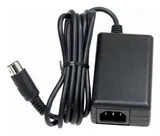
A regulated +5 VDC supply (±4%) delivering 480 mA; the manual calls for a UL Listed Class II plug-in unit rated 5 VDC at 2 amps or greater. p. 8, 109
How do I reset the MS-710 to factory defaults?
Send the <Zd> command, or with an IB-105 press a straightened paper clip into its default switch, then pull out slightly and reinsert within 3 seconds. p. 114
What is the read range of the MS-710?
2 to 4 inches for high density models, 2 to 10 inches for low density, and 1 to 8.5 inches for the right-angle down version. p. 107
Which IB-105 option is for long-distance links?
Option -05 converts RS-422 back to RS-232; paired with a -02 or -04 box at the scanner it carries data up to 4000 feet. p. 127
Contents
Chapters and sections
Each line opens the PDF at its page.
The whole text · 15 parts
Read the manual here as text
Its text as extracted from the PDF, unedited, in parts; each page opens the PDF at that page.
- Pages 1 to 101-10
- Pages 11 to 2011-20
- Pages 21 to 3021-30
- Pages 31 to 4031-40
- Pages 41 to 5041-50
- Pages 51 to 6051-60
- Pages 61 to 7061-70
- Pages 71 to 8071-80
- Pages 81 to 9081-90
- Pages 91 to 10091-100
- Pages 101 to 110101-110
- Pages 111 to 120111-120
- Pages 121 to 130121-130
- Pages 131 to 140131-140
- Pages 141 to 145141-145
The file