Manual · Microscan
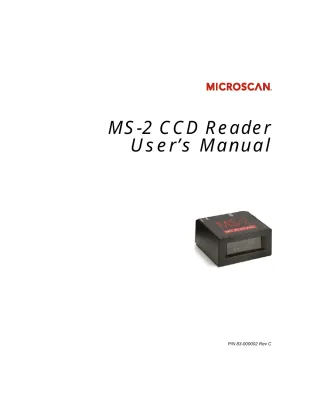
MS-2 CCD Reader User's Manual
Manual125 pagesPDF 1.0 MB
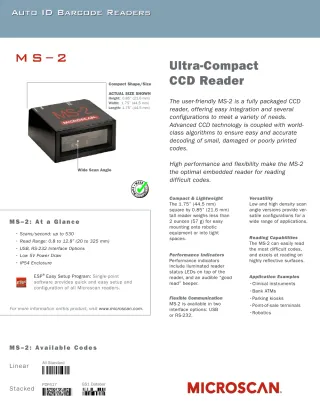
User's manual for the Microscan MS-2 compact CCD barcode reader: quick start, ESP setup software, read cycle, symbologies and utilities.
Covers · 1 model
The models it covers
Summary
What is in it
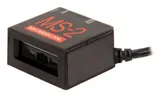
The user's manual for the Microscan MS-2, an ultra-compact fixed-mount CCD barcode reader with LED illumination and RS-232 connectivity. It walks through a quick start, the Windows-based ESP setup program, host communications, read cycle and trigger settings, the symbologies it decodes, the terminal window and serial utility commands. Appendices give general and electrical specifications, serial configuration commands, an ASCII table and operational tips.
Its parts
- Quick Start
- Using ESP
- Communications
- Read Cycle
- Symbologies
- Terminal
- Utilities
From the manual
Key facts from this manual
Each line names its page in the PDF.
The Microscan MS-2 CCD Reader User's Manual (P/N 83-000002 Rev C, 2009). It covers setting up, connecting and configuring the reader by USB or RS-232 with the ESP setup program or serial commands, and gives the specifications, read ranges, connector pins and trigger wiring.
- Device
- Ultra-compact CCD bar code reader with LED illumination and no moving parts; High Density and Low Density options p. 6
- Interface
- RS-232; USB through the IC-3USB Interface Kit, which also powers the reader p. 13, 100
- Power
- 5V +/- 5%, 300 mV p-p max. ripple, 150mA @ 5V (typ.) p. 100
- Power supply
- UL-listed direct plug-in unit marked Class II, rated 5 VDC at 3.5 Watts, or more with electrical accessories p. 7
- Scan rate
- 220 scans/sec p. 100
- Read range
- 0.8 to 12.8 in. (20 to 325 mm) p. 6
- Resolution
- Down to 0.084 mm (3.3 mil) on Code 39; symbols up to 178 mm (7 in.) wide at 0.5 mm (20 mil) p. 100
- Optics
- CCD linear image sensor, 660 nm visible LED (Class 1 LED product) p. 7, 100
- Size and weight
- 0.85 in. (21.6 mm) high, 1.75 in. (44.5 mm) wide and long; 2 oz. (57 g) p. 100
- Connector
- 3-foot cable ending in a 15-pin high density D-sub socket p. 100
- Temperature
- Operating -20° to 50° C (-4° to 122° F); storage -20° to 60° C; 20% to 85% humidity, non-condensing p. 100
- Symbologies
- UPC/EAN, Code 39, Code 128/EAN-128, Interleaved 2 of 5, Industrial 2 of 5, Codabar, Code 93, MSI Code, Plessey Code, GS1 DataBar (RSS) p. 100
- Versions
- Standard or Right Angle case, Low or High Density, all RS-232 and 5VDC (FIS-0002-0001G to FIS-0002-0004G) p. 102
- Default serial settings
- 9600 baud, even parity, one stop bit, seven data bits, point-to-point protocol p. 42, 43
What this manual walks you through
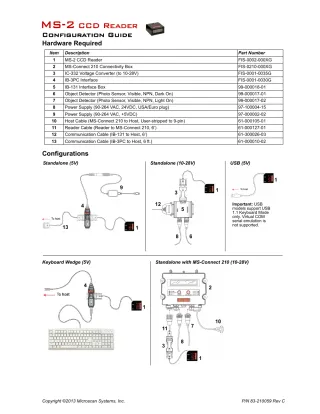
- Checking the hardware and connecting the reader by USB or RS-232 p. 12, 13
- Installing ESP and connecting to the reader with Autoconnect p. 14, 15, 16
- Positioning the reader to avoid specular reflection and excess skew or pitch p. 17
- Changing settings in ESP and saving them to the reader p. 18, 19
- Setting host port baud rate, parity, stop bits, data bits and protocol p. 42, 43
- Sending serial K configuration commands p. 104, 105, 106
- Wiring an external trigger to 5 volt and 10-28 volt readers p. 110
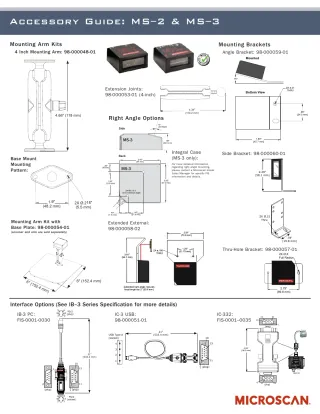
- Cleaning and mounting the reader p. 109
Good to know
- Connect all cables before applying power, and power down before disconnecting any cable. p. 12
- Viewing the LED output through magnifiers, loupes or microscopes within 100 mm could cause serious eye injury. p. 7
- Do not insulate the stand mount: the bottom panel is the hottest part and needs metal-to-metal contact to shed heat. p. 109
- A 5 volt reader used with an IC-332 must be connected as a 10-28 volt device. p. 110
- Maximum skew and maximum pitch are each ±30°. p. 17
Questions this manual answers
What are the default serial settings of the Microscan MS-2?
9600 baud, even parity, one stop bit and seven data bits, with point-to-point protocol. p. 42, 43
Which bar code does the MS-2 read out of the box?
Code 39 is the default symbology enabled; others can be turned on in ESP. p. 17
Can the MS-2 run on USB power?
Yes. Connected through the IC-3USB Interface Kit, the reader is powered by the USB connection. p. 13
What software sets up the MS-2 CCD reader?
Microscan's ESP (Easy Setup Program) on Windows Vista, XP or 2000, or serial commands sent from a terminal. p. 6, 14
How do I clean the MS-2 window?
The hard-coated window should only be cleaned with 100% isopropyl alcohol. p. 109
Contents
Chapters and sections
Each line opens the PDF at its page.
The whole text · 13 parts
Read the manual here as text
Its text as extracted from the PDF, unedited, in parts; each page opens the PDF at that page.
The file