Manual · Microscan
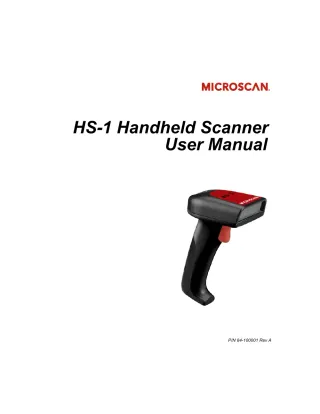
HS-1 Handheld Scanner User Manual
Manual145 pagesPDF 1.4 MB
User manual for the Microscan HS-1 handheld CCD scanner: quick start, ESP software, communications, read cycle and symbology settings.
Covers · 1 model
The models it covers
Summary
What is in it
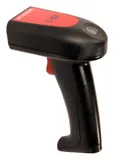
The user manual for the Microscan HS-1 Handheld Scanner, a compact scanner with a CCD image sensor and LED illumination. It shows how to connect by USB (native HID or virtual comm) or RS-232, then how to configure the scanner with ESP (Easy Setup Program), serial commands or printed configuration bar codes. Chapters cover communications, read cycle, symbologies, the ESP terminal and utilities, with appendices.
Its parts
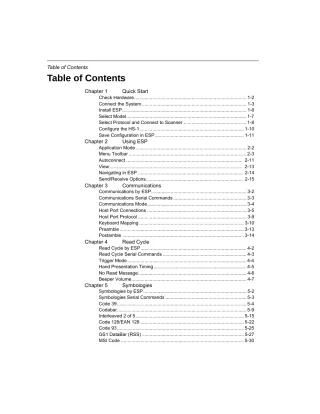
- Quick Start
- Using ESP
- Communications
- Read Cycle
- Symbologies
- Terminal
- Utilities
From the manual
Key facts from this manual
Each line names its page in the PDF.
This is the Microscan HS-1 Handheld Scanner User Manual, P/N 84-100001 RevA, for the HS-1 CCD handheld bar code scanner. It walks through connecting the scanner by USB or RS-232, setting it up with the ESP software, serial commands or configuration bar codes, and gives the communications, read cycle and symbology settings and the specifications.
- Device
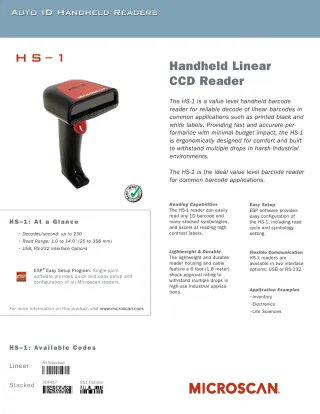
- Compact handheld bar code scanner, CCD image sensor, LED illumination, no moving parts p. 5
- Interfaces
- USB HID (default), USB Virtual Comm or RS-232; cable plugs into the handle by RJ45 p. 10, 39
- Power
- 5VDC; typical 240mA, peak 750mA, idle 95mA p. 134
- Cables
- RS-232 Kit 98-000111-01; USB Virtual Comm cable 98-000112-01 p. 39
- Optics
- 2,048 pixel CCD image sensor; 660 nm visible LED p. 131
- Read performance
- 230 decodes/second; depth of field 2.8 to 3.5" (70 to 90 mm) p. 131
- Symbologies
- UPC/EAN, Code 39, Code 128/EAN-128, Interleaved and Industrial 2 of 5, Codabar, Code 93, MSI, Plessey, China Postal, GS1 DataBar, PDF417 p. 131
- Size and weight
- 6.3" (160 mm) high, 2.8" (68 mm) wide, 3.5" (88 mm) deep; 7.8 oz. (220 g) with cable p. 131
- Temperature
- Operating 0° to 50° C (32° to 122° F); storage –20° to 60° C p. 131
- Ruggedness
- Drops of 6' (1.8 meters) to concrete; 20% to 85% humidity, non-condensing p. 131
- Ambient light
- Sunlight up to 278 ft. candles (3,000 lux) p. 131
- Serial defaults
- 9600 baud, even parity, one stop bit, seven data bits p. 40, 41, 42, 43
- Setup methods
- ESP (Easy Setup Program) software, serial K commands, or configuration bar codes p. 5
- ESP PC needs
- Windows Vista, XP, or 2000; 166 MHz Pentium; 64 MB RAM; 80 MB disk space p. 13
What this manual walks you through
- Connecting the scanner by USB HID, USB Virtual Comm or RS-232 p. 10, 11, 12
- Installing ESP and connecting it to the scanner p. 13, 14, 15, 16
- Changing and saving settings in ESP p. 17, 18
- Setting communications mode, baud rate, parity, stop bits and data bits p. 39, 40, 41, 42, 43
- Choosing point-to-point or RTS/CTS host protocol p. 44
- Setting triggered or continuous hand presentation mode p. 53, 54
- Setting the No Read message and beeper volume p. 55, 56
- Writing and saving serial K commands p. 138, 139
Good to know
- Connect all cables before applying power, and power down before disconnecting any cable. p. 9
- When configuring with bar codes, always read Bar Code Configuration Mode, then the setting, then Save Settings. p. 5
- Settings sent with Send, No Save are lost when power is re-applied. p. 18
- USB Virtual Comm mode needs drivers from the Microscan Download Center. p. 11
- Specifications are for typical performance at 25°C (77°F) with grade A labels. p. 133
Questions this manual answers
What are the HS-1 default serial settings?
9600 baud, even parity, one stop bit and seven data bits. p. 40, 41, 42, 43
How do I set the Microscan HS-1 to USB keyboard (HID) mode?
Read the Bar Code Configuration Mode symbol, then USB Native (HID) Mode, then Save Settings. USB HID is also the default mode. p. 10, 39
What power does the HS-1 scanner need?
5VDC, drawing 240mA typical, 750mA peak and 95mA idle. p. 134
How do I save an HS-1 serial command so it survives power-off?
Follow the K command with <Z>; <A> applies it without saving for power-on. p. 138
What is the HS-1 depth of field?
2.8 to 3.5" (70 to 90 mm), at 230 decodes per second. p. 131
Contents
Chapters and sections
Each line opens the PDF at its page.
The whole text · 15 parts
Read the manual here as text
Its text as extracted from the PDF, unedited, in parts; each page opens the PDF at that page.
- Pages 1 to 101-10
- Pages 11 to 2011-20
- Pages 21 to 3021-30
- Pages 31 to 4031-40
- Pages 41 to 5041-50
- Pages 51 to 6051-60
- Pages 61 to 7061-70
- Pages 71 to 8071-80
- Pages 81 to 9081-90
- Pages 91 to 10091-100
- Pages 101 to 110101-110
- Pages 111 to 120111-120
- Pages 121 to 130121-130
- Pages 131 to 140131-140
- Pages 141 to 145141-145
The file