Manual · Datalogic
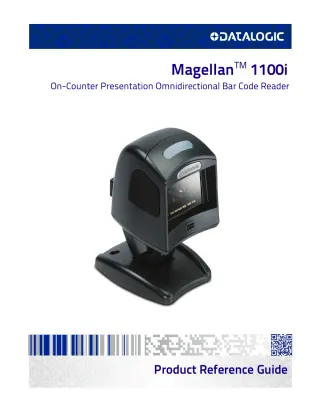
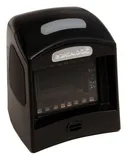
Magellan 1100i On-Counter Presentation Omnidirectional Bar Code Reader Product Reference Guide
Manual208 pagesPDF 2.4 MB
Product reference guide for the Datalogic Magellan 1100i on-counter omnidirectional imaging scanner: connection and programming.
Covers · 1 model
The models it covers
Summary
What is in it
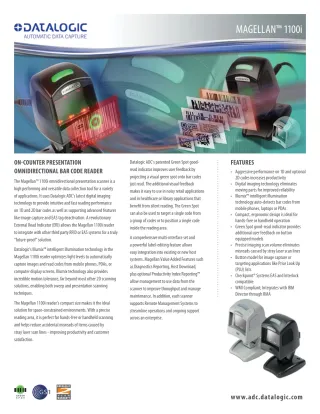
Datalogic's product reference guide for the Magellan 1100i, an on-counter omnidirectional imaging scanner for hands-free and handheld scanning. It shows how to connect the scanner by RS-232, USB, IBM or keyboard wedge, explains the LED, beeper and error code indications, and gives the programming barcodes for general features (timeouts, sleep mode, image capture, cell phone mode), interface settings, data editing such as prefixes, suffixes and label IDs, and each supported symbology.
Its parts
- Getting Started
- General Features
- Interface Related Features
- Data Editing
- Symbologies
From the manual
Key facts from this manual
Each line names its page in the PDF.
This is the Product Reference Guide for the Datalogic Magellan 1100i on-counter presentation omnidirectional imaging scanner. It explains how to connect the scanner, program it by scanning barcodes, choose an interface, and read its LED, beeper and error codes. It also gives the product specifications and cable pinouts.
- Device
- On-counter omnidirectional imaging scanner for hands-free or handheld scanning p. 9
- Interfaces
- RS-232 (Standard, Wincor-Nixdorf), IBM 4683 Port 5B, 9B and 17, USB-OEM, USB Keyboard, USB COM, Keyboard Wedge p. 39
- Operating voltage
- 4.5 to 14 VDC p. 182
- Scan pattern
- 136 scan lines, 1,768 scan lines/second, 70 cubic inch scan volume p. 181
- 2D symbologies
- PDF 417, Micro PDF 417, Datamatrix, QR Code, Maxicode, Aztec, Composite Labels (models with 2D features activated) p. 157
- Dimensions
- Scanner only 3.3 x 2.8 x 3.7 in; with base station 5.5 x 2.9 x 3.8 in p. 182
- Weight
- Scanner 7.0 oz; base station 6.6 oz p. 182
- Operating temperature
- 32 F to +104 F (0 C to +40 C) p. 182
- Storage temperature
- -40 F to +158 F (-40 C to +70 C) p. 182
- Cable connector
- 10-position RJ at the scanner end p. 183
- Water and dust
- IP52 p. 182
- Drop
- Multiple 1.2 m drops p. 182
- EAS support
- Yes (Checkpoint) p. 182
- Error codes
- LED flashes or beeps: 1 configuration, 2 interface PCB, 6 main PCB, 10 button, 12 imager module, 13 software ID, 14 CPLD/code mismatch p. 13
What this manual walks you through
- Connecting the scanner by RS-232, USB, IBM or keyboard wedge cable p. 10, 11
- Programming the scanner by scanning barcodes in Programming Mode p. 11
- Restoring the factory default settings p. 11
- Reading the green LED and beeper indications p. 12
- Understanding self-test error codes p. 13
- Selecting the interface type p. 39, 40
- Setting the sleep mode timeout p. 19
- Reading barcodes on a cell phone display p. 34, 35
- Cable pinouts for each interface p. 183, 184
Good to know
- If the terminal cannot power the scanner, an approved AC adapter plugs into the socket on the RS-232 cable connector. p. 10
- A USB installation may need an AC adapter, for example on a non-powered USB hub. p. 10
- A 220-230 VAC adapter must be plugged in with its cord facing down to avoid strain on the outlet. p. 10
- Turn off the terminal or PC before connecting an RS-232 or keyboard wedge cable. p. 10, 11
- For any self-test error code, the manual says to contact the helpdesk. p. 13
Questions this manual answers
What voltage does the Magellan 1100i need?
The specifications give an input voltage of 4.5 to 14 VDC. p. 182
What does it mean when the 1100i flashes or beeps 6 times at startup?
Six LED flashes or beeps at startup point to a main PCB error found by the self-test. p. 13
How do I reset the Magellan 1100i to factory defaults?
Scan the Standard Product Default Settings barcode; it copies the factory configuration for the active interface. p. 11
Which interfaces does the 1100i support?
RS-232, IBM 4683 ports, USB (OEM, keyboard and COM) and keyboard wedge. p. 39
Can the 1100i read barcodes on a phone screen?
Yes, Cell Phone Mode lets it read barcodes on a cell phone display; it is disabled by default. p. 34
Contents
Chapters and sections
Each line opens the PDF at its page.
The whole text · 26 parts
Read the manual here as text
Its text as extracted from the PDF, unedited, in parts; each page opens the PDF at that page.
- MagellanTM 1100i, pages 1 to 41-4
- MagellanTM 1100i, pages 5 to 85-8
- Getting Started9-14
- General Features, pages 15 to 2215-22
- General Features, pages 23 to 3023-30
- General Features, pages 31 to 3831-38
- Interface Related Features, pages 39 to 4839-48
- Interface Related Features, pages 49 to 5849-58
- Interface Related Features, pages 59 to 6659-66
- Data Editing67-80
- Symbologies, pages 81 to 9081-90
- Symbologies, pages 91 to 10091-100
- Symbologies, pages 101 to 110101-110
- Symbologies, pages 111 to 120111-120
- Symbologies, pages 121 to 130121-130
- Symbologies, pages 131 to 140131-140
- Symbologies, pages 141 to 150141-150
- Symbologies, pages 151 to 156151-156
- 2D Symbologies, pages 157 to 164157-164
- 2D Symbologies, pages 165 to 172165-172
- 2D Symbologies, pages 173 to 178173-178
- Pages 179 to 182179-182
- Pages 183 to 186183-186
- Default Settings187-190
- Keyboard Function Key Mappings191-198
- Pages 199 to 208199-208
The file