Manual · Accu-Time
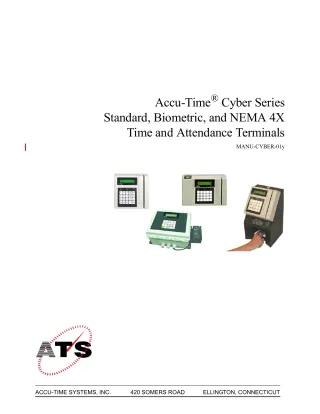
Accu-Time Cyber Series Standard, Biometric, and NEMA 4X Time and Attendance Terminals
Manual91 pagesPDF 952 KB
Installation, setup and diagnostics manual for Accu-Time Cyber Series time and attendance terminals: standard, biometric and NEMA 4X.
Names · 2 models
The models it names
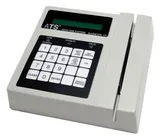
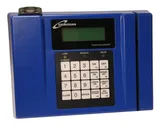
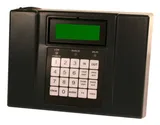 Accu-Time CS2100Stationary time and attendance data collection terminal from$595.002 in stock Accu-Time CSS110Stationary time and attendance data collection terminal from$595.004 in stock
Filed with · 2 models
Also filed with these models on the old site
Summary
What is in it
The manual for the Accu-Time Cyber Series family of time and attendance terminals, in standard, biometric and NEMA 4X versions. It describes the models and their configurations, specifications and RS232, RS485 and Ethernet connectivity, then explains power and data wiring, modem and printer hookup, mounting, and the built-in test, setup and diagnostic modes (COMM port, TCP/IP, date and time, passwords). It also covers cleaning badge and finger readers, troubleshooting and firmware updates.
Its parts
- Preface
- Terminal Description
- Installation
- Setup, Test, Diagnostics, and Maintenance
From the manual
Key facts from this manual
Each line names its page in the PDF.
The user manual (MANU-CYBER-01y) for the Accu-Time Cyber Series standard, biometric and NEMA 4X time and attendance terminals. It covers the family by series code (CSS, CSE, CS1, CS2, CS3 and their B, N and G versions) and lists biometric model numbers such as CSS110 and CS2100. It gives specifications, installation and wiring, maintenance, troubleshooting and firmware updates.
- Device
- Time and attendance terminal family in standard, biometric and NEMA 4X enclosure versions p. 13
- Power
- +10 to +17VDC (+12VDC @ 300mA nominal), from a 12VDC power pack p. 17, 23
- Display
- 2 or 4 line by 20 character backlit LCD p. 17
- Keypad
- 20-key tactile 4x5 matrix with software-defined function keys p. 17
- Memory
- Up to 1MB, and up to 512KB Flash p. 17
- Interfaces
- RS232 or RS485, wand, DIDO; optional TCP/IP Ethernet 10/100BASE-T, modem, serial printer port p. 17
- Environment
- 32 to 110°F (0 to 43°C), 5% to 95% relative humidity non-condensing; heated NEMA 4X option for below 32°F p. 17
- Cable limits
- RS232: 50 wire-feet; RS485: up to 32 terminals, 5,000 wire-feet combined; Ethernet: 328 wire-feet (100 meters) p. 19, 23
- Battery backup
- Optional UPS runs the terminal up to 1.5 hours; memory backup keeps data up to 30 hours p. 13
- Badge formats
- UPCA, ABAR, EAN, 128, 3 of 9, Interleave 2 of 5, Wiegand, IATA Track I and ABA Track II magnetic stripe (program dependent) p. 13
- Accessories
- Bar code and magnetic stripe track II slot readers, 26- or 34-bit proximity readers, solid state or dry contact relay modules p. 18
- Standard terminal size
- 7.13” x 7.33” x 4.00” (18.1cm x 18.6cm x 10.2cm), 3.0 lb (1.4kg) p. 18
- Ethernet host port
- Default host port 2500, IEEE 802.3 p. 19
- Firmware files
- Terminal flash image .CFL, biometric reader image .FFL, both loaded with ATS Accu-Engine p. 81, 82
What this manual walks you through
- Choosing a location and mounting height for the terminal p. 22, 23
- Wiring power and RS232 data cable, with the RJ45 pinout p. 23, 24
- Connecting the optional modem to an analog phone line p. 24
- Choosing an Ethernet acknowledgement mode (Normal, AppAck, Two-Way AppAck) p. 19, 20, 21
- Cleaning the badge reader and the Bioscrypt finger sensor p. 69, 70
- Troubleshooting power, host communication, badge and keypad problems p. 73, 74
- Troubleshooting an Ethernet terminal p. 75, 76
- Updating terminal and biometric reader firmware p. 81, 82
Good to know
- The standard terminal is for indoor use; outdoor sites call for the NEMA 4X version. p. 22
- Loading the wrong flash image leaves the terminal completely inoperative. p. 81
- Do not clean the finger sensor with chlorine-based cleaners or solvents such as acetone. p. 69, 70
- The modem does not support digital telephone lines. p. 24
- The terminal has no user serviceable parts. p. 74
Questions this manual answers
What power supply does an Accu-Time Cyber Series terminal need?
It runs on 12VDC from a power pack; the specification is +10 to +17VDC, 12VDC at 300mA nominal. p. 17, 23
How long does the Cyber Series battery backup last?
With the battery backup option the terminal runs about 1.5 hours after main power is lost, then powers off. p. 73
How far can an Accu-Time terminal be from the host computer?
RS232 up to 50 wire-feet, RS485 up to 5,000 wire-feet combined, and Ethernet up to 328 wire-feet to the hub or switch. p. 23
How do I update the firmware on a Cyber Series terminal?
Get the correct .CFL flash image and download it to the terminal with an Accu-Engine script; do not interrupt the download. p. 81
Why does my Cyber Series terminal send duplicate punches?
This happens when the terminal is set for AppAck but the host is not, so the protocols must match. p. 76
Contents
Chapters and sections
Each line opens the PDF at its page.
The whole text · 13 parts
Read the manual here as text
Its text as extracted from the PDF, unedited, in parts; each page opens the PDF at that page.
- Pages 1 to 41-4
- Table of Contents5-8
- Preface9-12
- Chapter 1 Terminal Description13-21
- Chapter 2 Installation, pages 22 to 2922-29
- Chapter 2 Installation, pages 30 to 3730-37
- Chapter 3 Setup, Test, Diagnostics, and Maintenance, pages 38 to 4738-47
- Chapter 3 Setup, Test, Diagnostics, and Maintenance, pages 48 to 5748-57
- Chapter 3 Setup, Test, Diagnostics, and Maintenance, pages 58 to 6758-67
- Chapter 3 Setup, Test, Diagnostics, and Maintenance, pages 68 to 7668-76
- Appendix A Proper Use of a Biometric Reader77-80
- Pages 81 to 8681-86
- Pages 87 to 9187-91
The file