Manual · Teklogix
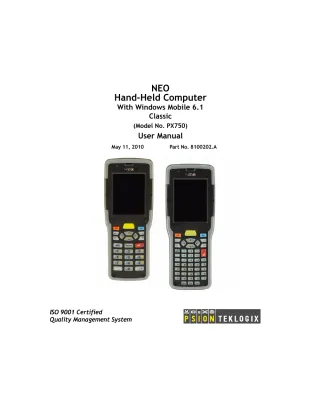
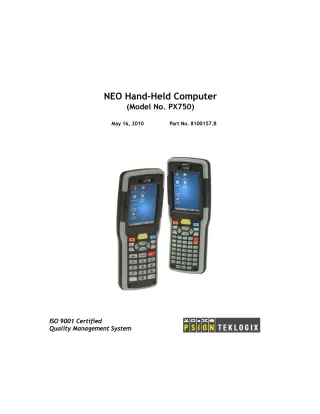
NEO Hand-Held Computer (Model No. PX750) User Manual
Manual278 pagesPDF 7.6 MB
User manual for the Psion Teklogix NEO PX750 hand-held computer running Windows CE 5.0: setup, operation, configuration and specs.
Covers · 1 model
The models it covers
Summary
What is in it
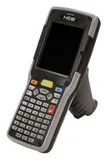
The Psion Teklogix user manual for NEO (model PX750, PX750BT and PX750BT8), a compact, ruggedized hand-held computer running Microsoft Windows CE 5.0. It explains how to get the unit ready, including the battery, touchscreen calibration and the 802.11b/g radio, then covers the keyboard, the Windows CE 5.0 desktop, Control Panel configuration, peripherals and accessories, and specifications, with appendices on pinouts, Wireless Zero Config, bar code settings and the imagers applet.
Its parts
- Introduction
- Basic Checkout
- Getting To Know NEO
- Working With Windows CE 5.0
- Configuration
- Peripheral Devices & Accessories
- Specifications
From the manual
Key facts from this manual
Each line names its page in the PDF.
User manual for the Psion Teklogix NEO hand-held computer, model PX750, in its Windows CE 5.0 version. It supports model numbers PX750BT and PX750BT8. It explains setup, the battery and keyboard, Windows CE configuration, accessories, specifications and connector pinouts.
- Device
- Rugged hand-held computer running Windows CE 5.0 (Professional on connected units, Core on batch units) p. 16, 182
- Processor and memory
- PXA270 at 624 or 312 MHz; 128 MB SDRAM, 128 MB Flash p. 182
- Display
- 2.7 in. color 240 x 320 TFT touchscreen, sunlight readable p. 181
- Keyboard
- 48-key alphanumeric or 26-key numeric, LED backlit p. 181
- Battery
- 3.7 V 3300 mAh lithium-ion, Model No. WA3006 p. 20, 23
- Radios
- 802.11b/g (CCX certified) and Bluetooth version 2.0 p. 183, 184
- Scan options
- Optional 1D SE955 laser scanner, 1D EV15 imager or 2D HHP 5000 imager p. 183
- Ports
- Docking port with RS-232, USB and DC input; one microSD slot p. 181, 182
- Size and weight
- 168 x 64 x 34 mm (6.6 x 2.5 x 1.3 in.); 275 g (0.6 lbs.) with battery p. 181
- Operating temperature
- -10 °C to +50 °C (14 °F to 122 °F) p. 182
- Rain and dust
- The manual states IP54, IEC 529, and 26 drops from 1.2 m (4 ft.) to concrete p. 182
- Adaptors and cables
- PX3050 RS-232 adaptor; PX3054 micro-USB adaptor with DC jack; PX3052 micro-USB to Ethernet; PX3053 micro-USB to USB A receptacle; PX3058 micro-USB to USB A p. 164
- Docks and chargers
- PX3001 desktop dock; PX3008 desktop dock with V.92 modem; PX3004 PC and PX3004 NPC quad docks; WA3004 quad and WA3001 single battery chargers p. 167
- Power adaptors
- PX3012 AC wall adaptor and PX3056 cigarette lighter adaptor, each used with PX3054 p. 167, 173
What this manual walks you through
- Charging and installing the battery and switching the unit on and off p. 23, 24
- Setting up wireless network profiles with Wi-Fi Config p. 24
- Transferring data with Windows Mobile Device Center p. 36
- Performing warm and cold resets p. 36
- Attaching the RS-232 and micro-USB adaptors p. 164, 166, 167
- Installing docking stations and troubleshooting USB links p. 168, 173
- Connecting the AC wall adaptor and the vehicle power adaptor p. 173, 174
- Docking connector, battery connector and expansion port pinouts p. 189, 190
Good to know
- Batteries ship about 40% charged and must be fully charged before use. p. 41
- Docking stations do not charge batteries outside 0 °C to 45 °C (32 °F to 113 °F). p. 168
- With default power settings, a battery swapped within 10 minutes loses no data. p. 41
- At first power-up, leave the battery in for at least 2 minutes so the super capacitor fills. p. 23
- A cold reset loses data and programs not stored in Flash Disk or on a microSD card. p. 36
Questions this manual answers
What battery does the NEO PX750 use?
A 3300 mAh lithium-ion battery pack, Model No. WA3006. p. 23
Which Windows version runs on the NEO PX750?
Windows CE 5.0 Professional on the connected variant and Windows CE 5.0 Core on the batch variant. p. 182
How do I warm reset the NEO?
Hold the [FN/BLUE] and [ENTER] keys together for at least six seconds. Files, settings and installed programs are kept. p. 36
What chargers and docks fit the NEO PX750?
The PX3001 desktop dock, the PX3008 dock with modem, the PX3004 quad dock, and the WA3004 quad and WA3001 single battery chargers. p. 167
Which scanners can the NEO have?
An optional 1D SE955 laser scanner, a 1D EV15 imager or a 2D HHP 5000 imager. p. 183
Contents
Chapters and sections
Each line opens the PDF at its page.
- Cover1
- Introduction 113
- Basic Checkout 221
- Getting To Know NEO 337
- 3.1 Features of NEO39
- 3.2 The Battery40
- 3.3 Switching the Hand-Held On and Off42
- 3.4 The Keyboard43
- 3.5 The Display48
- 3.6 NEO Hand-Held Indicators49
- 3.7 Monitoring the Battery and Maximizing Run Time53
- 3.8 Uploading Data in a Docking Station55
- 3.9 Bluetooth Radio55
- 3.10 The microSD Card58
- 3.11 General Maintenance59
- Working With Windows CE 5.0 461
- Configuration 581
39 more lines, from page 133 on
- 5.8 The Storage Manager133
- Peripheral Devices & Accessories 6155
- 6.1 Carrying Accessories157
- 6.2 The Battery163
- 6.3 Adaptor/Cable Options164
- 6.4 Charging Options167
- 6.5 Desktop Docking Station – PX3001168
- 6.6 AC Wall Adaptor– Model No. PX3012173
- 6.7 Cigarette Lighter Adaptor, Model PX3056173
- 6.8 Quad Docking Station – PX3004 PC & PX3004 NPC174
- 6.9 Scanners and Imagers176
- 6.10 Bluetooth Peripherals178
- Specifications 7179
- App A: Pinouts189
- App B: Wireless Zero Config191
- App C: Bar Code Settings199
- App D: Teklogix Imagers Applet233
- Index269
The whole text · 32 parts
Read the manual here as text
Its text as extracted from the PDF, unedited, in parts; each page opens the PDF at that page.
- Cover1-4
- TABLE OF CONTENTS5-12
- Introduction 113-20
- Basic Checkout 2, pages 21 to 2821-28
- Basic Checkout 2, pages 29 to 3629-36
- Getting To Know NEO 3, pages 37 to 4437-44
- Getting To Know NEO 3, pages 45 to 5245-52
- Getting To Know NEO 3, pages 53 to 6053-60
- Working With Windows CE 5.0 4, pages 61 to 7061-70
- Working With Windows CE 5.0 4, pages 71 to 8071-80
- Configuration 5, pages 81 to 9081-90
- Configuration 5, pages 91 to 10091-100
- Configuration 5, pages 101 to 110101-110
- Configuration 5, pages 111 to 120111-120
- Configuration 5, pages 121 to 130121-130
- Configuration 5, pages 131 to 140131-140
- Configuration 5, pages 141 to 150141-150
- Configuration 5, pages 151 to 154151-154
- Peripheral Devices & Accessories 6, pages 155 to 162155-162
- Peripheral Devices & Accessories 6, pages 163 to 170163-170
- Peripheral Devices & Accessories 6, pages 171 to 178171-178
- Specifications 7179-188
- Pages 189 to 198189-198
- App C: Bar Code Settings, pages 199 to 207199-207
- App C: Bar Code Settings, pages 208 to 216208-216
- App C: Bar Code Settings, pages 217 to 225217-225
- App C: Bar Code Settings, pages 226 to 232226-232
- App D: Teklogix Imagers Applet, pages 233 to 241233-241
- App D: Teklogix Imagers Applet, pages 242 to 250242-250
- App D: Teklogix Imagers Applet, pages 251 to 259251-259
- App D: Teklogix Imagers Applet, pages 260 to 268260-268
- Index269-278
The file