Manual · Teklogix
7535 G2 Hand-Held Computer User Manual
Manual372 pagesPDF 4.2 MB
User manual for the Psion Teklogix 7535 G2 rugged hand-held computer running Windows CE 5.0, from setup to specifications.
Covers · 1 model
The models it covers
Summary
What is in it
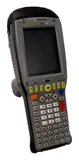
The full user manual for the Psion Teklogix 7535 G2 hand-held computer. It covers basic checkout (battery, hand strap, pistol grip, touchscreen calibration, 802.11 radio setup and the Summit Client Utility), the keyboards, display, LEDs and internal scanners, Windows Embedded CE 5.0 navigation, Control Panel configuration and Bluetooth setup, peripherals and accessories, specifications, port pinouts and bar code settings.
Its parts
- Introduction
- Basic Checkout
- Getting To Know Your 7535 G2
- Windows Embedded CE 5.0
- Configuration
- Peripheral Devices & Accessories
- Specifications
From the manual
Key facts from this manual
Each line names its page in the PDF.
The Psion Teklogix user manual, dated August 2009, for the 7535 G2 rugged hand-held computer. It covers setup and radio configuration, the battery, keyboard and scanner, Windows Embedded CE 5.0 configuration, and the chargers, docks and cables, and it lists specifications, port pinouts and bar code settings.
- Device
- Rugged hand-held computer running Windows CE 5.0, for commercial and light industrial use p. 37
- Processor and memory
- XScale PXA270 at 520 MHz; 128 MB SDRAM; 64 MB flash p. 34, 233
- Display
- 8.9 cm (3.5 in.) 240 x 320 (1/4 VGA) color transflective TFT, portrait, sunlight readable; monochrome and non-touch screens optional p. 35, 231
- Keypad
- 36-key numeric with 20 function keys or 58-key alpha with 30 function keys, backlit p. 35
- Battery
- HU3000 Li-ion pack, 7.4 V 1900 mAh, about 8 hours typical use p. 36, 232, 251
- Radios
- 802.11b/g CompactFlash radio (Summit RA2041) or 802.11a/b/g CompactFlash radio (Motorola RA2043); Bluetooth 2.0 p. 234, 235
- Scan engines
- Internal SE1200HP, SE1200LR, SE1200ALR, SE1224HP or SE1524ER laser; 1.3 megapixel CMOS imager p. 36, 235
- Ports
- Tether port: RS-232, undecoded scanner, USB host, 5 VDC out; docking port: RS-232 with diagnostics, USB device, USB host, power in/out p. 232
- Expansion slots
- One SDIO/MMC slot, one Type II CompactFlash slot p. 36
- Size and weight
- 260 x 102 x 62.5 mm (10.2 x 4.0 x 2.5 in.); 647 g (22.83 oz.) with battery p. 231
- Operating temperature
- -10°C to +50°C (14°F to 122°F); storage -25°C to +60°C p. 233
- Sealing and drops
- IP65; multiple 1.8 m (6 ft.) drops or 26 drops from 1.5 m (5 ft.) to concrete p. 34, 233
- Chargers and docks
- 6-unit gang charger HU3006, combo charger HU3002, combo docking station HU4002, portable docking module HU4001 or HU1005 and HU3220 p. 70
- Tether cables
- CA1010 RS-232 straight, CA1015 RS-232 null modem, CA1020 USB Type B; LTW adaptor kits 1002162 to 1002166 p. 228
What this manual walks you through
- Charging a new battery before first use p. 44
- Removing and installing the battery pack p. 69, 70
- Configuring the RA2041 radio with the Summit Client Utility p. 33
- Connecting a PowerScan bar code scanner to the tether port p. 209
- Recalibrating the battery gas gauge p. 210
- Turning on the Teklogix Error Handling Service p. 192
- Installing the quad dock p. 217
- Docking connector and battery contact pinouts p. 255, 256
Good to know
- Batteries charge only between 5°C and 39°C; outside that range the charge is suspended. p. 210
- Switch the unit off before changing the battery; it saves its data for up to 20 minutes during the swap. p. 69
- The internal CompactFlash and SD I/O slots are not meant for user changes. p. 44
- Cables for the tether port need a special wiring scheme described in document #1010032; wiring it otherwise may damage the unit. p. 255
- A quad dock can draw up to 3 A at 120 VAC, so check the supply circuit when powering several docks. p. 217
Questions this manual answers
Which chargers work with the 7535 G2?
The manual lists the 6-unit gang charger HU3006, the combo charger HU3002, the combo docking station HU4002 and the portable docking module. p. 70
Why is the 7535 G2 battery gauge inaccurate?
After 40 or more partial charges or discharges the gas gauge drifts; one full discharge followed by a full charge recalibrates it. p. 210
What cable connects the 7535 G2 tether port to a serial device?
CA1010 is a JB5 to DE9 RS-232 cable wired straight through, and CA1015 is the null modem version. p. 228
Contents
Chapters and sections
Each line opens the PDF at its page.
- Program License Agreements17
- Approvals And Safety Summary23
- Introduction 131
- Basic Checkout 241
- 2.1 Features Of The 7535 G243
- 2.2 Preparing The 7535 G2 For Operation44
- 2.3 Powering Up The 7535 G244
- 2.4 Attaching Carrying Accessories46
- 2.5 Calibrating The Touchscreen49
- 2.6 Configuring Your Radio49
- 2.7 Configuring An IEEE 802.11 Radio In The Unit49
- 2.8 Summit Client Utility (SCU) For RA2041 802.11b/g Radio58
- 2.9 Checking The Scanner63
- 2.10 Data Transfer Between The 7535 G2 And A PC64
- 2.11 Resetting The 7535 G265
- Getting To Know Your 7535 G2 367
- 3.1 The Battery69
- 3.2 Switching The Hand-Held On And Off73
- 3.3 The Keyboard73
- 3.4 The Display80
- 3.5 7535 G2 Indicators82
- 3.6 Internal Scanners88
- 3.7 Connecting And Disconnecting Tethered Peripherals92
- 3.8 Monitoring The Network Connection93
- 3.9 Uploading Data In A Docking Station94
- 3.10 General Maintenance94
- Windows Embedded CE 5.0 497
- Configuration 5115
74 more lines, from page 119 on
- 5.4 The Control Panel119
- 5.5 Control Panel Icons120
- 5.6 Control Panel Applications: Basic Setup124
- 5.7 Bluetooth Setup156
- 5.8 Error Reporting166
- 5.9 IPv6 Support167
- 5.10 Scanner Settings168
- 5.11 SNMP (Simple Network Management Protocol) Setup181
- 5.12 The Storage Manager188
- 5.13 Teklogix Error Handling Service192
- 5.14 Teklogix Imagers194
- 5.15 Total Recall195
- 5.16 TweakIT Settings200
- Peripheral Devices & Accessories 6207
- 6.1 External Bar Code Readers209
- 6.2 RD7950 Integrated UHF RFID Reader209
- 6.3 Batteries210
- 6.4 Battery Charging210
- 6.5 Gang Charger211
- 6.6 Combo Charger214
- 6.7 Combo Dock216
- 6.8 Quad Dock217
- 6.9 Portable Docking Module (PDM)220
- 6.10 Bluetooth Peripherals222
- 6.11 The 7535 G2 Picker Cradle223
- 6.12 Tether Adaptor Cables228
- Specifications 7229
- 7.1 7535 G2 Hand-Held Computer Specifications231
- 7.2 Radio Specifications234
- 7.3 Internal Scanner Port235
- 7.4 RFID Applications236
- 7.5 External Scanners236
- 7.6 Internal Scanner Specifications236
- 7.7 External Scanner Specifications246
- 7.8 RD7950 Integrated UHF RFID Reader251
- 7.9 HU3000 - 1900 mAh Lithium-ion Battery Pack251
- Appendix A253
- Port Pinouts253
- Appendix B259
- SCU For RA2041 802.11b/g Radio259
- B.1.2.1 SCU Security Capabilities264
- B.1.2.2 SCU EAP Types265
- B.1.2.3 EAP Credentials265
- B.1.2.4 ThirdPartyConfig266
- Appendix C273
- Bar Code Settings273
- Appendix D339
- Teklogix Imagers Applet339
- D.2.2.1 Bar Code Decoding Symbology Predefined Presets342
- D.4.14.1 Modifying A Bar Code Setting356
- D.4.16.1 File Locations For Captured Images358
- D.4.16.2 Configuring Triggers359
- Index361
The whole text · 44 parts
Read the manual here as text
Its text as extracted from the PDF, unedited, in parts; each page opens the PDF at that page.
- Pages 1 to 81-8
- Pages 9 to 149-14
- Pages 15 to 1615-16
- Program License Agreements17-22
- Approvals And Safety Summary23-30
- Introduction 131-40
- Basic Checkout 2, pages 41 to 4941-49
- Basic Checkout 2, pages 50 to 5850-58
- Basic Checkout 2, pages 59 to 6659-66
- Getting To Know Your 7535 G2 3, pages 67 to 7667-76
- Getting To Know Your 7535 G2 3, pages 77 to 8677-86
- Getting To Know Your 7535 G2 3, pages 87 to 9687-96
- Windows Embedded CE 5.0 4, pages 97 to 10597-105
- Windows Embedded CE 5.0 4, pages 106 to 114106-114
- Configuration 5, pages 115 to 124115-124
- Configuration 5, pages 125 to 134125-134
- Configuration 5, pages 135 to 144135-144
- Configuration 5, pages 145 to 154145-154
- Configuration 5, pages 155 to 164155-164
- Configuration 5, pages 165 to 174165-174
- Configuration 5, pages 175 to 184175-184
- Configuration 5, pages 185 to 194185-194
- Configuration 5, pages 195 to 204195-204
- Configuration 5, pages 205 to 206205-206
- Peripheral Devices & Accessories 6, pages 207 to 214207-214
- Peripheral Devices & Accessories 6, pages 215 to 222215-222
- Peripheral Devices & Accessories 6, pages 223 to 228223-228
- Specifications 7, pages 229 to 236229-236
- Specifications 7, pages 237 to 244237-244
- Specifications 7, pages 245 to 252245-252
- Appendix A253-258
- Appendix B259-263
- Pages 264 to 272264-272
- Appendix C, pages 273 to 282273-282
- Appendix C, pages 283 to 292283-292
- Appendix C, pages 293 to 302293-302
- Appendix C, pages 303 to 312303-312
- Appendix C, pages 313 to 322313-322
- Appendix C, pages 323 to 332323-332
- Appendix C, pages 333 to 338333-338
- Appendix D339-341
- D.2.2.1 Bar Code Decoding Symbology Predefined Presets342-355
- Pages 356 to 358356-358
- Pages 359 to 372359-372
The file