Manual · Symbol
WSS 1000 Product Reference Guide
Manual133 pagesPDF 1.8 MB
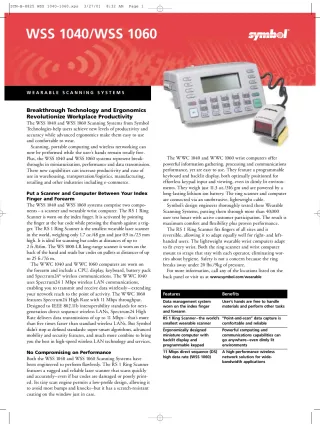
Product reference guide for the Symbol WSS 1000 wearable scanning system: WWC 1000 wrist computer, RS 1 ring scanner and WS 1200 scanner.
Names · 3 models
The models it names
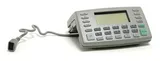 Symbol WWC-1000Portable batch data collection terminal Call for availability Symbol WWC-1010Wireless portable data collection terminal Call for availability Symbol WWC-1040802.11 (1 Mbps) wireless portable data collection terminal Call for availability
Filed with · 4 models
Also filed with these models on the old site
Symbol WSS-1019Wearable barcode scanner from$1,395.006 in stock Symbol WWS1060802.11 (2 Mbps) wireless portable data collection terminal from$795.0010 in stock Symbol WWS-1074Wireless portable data collection terminal from$795.006 in stock Symbol WWC-1049802.11 (1 Mbps) wireless portable data collection terminal Call for availability Summary
What is in it
Product reference guide for the Symbol WSS 1000 wearable scanning system, made up of the WWC 1000 wrist computer with an RS 1 ring scanner or a WS 1200 back-of-hand scanner. Written for system administrators and programmers, it covers the parts and accessories, CS 1000 cradle setup and battery charging, batch and Spectrum One initialization, Spectrum24 RF terminal setup (WWC 1040), assembling and wearing the system, operation, maintenance, troubleshooting, specifications, keyboards and the Spectrum24 utilities.
Its parts
- Getting Started
- Cradle Setup and Battery Charging
- Batch and Spectrum One Initialization
- Spectrum24 RF Terminal Setup
- Assembling the WSS 1000 System
- Operating the WSS 1000
- Maintainance and Troubleshooting
From the manual
Key facts from this manual
Each line names its page in the PDF.
This is the Symbol WSS 1000 Product Reference Guide, revision A of August 1999, for a wearable scanning system. As printed, it covers the WWC 1000 wrist computer (with WWC 1010 and WWC 1040 radio versions) worn with an RS 1 ring scanner or a WS 1200 back-of-hand scanner. It explains cradle setup, battery charging, Spectrum24 radio setup, cleaning, error codes and self tests.
- What it is
- Wearable scanning system: WWC 1000 wrist computer with an RS 1 ring scanner or WS 1200 back-of-hand scanner p. 18
- Wrist computer
- DOS-based, with decode and scanner control; its battery also powers the scanner p. 18
- Battery
- Lithium-Ion battery pack, Symbol p/n 20-16228-02 p. 32
- Battery life
- Typical 8-hour shift at 500 scans per hour p. 30
- Operating temperature
- -20° to 50°C (-4°F to 122°F) p. 96
- Keypad
- 27 keys; left and right shift keys give the equivalent of a 56-key keyboard p. 22
- Radio
- WWC 1010: Spectrum One; WWC 1040: Spectrum24 p. 23
- Cradles
- CS 1000 single-slot and 4-slot, for communication and battery charging p. 23
- Host connection
- RS-232 serial cable with DB-25 connectors from cradle to host COMM port p. 28
- Cradle power supplies
- p/n 50-14000-045 (one single-slot), 50-14000-052 (one 4-slot), 50-14000-055 (four 4-slot) p. 24
- Battery charger
- UBC 1000 4-battery charger: UBC1000-400D desk, UBC1000-400W wall; adapter p/n 50-12100-234 p. 23
- Rugged boot
- p/n 21-19670-02, used in place of the snap-on bar p. 23
- Inter-cradle cable
- p/n 25-16740-01; up to 24 four-slot cradles daisy-chained p. 30
- Charge time
- About 120 minutes in the cradle p. 33
What this manual walks you through
- Mounting the CS 1000 cradle on a table or wall p. 26, 27
- Connecting a cradle to a host computer and power p. 28, 29
- Replacing the battery pack p. 32
- Charging the wrist computer and a spare battery p. 33, 34
- Spectrum24 setup of the WWC 1040: flash disk and IP addressing p. 42, 43
- Cleaning and storing the system p. 84, 85
- Replacing the WS 1200 protective cap p. 85, 86
- Reading error messages and communication status codes p. 87, 88
- Troubleshooting start-up and Spectrum24 problems p. 89, 90
- Running the self test and memory transfer to a host PC p. 91, 92, 93, 94, 95
Good to know
- Each cradle must get power straight from a compatible power supply; single-slot cradles cannot be linked together. p. 30
- The supercap keeps memory for about 15 minutes during a battery swap but cannot run the wrist computer. p. 32
- Writing to the WWC 1040 flash disk during a power interruption could corrupt it; write only on external power or a full battery. p. 42
- Do not pour, spray or spill liquid on the wrist computer or scanners. p. 84
- Leaving the battery in a stored wrist computer for a long time may lose data in memory. p. 85
Questions this manual answers
What battery does the WWC 1000 wrist computer take?
A Lithium-Ion battery pack, Symbol p/n 20-16228-02. It is charged in a CS 1000 cradle or a Universal Battery Charger with adapter. p. 22, 32
How long does the WSS 1000 battery take to charge?
About 120 minutes in the wrist computer in a cradle; a spare battery in the cradle's charging slot takes about two hours. p. 33, 34
What does a WSS 1000 communication status code mean?
0000 means the transfer succeeded and any other code means failure. The codes add up, for example 0100 is insufficient NVM for image. p. 88
How many CS 1000 cradles can be daisy-chained?
Up to 24 four-slot cradles, using the RS-232 inter-cradle cable p/n 25-16740-01. Single-slot cradles cannot be interconnected. p. 30
What is the WSS 1000 operating temperature?
-20° to 50°C (-4°F to 122°F). p. 96
Contents
Chapters and sections
Each line opens the PDF at its page.
- WSS 1000 PRG1
- About This Manual10
- Chapter 1 Getting Started18
- Chapter 2 Cradle Setup and Battery Charging26
- Chapter 3 Batch and Spectrum One Initialization36
- Chapter 4 Spectrum24® RF Terminal Setup42
- Chapter 5 Assembling the WSS 1000 System58
- Chapter 6 Operating the WSS 100070
- Chapter 7 Maintainance and Troubleshooting84
- Appendix A Specifications96
- Appendix B WWC 1000 Keyboards98
- Appendix C Spectrum24 Network and Flash Disk Utilities106
- Index126
- Tell Us What You Think...132
- Copyright3
The whole text · 14 parts
Read the manual here as text
Its text as extracted from the PDF, unedited, in parts; each page opens the PDF at that page.
The file