Manual · Symbol
WSS 1000 System Quick Reference
Manual80 pagesPDF 1.2 MB
Quick reference guide for the Symbol WSS 1000 wearable system and WWC 1000 wrist computer: battery, assembly, power, cradle and cleaning.
Names · 1 model
The models it names
Filed with · 6 models
Also filed with these models on the old site
 Symbol WSS-1019Wearable barcode scanner from$1,395.006 in stock Symbol WWS1060802.11 (2 Mbps) wireless portable data collection terminal from$795.0010 in stock Symbol WWS-1074Wireless portable data collection terminal from$795.006 in stock Symbol WWC-1010Wireless portable data collection terminal Call for availability Symbol WWC-1040802.11 (1 Mbps) wireless portable data collection terminal Call for availability Symbol WWC-1049802.11 (1 Mbps) wireless portable data collection terminal Call for availability
Summary
What is in it
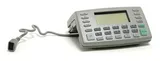
A short quick reference guide for Symbol's WSS 1000 wearable data entry system: a laser bar code scanner worn on the fingers or back of the hand and the WWC 1000 wrist computer worn on the forearm. It shows the system's parts, installing and charging the battery, assembling and wearing the system, power, display light and contrast, communicating through the CS 1000 cradle or radio, the keyboard, removal and cleaning. The guide repeats in French, German, Italian and Spanish, followed by warranty and regulatory information.
Its parts
- Introduction
- Parts of the WSS 1000 System
- Installing and Charging the Battery
- Assembling the WSS 1000 System
- Power
- Communicating with the Host
- Data Entry
- Removing the WWC 1000 from the Mount
- Cleaning
From the manual
Key facts from this manual
Each line names its page in the PDF.
This is the Symbol WSS 1000 System Quick Reference, revision C of March 2002, for the wearable scanning system built around the WWC 1000 wrist computer. It shows the parts, how to install and charge the battery, how to assemble and wear the system, how to talk to a host through the CS 1000 cradle, and how to use the keyboard and clean the unit.
- What it is
- Wearable data entry system: a laser scanner worn on the fingers or back of hand plus a WWC 1000 wrist computer on the forearm p. 3
- Battery
- Lithium-Ion pack powering wrist computer and scanner for a typical 8-hour shift p. 5
- Charge time
- About 2 hours in the cradle; CHARGING light red while charging, green when full p. 6
- Spare battery
- Charges in the cradle's spare slot in about two hours, even while the WWC 1000 charges p. 7
- Host cable
- Null modem cable p/n 5984603-00 from the cradle to the host serial (COMM) port p. 12
- Radio
- Spectrum One or Spectrum24 radio network p. 12
- Cradle guides
- CS 1000 Single-Slot Cradle QRG p/n 70-16237-xx; CS 1000 4-Slot Cradle QRG p/n 70-17661-xx p. 6
- Display light
- LAMP (Left Alpha and Help) turns on display and keypad backlight; FUNC+SPACE darkens, FUNC+BKSP lightens contrast p. 11
- Keyboard
- Numbers by default; left Alpha Shift gives the purple letters, right Alpha Shift the green p. 13
- Document number
- 70-16191-05, Revision C, March 2002 p. 80
What this manual walks you through
- Installing the battery pack in the WWC 1000 p. 5
- Charging the battery in the WWC 1000 and a spare pack p. 6, 7
- Assembling the wrist computer on the wrist mount and wearing it p. 8, 9, 10
- Powering on and setting the display light and contrast p. 11
- Setting up the CS 1000 cradle to talk to a host PC p. 12
- Typing on the keyboard with Alpha Shift and modifier keys p. 13, 14
- Removing the WWC 1000 from the mount for another operator p. 14
- Cleaning the wrist computer and wrist mount p. 14
Good to know
- Install and fully charge the battery pack before first use. p. 5
- Press keys one at a time; pressing two together produces an error. p. 13
- The wrist mount snaps are a tearaway, so the wrist computer detaches if it catches on something. p. 9
- For FCC RF exposure rules the device must be worn on the wrist while in use. p. 76
- Changes not approved by Symbol Technologies could void the user's authority to operate the equipment. p. 74
Questions this manual answers
How long does the WWC 1000 battery take to charge?
About 2 hours in the cradle. The CHARGING light is red while charging and turns green when the battery is full. p. 6
How do I connect the WSS 1000 to a host PC?
Run a null modem cable (p/n 5984603-00) from the CS 1000 cradle's communications port to the host's serial (COMM) port, power the cradle, and seat the WWC 1000. p. 12
How do I turn on the WWC 1000 backlight?
Press LAMP (Left Alpha and Help) to light the display and keypad. p. 11
How do I type letters on the WWC 1000?
The keyboard gives numbers by default. Press the left Alpha Shift for the purple letters and the right Alpha Shift for the green ones. p. 13
How long does the WSS 1000 battery last?
The Lithium-Ion pack provides power for a typical 8-hour shift. p. 5
Contents
Chapters and sections
Each line opens the PDF at its page.
- Introduction3
- Parts of the WSS 1000 System4
- Installing and Charging the Battery5
- Assembling the WSS 1000 System8
- Power11
- Communicating with the Host12
- Data Entry13
- Removing the WWC 1000 from the Mount14
- Cleaning14
- Introduction15
- Composants du système WSS 100016
- Mise en place et charge de la batterie17
- Montage du système WSS 100020
- Alimentation24
- Communication avec l’ordinateur central25
- Saisie des données26
- Retrait du WWC 1000 du dispositif de fixation28
- Nettoyage28
- Einführung29
- Teile des WSS 1000-Systems30
- Einsetzen und Laden des Akkus31
61 more lines, from page 32 on
- Laden des Akkus im WWC 100032
- Montage des WSS 1000 Systems33
- Strom37
- Kommunikation mit dem Host38
- Dateneingabe39
- Herausnehmen des WWC 1000 aus der Montagevorrichtung40
- Reinigung41
- Introduzione43
- Componenti del sistema WSS 100044
- Installazione e caricamento della batteria45
- Assemblaggio del sistema WSS 100048
- Alimentazione52
- Comunicazione con l’host53
- Immissione dati54
- Rimozione del WWC 1000 dal supporto56
- Pulizia56
- Introducción57
- Partes del sistema WSS 100058
- Instalación y carga de la batería59
- Ensamblaje del sistema WSS 100062
- Alimentación66
- Comunicación con el ordenador central67
- Registro de datos68
- Extracción del WWC 1000 del montaje70
- Limpieza70
- Ergonomic Recommendations74
- Patent Information78
The whole text · 8 parts
Read the manual here as text
Its text as extracted from the PDF, unedited, in parts; each page opens the PDF at that page.
The file