Manual · Symbol
WS 1000 Special Operating Instructions
Manual16 pagesPDF 100 KB
Special operating instructions for the Symbol WS 1000 wearable terminal, showing the custom UPS keyboard layouts and key codes.
What this file really is
The old site listed this file as “Operating Instructions” for the Symbol WSS-1019, WWC-1000 and 5 more models. This is not general operating instructions but a set of key maps for WS 1000 units with custom keyboards made for UPS.
Filed with · 7 models
Also filed with these models on the old site
 Symbol WSS-1019Wearable barcode scanner from$1,395.006 in stock Symbol WWS1060802.11 (2 Mbps) wireless portable data collection terminal from$795.0010 in stock Symbol WWS-1074Wireless portable data collection terminal from$795.006 in stock Symbol WWC-1000Portable batch data collection terminal Call for availability Symbol WWC-1010Wireless portable data collection terminal Call for availability Symbol WWC-1040802.11 (1 Mbps) wireless portable data collection terminal Call for availability Symbol WWC-1049802.11 (1 Mbps) wireless portable data collection terminal Call for availability
Summary
What is in it
A short set of special operating instructions for the Symbol WS 1000 wearable terminal with the custom keyboards made for UPS. It explains how to turn on the display light and keypad backlight and adjust contrast, then gives one diagram per keyboard state (unmodified, shift, function and shift-function, each for the left and right keypads) showing the scan code, ASCII value and character or key sequence of every key.
Its parts
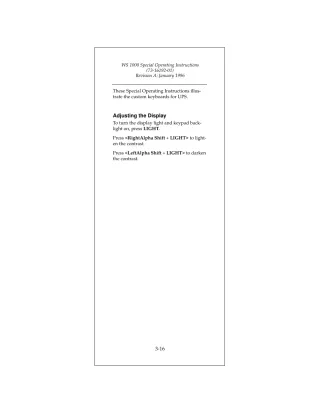
- Adjusting the Display
- Unmodified Keyboard
- Left Unmodified Keyboard
- Right Unmodified Keyboard
- Shift Modified Keyboard
- Shift Left Modified Keyboard
- Shift Right Modified Keyboard
- Function Modified Keyboard
- Function Left Modified Keyboard
- Function Right Modified Keyboard
- Shift-Function Modified Keyboard
- Shift-Function Left Modified Keyboard
- Shift-Function Right Modified Keyboard
From the manual · read page by page
Key facts from this manual
Some pages are scans or cannot be read; this says only what the readable text supports. Each line names its page in the PDF.
Special operating instructions (73-16192-01, Revision A, January 1996) for the Symbol WS 1000, illustrating the custom keyboards made for UPS. It shows how to turn on the display light and adjust contrast, then maps every key in each shift and function state to its scan code, ASCII value and character. The document names only the WS 1000, none of the model numbers it is filed under.
- Document
- Special operating instructions for the WS 1000 showing the custom keyboards for UPS p. 3
- Document number
- 73-16192-01, Revision A: January 1996 p. 1
- Backlight
- LIGHT key turns on the display light and keypad backlight p. 3
- Contrast
- RightAlpha Shift + LIGHT lightens; LeftAlpha Shift + LIGHT darkens p. 3
- Key maps
- Each key shown with its scan code, ASCII value and printable character or logical key sequence p. 4
- Keyboard states
- Unmodified, Shift, Function and Shift-Function, each with left and right keyboard maps p. 5, 6, 8, 11, 14, 16
What this manual walks you through
- Turning on the display light and adjusting contrast p. 3
- Looking up the scan code and ASCII value of each key in every shift and function state p. 4, 5, 8, 11, 14
Questions this manual answers
How do I turn on the backlight on a Symbol WS 1000?
Press the LIGHT key; it turns on the display light and the keypad backlight. p. 3
How do I change the display contrast on the WS 1000?
Press RightAlpha Shift with LIGHT to lighten the contrast, or LeftAlpha Shift with LIGHT to darken it. p. 3
What keyboard does this WS 1000 document show?
The custom keyboards for UPS, with key maps for the unmodified, Shift, Function and Shift-Function states. p. 3
Contents
Chapters and sections
Each line opens the PDF at its page.
- Adjusting the Display3
- Unmodified Keyboard5
- Left Unmodified Keyboard6
- Right Unmodified Keyboard7
- Shift Modified Keyboard8
- Shift Left Modified Keyboard9
- Shift Right Modified Keyboard10
- Function Modified Keyboard11
- Function Left Modified Keyboard12
- Function Right Modified Keyboard13
- Shift-Function Modified Keyboard14
- Shift-Function Left Modified Keyboard15
- Shift-Function Right Modified Keyboard16
The whole text · 2 parts
Read the manual here as text
Its text as extracted from the PDF, unedited, in parts; each page opens the PDF at that page.
The file