Manual · Symbol
P460/P360 Memory Scanners Product Reference Guide
Manual188 pagesPDF 1.9 MB
Product reference guide for the Symbol P460 and P360 memory scanners and cradle: setup, operation, maintenance and programming bar codes.
Covers · 2 models
The models it covers
Summary
What is in it
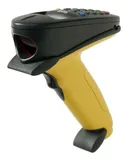
The product reference guide for Symbol's P460 and P360 memory scanners (the Phaser batch scanners) and their cradle. It covers the rechargeable battery and charging, cables and connecting to a host as a batch or corded device, the default batch/inventory and scan and transmit applications, 123Scan, scanning and keypad operation, troubleshooting, maintenance, technical specifications and pin-outs, and a full set of parameter bar codes for symbologies, RS-232 and MCL-Net settings.
Its parts
- About This Manual
- The P460/P360 Memory Scanner
- Set Up
- Operation
- Maintenance And Specifications
- Parameter Menus
From the manual
Key facts from this manual
Each line names its page in the PDF.
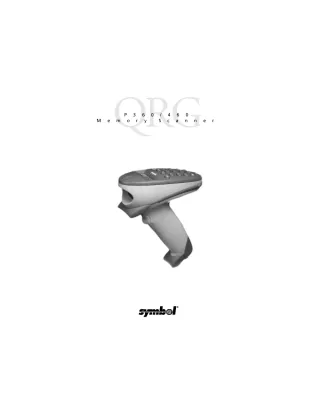
Product Reference Guide (70-37690-03, Revision A, December 2001) for the Symbol P460 and P360 Memory Scanners, batch laser scanners with a keypad and display that the guide also calls the Phaser. It explains setup with the PL 460 and PL 360 cradles, charging, connecting to a host, the built-in applications, troubleshooting, maintenance, specifications and the parameter bar codes.
- Type
- Batch memory bar code scanner with on-board keypad and display; works corded or cordless p. 17
- Versions
- P460 batch retail version; P360 batch industrial version p. 17
- Battery
- Rechargeable lithium-ion in the handle; about 12 hours of typical use; full recharge in about 3-1/2 hours p. 17
- Host interfaces
- RS-232 serial; Synapse cables and adapter for keyboard wedge, USB, wand emulation, OCIA and OCR p. 19, 26, 28
- Cradles
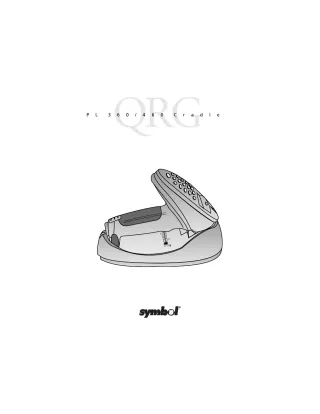
- PL 460 Cradle (retail) and PL 360 Cradle (industrial): stand, host link and battery charger p. 18
- Operating temperature
- P460: 32° to 104°F (0° to 40°C); P360: -4° to 122°F (-20° to 50°C) p. 64
- Cradle ports
- COM1 to the host, COM2 for daisy-chaining cradles, and a Power port p. 23
- Charging supply
- Charging through a cable needs a +9V @ 1 Amp power supply p. 66
- Other charger
- Universal Battery Charger UBC 2000 with the P460/P360/P470/P370 battery adapter p. 25
- Scan rate
- 35 (± 5) scans/sec (bidirectional) p. 64
- Decode capability
- UPC/EAN, Bookland EAN, Code 11, Code 39 (also Full ASCII and Trioptic), Code 93, Codabar, Interleaved 2 of 5, Code 128, EAN 128, Discrete 2 of 5, MSI Plessey, Coupon Code p. 64
- Drop rating
- P460: 5-ft. (1.5 m); P360: 6-ft. (1.8 m) drops to concrete over the temperature range p. 64
- Sealing
- P360: the manual states all components are sealed to IP 54 against wind blown dust and rain p. 64
- Software
- Scan and Transmit and Batch/Inventory applications built in; 123Scan for data formatting rules; MCL-Designer applications p. 20, 29
What this manual walks you through
- Connecting and locking the cable to the scanner p. 21, 22
- Setting up the cradle and its ports p. 23
- Charging the battery in the cradle, by cable or with the UBC 2000 p. 24, 25
- Connecting to a host by RS-232 or a Synapse cable p. 26, 27, 28
- Using the Batch/Inventory and Scan and Transmit applications p. 29, 30
- Entering numbers and letters on the keypad p. 31, 54, 55
- Troubleshooting scanning, programming and download problems p. 57, 58
- Cleaning the scanner and changing the battery p. 61, 62
- Reading the cradle LED, beeper and display messages p. 63, 67, 179
- Pin-outs of the cradle COM ports and the scanner connector p. 65, 66
Good to know
- With a Synapse cable, connect the cable and its flying power lead before powering the cradle or scanner, or the adapter will not work properly. p. 26
- An application cannot be downloaded to the scanner over a Synapse cable; use an RS-232 cable. p. 58
- The IntelliStand works only when the scanner runs from a cable with an external power supply, not on battery. p. 63
- Do not spray water or cleaning liquids directly into the scanner window. p. 61
- To upload batch data, the scanner must be cradled or cabled within 30 seconds or the upload fails. p. 179
Questions this manual answers
How long does the P360 battery last?
About 12 hours of typical use, and a fully depleted battery recharges in about 3-1/2 hours. p. 17
How do I reset a P460 or P360 scanner?
Press FUNC then the * key, or for a reboot hold down the ENTER key for about 30 seconds. p. 29, 57
What do 4 short high beeps mean on the P460/P360?
The battery is almost depleted and needs recharging. p. 25, 67
What does the cradle light blinking rapidly mean?
The battery is actively charging; a steady light means charging is complete. p. 63
Contents
Chapters and sections
Each line opens the PDF at its page.
- About This Manual11
- Chapter 1 The P460/P360 Memory Scanner17
- Chapter 2 Set Up21
- Chapter 3 Operation29
- Chapter 4 Maintenance And Specifications61
73 more lines, from page 69 on
- Chapter 5 Parameter Menus69
- Introduction69
- Operational Parameters69
- Set Default Parameter75
- Communication Protocol76
- Host Type78
- Sleep Time81
- Date Separator82
- Hour Type83
- Decimal Separator84
- Date Format85
- Key Click86
- Laser On Time87
- Beeper Options88
- Decode Options92
- Enable/Disable UPC-E/UPC-A/UPC-E193
- Enable/Disable EAN-8/EAN-1394
- Enable/Disable Bookland EAN95
- Decode UPC/EAN Supplementals96
- Decode UPC/EAN Supplemental Redundancy97
- Transmit UPC-A/UPC-E/UPC-E1 Check Digit98
- UPC-A Preamble99
- UPC-E Preamble100
- UPC-E1 Preamble101
- Convert UPC-E to UPC-A102
- Convert UPC-E1 to UPC-A103
- EAN Zero Extend104
- Convert EAN-8 to EAN-13 Type105
- UPC/EAN Coupon Code106
- Enable/Disable Code 128107
- Enable/Disable UCC/EAN-128108
- Lengths for Code 128108
- Enable/Disable ISBT 128 (2D Scanner only)109
- Enable/Disable Code 39110
- Enable/Disable Trioptic Code 39111
- Set Lengths for Code 39112
- Code 39 Check Digit Verification114
- Transmit Code 39 Check Digit115
- Enable/Disable Code 39 Full ASCII116
- Convert Code 39 to Code 32117
- Code 32 Prefix118
- Enable/Disable Code 93119
- Set Lengths for Code 93120
- Enable/Disable Interleaved 2 of 5122
- Set Lengths for Interleaved 2 of 5123
- I 2 of 5 Check Digit Verification125
- Transmit I 2 of 5 Check Digit126
- Convert I 2 of 5 to EAN-13127
- Enable/Disable Discrete 2 of 5128
- Set Lengths for Discrete 2 of 5129
- Enable/Disable Codabar131
- Set Lengths for Codabar132
- CLSI Editing134
- NOTIS Editing135
- Enable/Disable MSI Plessey136
- Set Lengths for MSI Plessey137
- MSI Plessey Check Digits139
- Transmit MSI Plessey Check Digit140
- MSI Plessey Check Digit Algorithm141
- Security Options142
- RS-232 Parameters147
- MCL-Net Parameters159
- Numeric Bar Codes163
- Appendix A Bar Code Information167
- Appendix B Messages and Error Codes179
- Index181
- Quick Startup Instructions188
The whole text · 22 parts
Read the manual here as text
Its text as extracted from the PDF, unedited, in parts; each page opens the PDF at that page.
- Pages 1 to 41-4
- Contents5-10
- About This Manual11-16
- Chapter 1 The P460/P360 Memory Scanner17-20
- Chapter 2 Set Up21-28
- Chapter 3 Operation, pages 29 to 3629-36
- Chapter 3 Operation, pages 37 to 4437-44
- Chapter 3 Operation, pages 45 to 5245-52
- Chapter 3 Operation, pages 53 to 6053-60
- Chapter 4 Maintenance And Specifications61-68
- Chapter 5 Parameter Menus, pages 69 to 7869-78
- Chapter 5 Parameter Menus, pages 79 to 8879-88
- Chapter 5 Parameter Menus, pages 89 to 9889-98
- Chapter 5 Parameter Menus, pages 99 to 10899-108
- Chapter 5 Parameter Menus, pages 109 to 118109-118
- Chapter 5 Parameter Menus, pages 119 to 128119-128
- Chapter 5 Parameter Menus, pages 129 to 138129-138
- Chapter 5 Parameter Menus, pages 139 to 148139-148
- Chapter 5 Parameter Menus, pages 149 to 158149-158
- Chapter 5 Parameter Menus, pages 159 to 166159-166
- Appendix A Bar Code Information167-178
- Pages 179 to 188179-188
The file