Manual · Symbol
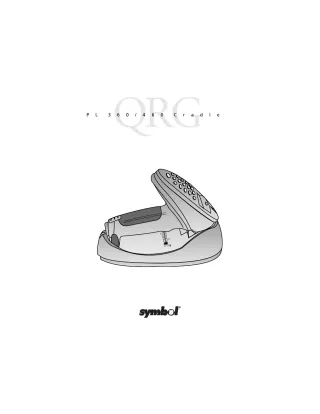
PL 360/460 Cradle Quick Reference
Manual16 pagesPDF 193 KB
Quick reference guide for the Symbol PhaserLink PL 360 and PL 460 cradles for Phaser scanners: host connection, mounting and charging.
Names · 2 models
The models it names
Filed with · 2 models
Also filed with these models on the old site

Summary
What is in it
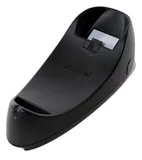
Symbol's quick reference guide for the PhaserLink PL 360/460 cradle, which acts as a stand, host communication interface and charger for the Phaser scanner. It lists the equipment supplied and the cradle's parts, then explains connecting to the host, daisy-chaining cradles, wall mounting with a template, inserting the scanner, sending data, recharging the scanner's battery, the indicator LED, troubleshooting, cleaning, regulatory information, warranty and service.
Its parts
- Equipment Supplied
- Related Documentation
- Parts of the Cradle
- Connecting To The Host
- Daisy-Chaining
- Wall Mounting
- Inserting Phaser in the Cradle
- Sending Data to Host Computer
- Recharging the Battery in the Phaser
- Indicator LED
- Troubleshooting
- Cleaning
- Regulatory Information
From the manual · read page by page
Key facts from this manual
Each line names its page in the PDF.
The Symbol quick reference guide (70-33657-01, revision C, April 2001) for the PhaserLink PL 360/460 cradle, the stand, host communication interface and charger for the Phaser scanner. It covers both the PL 360 and PL 460 versions and shows how to connect the cradle to a host, daisy-chain cradles, mount it on a wall, send data and recharge the scanner.
- Device
- PhaserLink cradle: stand, host communication interface and battery charger for the Phaser scanner p. 3
- Versions
- PL 460 batch retail version; PL 360 batch industrial version p. 3
- Ports
- COM 1 to the host computer, COM 2 for daisy-chaining, and a power port p. 5
- Power
- Independent power plug into the power port; the host computer cannot power the cradle p. 5
- Daisy-chaining
- Up to 12 cradles on one serial host; not with Synapse interfaces p. 6
- Charge time
- Up to 4 hours for a full charge; charging starts 15 minutes after the scanner is placed in the cradle p. 8, 9
- Charge LED
- Off: no scanner; slow blink: in cradle, not charging; fast blink: charging; on: charge complete p. 9
- Mounting
- Desktop (Velcro strip, rubber feet) or wall (two screws), with a movable scanner support tab p. 3, 6
- In the box
- Cradle, two screws, one Velcro strip, four rubber feet, this guide p. 3
- Related manuals
- Phaser Series Scanner Product Reference Guide p/n 70-33629-xx; P 360/460 Memory Scanner Quick Reference Guide p/n 70-33628-xx p. 3
What this manual walks you through
- Connecting the cradle to a host computer and power p. 5, 6
- Daisy-chaining several cradles to one host p. 6
- Mounting the cradle on a wall, with a drilling template p. 6, 7, 13
- Inserting the Phaser scanner in the cradle p. 8
- Sending data from the Phaser to a host computer p. 8
- Recharging the Phaser battery and reading the charge LED p. 8, 9
- Troubleshooting and cleaning the cradle p. 9
Good to know
- The cradle cannot be powered by the host computer. p. 5
- Daisy-chaining works only with a serial host, not with Synapse interfaces. p. 6
- Do not pour, spray or spill any liquid on the cradle. p. 9
- When wall-mounting, leave about 1/8 in (.3 cm) of each screw out of the wall for the cradle to hang on. p. 7
Questions this manual answers
How long does the Symbol PL 360 cradle take to charge a Phaser scanner?
A complete charge takes up to 4 hours, and the cradle waits 15 minutes after the scanner is placed before it starts charging. p. 8, 9
What do the blinking lights on the PL 460 cradle mean?
Slow blink means the scanner is in the cradle but not charging, fast blink means charging, steady on means the charge is complete, and off means no scanner. p. 9
How many PhaserLink cradles can be daisy-chained?
Up to 12 cradles can be chained to one serial host, COM 2 of each cradle to COM 1 of the next. p. 6
What is the difference between the PL 360 and PL 460 cradles?
The guide calls the PL 460 the batch retail version and the PL 360 the batch industrial version. p. 3
Contents
Chapters and sections
Each line opens the PDF at its page.
The whole text · 2 parts
Read the manual here as text
Its text as extracted from the PDF, unedited, in parts; each page opens the PDF at that page.
The file