Manual · Symbol
P 300STD/FZY/PRO Scanner Product Reference Guide
Manual325 pagesPDF 3.0 MB
Product reference guide for the Symbol P 300STD, P 300FZY and P 300PRO industrial hand-held bar code scanners.
Names · 1 model
The models it names

Filed with · 2 models
Also filed with these models on the old site
Summary
What is in it
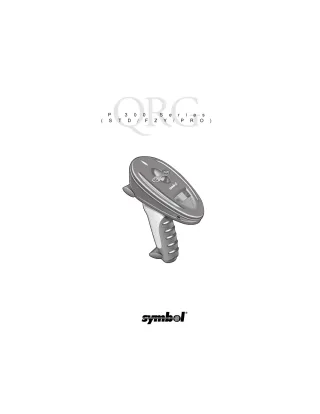
Product reference guide for the Symbol P 300 series of industrial hand-held scanners: the undecoded P 300STD, the P 300FZY and the P 300PRO, which also reads PDF417 two-dimensional codes. It covers unpacking, cables, connecting power and a host, scanning modes and aiming, then the full set of programming bar codes for host types, symbologies, RS-232C, wand and keyboard wedge parameters, Advanced Data Formatting, maintenance, troubleshooting and technical specifications.
Its parts
- About This Guide
- Getting Started
- Programming the Scanner
- Advanced Data Formatting (ADF)
- Maintenance and Troubleshooting
From the manual
Key facts from this manual
Some pages are scans or cannot be read; this says only what the readable text supports. Each line names its page in the PDF.
Symbol's Product Reference Guide (p/n 72-39417-03, October 2000) for the P 300STD, P 300FZY and P 300PRO industrial hand-held laser scanners. It covers setup, cabling to each host type, scanning, programming by bar code, data formatting, cleaning and troubleshooting, with technical specifications and connector pin-outs.
- Device
- Rugged industrial hand-held laser scanner in three versions: P 300STD (undecoded), P 300FZY (decodes damaged or poorly printed codes), P 300PRO (1D and 2D PDF417) p. 19
- Host interfaces
- P 300FZY: RS-232, Synapse, keyboard wedge, wand emulation. P 300PRO: RS-232 and Synapse p. 22
- Interface cables
- Undecoded 25-38697-01; RS-232 25-38698-01; keyboard wedge 25-38699-01; wand emulation 25-39803-01; Synapse 25-38700-01 p. 20
- Power accessories
- Power supply p/n 50-14001-001; DC power adapter p/n 50-16002-009; AC line cord part number is country-specific p. 20
- Power
- 4.5 to 5.5 VDC; typical draw 190 mA to 400 mA at 5V, by interface (table rows PC Wedge/Synapse, RS-232C/Synapse, Low Power) p. 297
- Operating temperature
- STD/FZY: -30° to 50°C; PRO: -20° to 50°C p. 298
- Bar codes decoded
- P 300FZY and P 300PRO: UPC/EAN, Bookland EAN, Code 39, Trioptic Code 39, Code 93, Codabar, Interleaved 2 of 5, Code 128, EAN 128, Discrete 2 of 5, MSI Plessey; PDF417 on the P 300PRO only p. 29, 297
- Scan rate and angle
- 36 scans/sec; scan angle ±37° p. 297
- Durability
- 6-ft. (1.8 m) drop to concrete p. 298
- Storage temperature
- -40° to 140°F (-40° to 60°C) p. 298
- Humidity
- 5% to 95% non-condensing p. 298
- Ambient light
- 450 ft. candles artificial light; 9000 ft. candles sunlight p. 298
- Laser
- The manual states CDRH Class II and IEC 825 Class 2; laser power 0.81 mW ±0.07mW p. 298
- Connector pin-out
- Pin 2 power, 3 ground, 4 Synapse data, 5 Synapse clock, 6 RxD, 7 TxD, 8 DTR, 9 CTS, 10 RTS; pin 1 reserved p. 303
What this manual walks you through
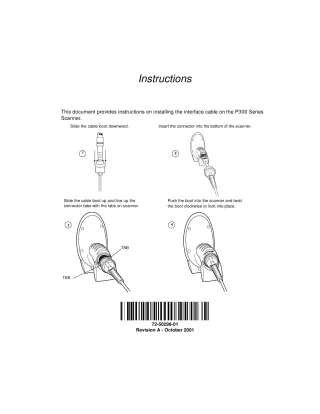
- Installing and switching the interface cable p. 20, 21
- Connecting external power when the host does not supply it p. 21
- Connecting to a host by RS-232, wand emulation, keyboard wedge or Synapse cable p. 22, 23, 24, 25, 26
- Choosing P 300PRO raster scanning and aiming modes p. 26, 27, 28
- Scanning 1D and PDF417 bar codes p. 28, 29, 30
- Hands-free scanning in a scan stand p. 32
- Reading the beeper indications p. 33, 34, 35
- Programming the scanner and formatting data with bar codes p. 11
- Cleaning the exit window and troubleshooting p. 271, 272
Good to know
- Do not pull the trigger while installing a cable. p. 20
- When the host powers the scanner directly, the host must supply enough power for the specified operation. p. 298
- Code 39 and Code 39 Full ASCII cannot be told apart by auto-discrimination. p. 297
- Keep abrasives off the exit window; clean it with a damp cloth and, if needed, a non-ammonia detergent. p. 271
- The P 300IMG imager version is covered in separate guides, not this one. p. 19
Questions this manual answers
What is the RS-232 cable part number for the Symbol P300?
The RS-232 cable is p/n 25-38698-01. The manual also lists keyboard wedge (25-38699-01), wand emulation (25-39803-01) and Synapse (25-38700-01) cables. p. 20
Which P 300 scanner reads PDF417 2D bar codes?
Only the P 300PRO. PDF417 scanning is enabled by default on it and can be turned off by bar code. p. 29
What power supply does the P300 scanner use?
The manual lists power supply p/n 50-14001-001 and DC power adapter p/n 50-16002-009, and specifies 4.5 to 5.5 VDC. p. 20, 297
What do 4 long low beeps mean on a P300?
A transmission error was found in a scanned symbol and the data is ignored, which happens when the unit is not configured properly; check the option settings. p. 33
P300 decodes bar codes but nothing reaches the host. Why?
The manual's troubleshooting table points to the scanner not being programmed for the correct host type. p. 272
Contents
Chapters and sections
Each line opens the PDF at its page.
- About This Guide11
- Chapter 1 Getting Started19
- Chapter 2 Programming the Scanner37
- Introduction37
- Set Default Parameter45
- Host Type46
- Host Type47
- Host Type48
- Beeper Volume49
- Beeper Tone50
- Laser On Time51
- Power Mode52
- Trigger Mode53
- Beep After Good Decode54
- Transmit “No Read” Message55
- Decode Buffering55
- LRC Checksum56
- Linear Code Type Security Level57
- Bi-directional Redundancy59
- Autodiscriminate Response Time60
- Scan Stand Options61
- Enable/Disable UPC-E/UPC-A64
89 more lines, from page 65 on
- Enable/Disable UPC-E165
- Enable/Disable EAN-8/EAN-1366
- UPC Coupon Code67
- Enable/Disable Bookland EAN68
- Decode UPC/EAN Supplementals69
- Decode UPC/EAN Supplemental Redundancy70
- Transmit UPC-A/UPC-E Check Digit71
- UPC-A Preamble72
- UPC-E Preamble73
- UPC-E1 Preamble74
- Convert UPC-E to UPC-A75
- Convert UPC-E1 to UPC-A76
- Transmit UPC-E1 Check Digit77
- UPC/EAN Security Level78
- EAN-8 Zero Extend80
- Convert EAN-8 to EAN-13 Type81
- Enable/Disable Code 12882
- Enable/Disable UCC/EAN-12883
- Enable/Disable ISBT 12884
- Lengths for Code 12885
- Enable/Disable Code 3986
- Enable/Disable Trioptic Code 3987
- Set Lengths for Code 3988
- Code 39 Check Digit Verification90
- Transmit Code 39 Check Digit91
- Enable/Disable Code 39 Full ASCII92
- Code 39 Buffering (Scan & Store)93
- Convert Code 39 to Code 3296
- Enable/Disable Code 32 Prefix97
- Enable/Disable Code 9398
- Set Lengths for Code 9399
- Enable/Disable Interleaved 2 of 5101
- Set Lengths for Interleaved 2 of 5102
- I 2 of 5 Check Digit Verification104
- Transmit I 2 of 5 Check Digit105
- Convert I 2 of 5 to EAN-13106
- Enable/Disable Discrete 2 of 5107
- Set Lengths for Discrete 2 of 5108
- Enable/Disable Codabar110
- Set Lengths for Codabar111
- CLSI Editing113
- NOTIS Editing114
- Enable/Disable MSI Plessey115
- Set Lengths for MSI Plessey116
- MSI Plessey Check Digits118
- Transmit MSI Plessey Check Digit119
- MSI Plessey Check Digit Algorithm120
- Enable/Disable PDF417121
- Enable/Disable MicroPDF122
- Code 128 Emulation123
- UCC/EAN-128 Emulation124
- Scanning Mode125
- Transmit Code ID Character129
- Transmit Code ID Character130
- Pause Duration131
- Prefix/Suffix Values132
- Scan Data Transmission Format133
- RS-232C Parameters135
- Wand Parameters146
- Keyboard Wedge Parameters151
- Numeric Bar Codes156
- Macro PDF Features159
- Chapter 3 Advanced Data Formatting (ADF)173
- Chapter 4 Maintenance and Troubleshooting271
- Appendix A Programming Reference273
- Appendix B Keyboard Maps281
- Appendix C ASCII Character Set285
- Appendix D Technical Specifications297
- Glossary305
The whole text · 35 parts
Read the manual here as text
Its text as extracted from the PDF, unedited, in parts; each page opens the PDF at that page.
- Pages 1 to 101-10
- About This Guide11-18
- Chapter 1 Getting Started, pages 19 to 2719-27
- Chapter 1 Getting Started, pages 28 to 3628-36
- Chapter 2 Programming the Scanner, pages 37 to 4637-46
- Chapter 2 Programming the Scanner, pages 47 to 5647-56
- Chapter 2 Programming the Scanner, pages 57 to 6657-66
- Chapter 2 Programming the Scanner, pages 67 to 7667-76
- Chapter 2 Programming the Scanner, pages 77 to 8677-86
- Chapter 2 Programming the Scanner, pages 87 to 9687-96
- Chapter 2 Programming the Scanner, pages 97 to 10697-106
- Chapter 2 Programming the Scanner, pages 107 to 116107-116
- Chapter 2 Programming the Scanner, pages 117 to 126117-126
- Chapter 2 Programming the Scanner, pages 127 to 136127-136
- Chapter 2 Programming the Scanner, pages 137 to 146137-146
- Chapter 2 Programming the Scanner, pages 147 to 156147-156
- Chapter 2 Programming the Scanner, pages 157 to 166157-166
- Chapter 2 Programming the Scanner, pages 167 to 172167-172
- Chapter 3 Advanced Data Formatting (ADF), pages 173 to 182173-182
- Chapter 3 Advanced Data Formatting (ADF), pages 183 to 192183-192
- Chapter 3 Advanced Data Formatting (ADF), pages 193 to 202193-202
- Chapter 3 Advanced Data Formatting (ADF), pages 203 to 212203-212
- Chapter 3 Advanced Data Formatting (ADF), pages 213 to 222213-222
- Chapter 3 Advanced Data Formatting (ADF), pages 223 to 232223-232
- Chapter 3 Advanced Data Formatting (ADF), pages 233 to 242233-242
- Chapter 3 Advanced Data Formatting (ADF), pages 243 to 252243-252
- Chapter 3 Advanced Data Formatting (ADF), pages 253 to 262253-262
- Chapter 3 Advanced Data Formatting (ADF), pages 263 to 270263-270
- Pages 271 to 280271-280
- Appendix B Keyboard Maps281-284
- Appendix C ASCII Character Set285-296
- Appendix D Technical Specifications297-304
- Glossary, pages 305 to 311305-311
- Glossary, pages 312 to 318312-318
- Glossary, pages 319 to 325319-325
The file