Manual · Symbol
Symbol P300, P302 and P304 Cable Reference
Manual1 pagePDF 48 KB
The page is below, with its text.
Covers · 3 models
The models it covers

The file
Size and text
Pages1
PDF48 KB
TextText from the PDF itself.
Every page · 1
Read it here
Each page as it is printed, and its words beside it, so a phone can search and copy them.
Page1of 1
Open in the PDF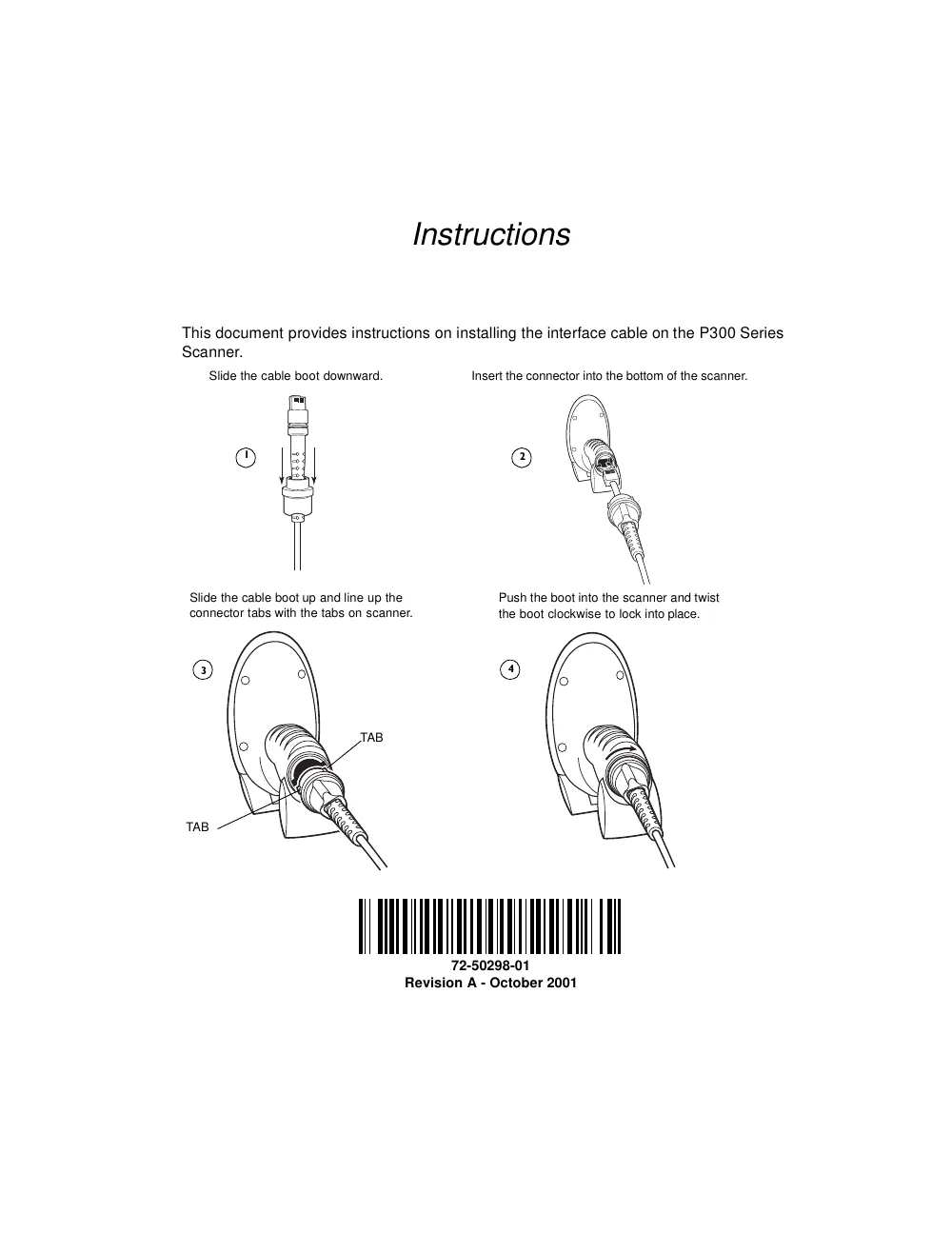
The text of page 1, from the PDF itself
Instructions This document provides instructions on installing the interface cable on the P300 Series Scanner. Slide the cable boot downward.
Insert the connector into the bottom of the scanner.
1
2
Slide the cable boot up and line up the connector tabs with the tabs on scanner.
Push the boot into the scanner and twist the boot clockwise to lock into place.
43TABTAB
72-50298-01 Revision A - October 2001