Manual · Symbol
MiniScan MS XX04 Series Integration Guide
Manual310 pagesPDF 4.4 MB
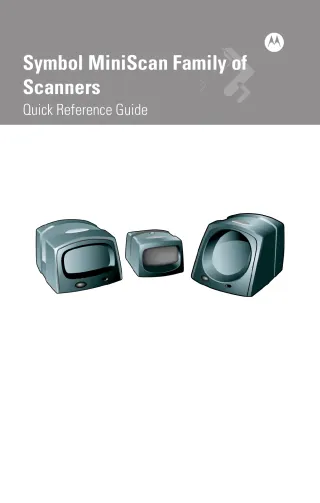
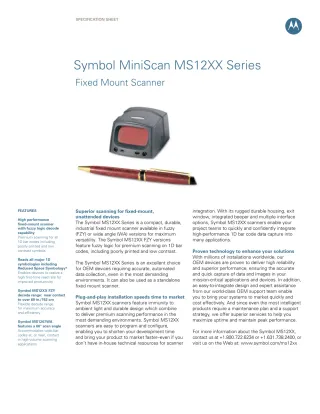
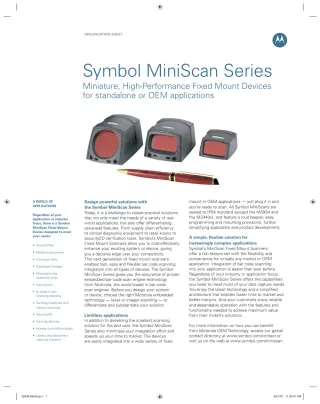
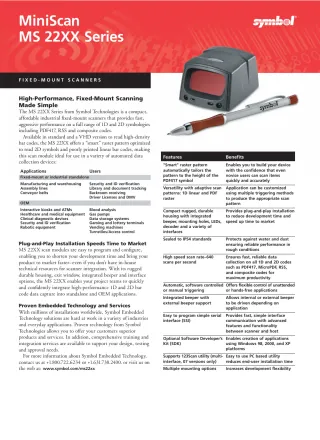
Integration guide for the Symbol MiniScan MS 1204FZY, MS 2204, MS 2204VHD, MS 3204, MS 804FZY and MS 904HS fixed-mount scanners.
Names · 3 models
The models it names
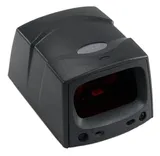 Symbol MS-1204Fixed-mount omnidirectional barcode scanner from$225.0019 in stock Symbol MS-2204Fixed-mount omnidirectional barcode scanner Call for availability
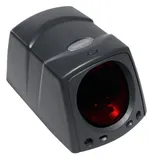 Symbol MS-3204Fixed-mount omnidirectional barcode scanner Call for availability
Filed with · 1 model
Also filed with these models on the old site
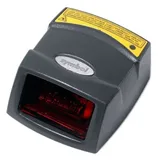
Summary
What is in it
The integration guide for Symbol's MiniScan MS XX04 Series of fixed-mount bar code scanners: the MS 1204FZY, MS 2204, MS 2204VHD, MS 3204, MS 804FZY and MS 904HS. It explains mounting, connecting and positioning the scanner (including embedded and conveyor use), scan patterns and trigger options, and gives each model's electrical interface, mechanical drawings, technical specifications and decode zones. It ends with maintenance, troubleshooting, the parameter bar codes for programming, SSI updates and mounting templates.
Its parts
- About This Manual
- Chapter 1, Introduction
- Chapter 2, Installation
- Chapter 3, Scanning
- Chapter 4, MS 1204FZY Specifications
- Chapter 5, MS 2204 Specifications
- Chapter 6, MS 2204VHD Specifications
- Chapter 7, MS 3204 Specifications
- Chapter 8, MS 804FZY Specifications
- Chapter 9, MS 904HS Specifications
- Chapter 10, Maintenance and Troubleshooting
- Chapter 11, Parameter Menus
- Chapter 12, Simple Serial Interface (SSI)
- Chapter 13, Mounting Templates
- Appendix A, ASCII Character Sets
From the manual
Key facts from this manual
Each line names its page in the PDF.
Symbol's MiniScan MS XX04 Series Integration Guide (72-67134-01 Revision A, February 2004) for fixed-mount laser bar code scanners. It covers the MS 1204FZY, MS 2204, MS 2204VHD, MS 3204, MS 804FZY and MS 904HS. It explains mounting, connecting to an RS-232 host, the specifications of each model, troubleshooting and the parameter bar code menus.
- Device
- Fixed-mount laser bar code scanners for stand-alone and OEM use (MS 1204FZY, MS 2204, MS 2204VHD, MS 3204, MS 804FZY, MS 904HS) p. 13, 19
- Interface
- RS-232 through a DB9 connector; the interface board converts the engine's TTL level SSI signals to RS-232 levels p. 23, 24
- Power
- 5.0 VDC ±10%; scanning current MS 1204FZY 160 mA ±40 mA, MS 2204 and MS 3204 250 ± 30 mA typical p. 59, 69, 93
- Bar codes
- MS 1204FZY: 1D codes only; MS 2204, MS 2204VHD and MS 3204 also read 2D codes such as PDF417, MicroPDF, RSS and composite p. 20, 21
- Scan pattern and rate
- MS 1204FZY: single scan line, 36 scans/sec; MS 2204: smart raster, 640 scans/sec; MS 3204: omnidirectional, 640 scans/second p. 59, 69, 93
- Housing
- MS 1204FZY, MS 2204, MS 2204VHD and MS 3204: IP54 sealed housing with integrated beeper p. 21
- Operating temperature
- MS 1204FZY and MS 2204: -4° to 122°F (-20° to 50°C) p. 60, 70
- Dimensions
- MS 1204FZY and MS 2204: 1.60 in. high, 2.28 in. wide, 2.94 in. deep; MS 3204: 1.89 in. high, 2.31 in. wide, 3.50 in. deep p. 60, 70, 94
- Weight
- MS 1204FZY: 4.45 oz. (126 gm); MS 2204: 4.73 oz. (134 gm); MS 3204: 4.8 oz. (137 g) p. 60, 70, 94
- Power supplies
- 110V US p/n 50-14000-008; 220V Europe 50-14000-009; 100V Asia 50-14000-010; universal 50-14001-001; DC line cord 50-16002-009 p. 43
- RS-232 cables
- Female DB9 host cables p/n 25-13227-XX (trigger jack), 25-13228-XX (trigger jack and beeper), 25-58918-XX (straight), 25-58919-XX (right angle), 25-63736-XX p. 43
- Trigger and mounting
- Push button trigger cable 25-04950-XX; photo sensor trigger cable 25-13176-XX; fixed-mount stand 20-60136-XX; mounting bracket KT-65578-01 p. 43
- Software
- Software Developer's CD SW-60371-XX with sample Windows program, DLL, ActiveX component and SSI documentation p. 43, 44
- Laser
- 650 nm; the manual states CDRH Class II, IEC Class 2 p. 59, 60
What this manual walks you through
- Connecting the scanner, beeper and trigger to the host, and wiring the trigger jack p. 35, 36
- Wiring the 9-pin connector (MS 1204FZY pin functions) p. 56
- Reading the beeper and LED signals p. 53
- Choosing power supplies, cables, adapters and mounting accessories p. 43
- Configuring the scanner with bar code menus or the serial interface p. 44
- Troubleshooting power, reading and communication problems p. 122
- Cleaning the exit window p. 121
Good to know
- Using controls or procedures other than those specified can cause hazardous laser light exposure. p. 19
- An opto-mechanical analysis by an engineer is recommended before integration. p. 13
- Do not let abrasive material touch the exit window. p. 121
- A long high beep means thermal shutdown; remove the scanner from the hot environment and let it cool. p. 53, 122
Questions this manual answers
What power does the Symbol MS 1204 MiniScan need?
5.0 VDC ±10%, drawing about 160 mA while scanning and 20 mA in standby. p. 59
What is the part number of the US power supply for the MiniScan?
The 110V US power supply is p/n 50-14000-008. p. 43
Can the MS 1204 read PDF417?
No. The MS 1204FZY reads 1D bar codes only; the MS 2204, MS 2204VHD and MS 3204 read 2D codes such as PDF417. p. 20, 21
What do three short beeps mean on an MS 2204 or MS 3204?
Power-on or reset. If it happens during normal operation, work in progress is lost. p. 53
What interface does the MiniScan MS XX04 use?
RS-232; the interface board converts the scan engine's TTL level SSI signals to RS-232 levels. p. 24
Contents
Chapters and sections
Each line opens the PDF at its page.
- About This Manual13
- Chapter 1 Introduction19
- Chapter 2 Installation27
- Chapter 3 Scanning45
- Chapter 4 MS 1204FZY Specifications55
- Chapter 5 MS 2204 Specifications65
- Chapter 6 MS 2204VHD Specifications77
- Chapter 7 MS 3204 Specifications89
55 more lines, from page 89 on
- Overview89
- Chapter 8 MS 804FZY Specifications101
- Chapter 9 MS 904HS Specifications111
- Chapter 10 Maintenance and Troubleshooting121
- Chapter 11 Parameter Menus123
- Operational Parameters124
- Default Table124
- Set Default Parameter134
- Scanning Options135
- UPC/EAN152
- Code 128175
- Code 39180
- Code 93191
- Code 11194
- Interleaved 2 of 5199
- Discrete 2 of 5205
- Codabar208
- MSI Plessey213
- PDF417/MicroPDF417219
- RSS Codes223
- Composite227
- Data Options231
- Simple Serial Interface (SSI) Options237
- Event Reporting248
- Macro PDF Features252
- Transmit Macro PDF User-Selected Fields258
- Numeric Bar Codes268
- Chapter 12 Simple Serial Interface (SSI)271
- Chapter 13 Mounting Templates273
- Appendix A ASCII Character Sets277
- Glossary295
- Index301
The whole text · 33 parts
Read the manual here as text
Its text as extracted from the PDF, unedited, in parts; each page opens the PDF at that page.
- Pages 1 to 41-4
- Contents5-12
- About This Manual13-18
- Chapter 1 Introduction19-26
- Chapter 2 Installation, pages 27 to 3527-35
- Chapter 2 Installation, pages 36 to 4436-44
- Chapter 3 Scanning45-54
- Chapter 4 MS 1204FZY Specifications55-64
- Chapter 5 MS 2204 Specifications65-76
- Chapter 6 MS 2204VHD Specifications77-88
- Chapter 7 MS 3204 Specifications89-100
- Chapter 8 MS 804FZY Specifications101-110
- Chapter 9 MS 904HS Specifications111-120
- Pages 121 to 130121-130
- Pages 131 to 140131-140
- Pages 141 to 150141-150
- Pages 151 to 160151-160
- Pages 161 to 170161-170
- Pages 171 to 180171-180
- Pages 181 to 190181-190
- Pages 191 to 200191-200
- Pages 201 to 210201-210
- Pages 211 to 220211-220
- Pages 221 to 230221-230
- Pages 231 to 240231-240
- Pages 241 to 250241-250
- Pages 251 to 260251-260
- Pages 261 to 270261-270
- Pages 271 to 276271-276
- Appendix A ASCII Character Sets, pages 277 to 285277-285
- Appendix A ASCII Character Sets, pages 286 to 294286-294
- Glossary295-300
- Index301-310
The file