Manual · Symbol
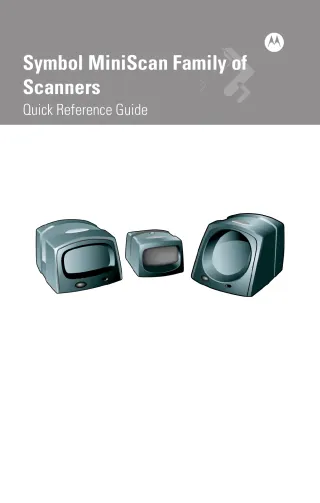
Symbol MiniScan Family of Scanners Quick Reference Guide
Manual24 pagesPDF 777 KB
Quick reference guide for the Symbol MiniScan fixed-mount scanners, including the MS954, MS120x, MS220x, MS320x and MS440x.
Covers · 1 model
The models it covers
Summary
What is in it
Motorola's quick reference guide for the Symbol MiniScan family of industrial fixed scanners, covering the MS320x, MS220x, MS120xFZY, MS120xWA, MS954 and MS440x. It lists the models and accessories, explains how to connect the scanner, scanning and aiming tips, triggering options (level, pulse, continuous and host trigger), beeper and LED indications, laser and imaging patterns for each model, programming bar codes, troubleshooting, power supply and regulatory information.
Its parts
- Introduction
- Accessories
- Connecting the Symbol MiniScan
- Scanning
- Aiming Tips
- Triggering Options
- Beeper Indications
- LED Indicators
- Laser Patterns
- Bar Codes
- Troubleshooting
- Regulatory Information
- Power Supply
From the manual · read page by page
Key facts from this manual
Each line names its page in the PDF.
A 24-page Motorola quick reference guide (72-58809-01 Revision F, April 2010) for the Symbol MiniScan family of fixed scanners: the MS320x, MS220x, MS120xFZY, MS120xWA, MS954 and MS440x. It shows how to connect a MiniScan, aim and trigger it, read its beeps and LED, pick a scan pattern and solve common problems, and it lists cables and accessories with part numbers.
- Device
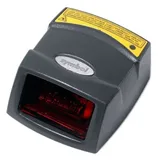
- MS954: compact MiniScan bar code scanner in the smaller enclosure, for stand-alone, fixed-mount or embedded use p. 3, 4
- Interface
- MS954: RS232 only p. 4
- Scan pattern
- MS954: 1-D scanner with a single scan line p. 13
- Power supply
- Motorola Type no. 50-14000 or PWRS-14000 direct plug-in supply, 5Vdc/850mA, marked Class 2 or LPS p. 19
- RS-232 cables
- Female DB9 to RS-232 host: straight connector p/n 25-58918-01R; right angle connector p/n 25-58919-01R p. 5
- Trigger cables
- Push button trigger and cable p/n 25-04950-01R; photo sensor trigger and cable p/n 25-13176-01R p. 5
- Mount
- Fixed mount stand p/n 20-60136-01R p. 6
- Trigger modes
- Level, Pulse, Continuous, and Host (SSI Start Decode message from the host) p. 8, 9
- LED
- Red: scanner is on; green: bar code successfully decoded p. 10
- Beeper
- 1 beep: good decode; 4 beeps: transmission error, host did not receive the data; fast warble: parameter entered p. 10
- Software kit
- Simple Serial Interface Software Developer's Kit (SSISDK), downloadable p. 6
- USB cables
- Models ending in 07 only: 25-58923-01R (DB9 right angle to USB host); 25-58925-01R (DB9 straight with trigger jack and beeper); 25-58926-01R (6 ft. straight); 25-58926-02R (low profile DB9, 18 in.) p. 5, 6
- Synapse cable
- Female DB9 straight connector to Synapse Adapter Cable (6 ft. straight) p/n 25-58921-01 p. 5
What this manual walks you through
- Connecting the MiniScan to the host and the power supply p. 6, 7
- Scanning and aiming at a bar code p. 7
- Choosing a triggering mode p. 8, 9
- Reading beeper and LED indications p. 10
- The laser scan patterns of each model p. 10, 11, 12, 13
- Programming bar codes for defaults and scan patterns p. 13, 14, 15
- Troubleshooting power, reading and communication problems p. 15, 16
- Restoring a scanner that stops working after a trigger bar code was scanned p. 17
- Laser and radio regulatory information p. 18, 19, 20, 21
Good to know
- Only MiniScan models whose number ends in 07 can communicate over USB. p. 5
- Use only the listed Motorola power supply; another supply invalidates the unit's approvals and may be dangerous. p. 19
- The programming bar codes in the guide do not work on every MiniScan model. p. 13
- Do not stare directly into the beam of a Class 2 laser scanner. p. 18
- The device must be used with a properly shielded cable. p. 21
Questions this manual answers
Does the Symbol MS954 support USB?
No. The MS954 supports RS232 only; in the MiniScan family only models ending in 07 communicate over USB. p. 4, 5
What power supply does the Symbol MiniScan MS954 need?
A listed Motorola direct plug-in supply, Type no. 50-14000 or PWRS-14000, rated 5Vdc/850mA. p. 19
My MiniScan stopped working after I scanned a trigger bar code. How do I fix it?
For all models, connect a cable with an external trigger jack, a push button trigger cable and a power supply, short the trigger line to ground with a momentary switch, then scan Continuous. p. 17
What do the LED colors on the MiniScan mean?
The LED lights a continuous red once power is applied and turns green on a successful decode. p. 7
What do 4 beeps mean on a Symbol MiniScan?
A transmission error: the host did not receive the bar code data. p. 10
Contents
Chapters and sections
Each line opens the PDF at its page.
- Warranty2
- Introduction3
- Accessories5
- Connecting the Symbol MiniScan6
- Scanning7
- Aiming Tips7
- Triggering Options8
- Beeper Indications10
- LED Indicators10
- Laser Patterns10
- Omnidirectional Scan Pattern (Symbol MS220x, MS320x)10
- Semi-omnidirectional Scan Pattern (Symbol MS220x, MS320x)11
- Smart Raster Scan Pattern (Symbol MS220x, MS320x)11
- High Density Single Scan Line (Symbol MS220x, MS320x)12
- Always Raster Pattern (Symbol MS220x, MS320x)12
- Imaging (Symbol MS440x)12
- True Single Scan Line (Symbol MS120x, MS954)13
- Bar Codes13
- Troubleshooting15
- Regulatory Information18
- Power Supply19
- Radio Frequency Interference Requirements21
- Radio Frequency Interference Requirements - Canada21
- Marking and European Economic Area (EEA)21
- Waste Electrical and Electronic Equipment (WEEE)22
The whole text · 3 parts
Read the manual here as text
Its text as extracted from the PDF, unedited, in parts; each page opens the PDF at that page.
The file