Manual · Microscan
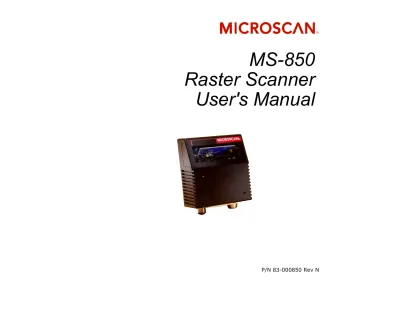
MS-850 Raster Scanner User's Manual
Manual222 pagesPDF 4.2 MB
User's manual for the Microscan MS-850 raster laser barcode scanner: setup, communications, symbologies, outputs and diagnostics.
Covers · 1 model
The models it covers
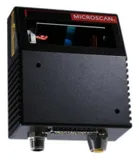
Summary
What is in it
The user's manual for the Microscan MS-850 industrial raster scanner. It starts with a step-by-step quick start using the ESP-MP setup software, then covers host and auxiliary port communications, protocol, read cycles and triggers, barcode symbologies, scanner setup, matchcode, raster control, outputs, discrete I/O, diagnostics and utilities. Appendices give general and electrical specifications, serial commands, an ASCII table and operational tips.
Its parts
- Quick Start
- Communications
- Protocol
- Read Cycle/Trigger
- Codes
- Scanner Setup
- Matchcode
- Raster Control
- Outputs
- Discrete I/O
- Diagnostics
- Utilities
From the manual
Key facts from this manual
Each line names its page in the PDF.
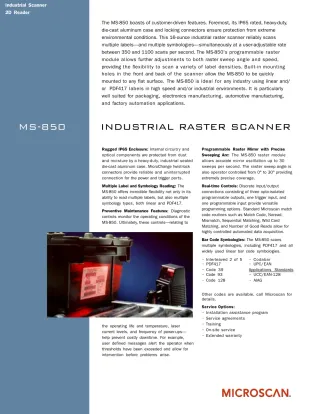
Microscan's user's manual for the MS-850 raster scanner, covering setup, installation and configuration. It walks through a quick start with the ESP-MP setup program, then the communications, read cycle, code type, matchcode, raster, output, diagnostic and utility settings, with specifications and wiring in the appendices.
- What it is
- Raster bar code scanner with programmable raster, multiple label and symbology reading, IP65 enclosure p. 176
- Scan rate
- 350 to 1100 scans per second (default 500) p. 176
- Code types
- Code 128, Code 39, Code 93, Codabar, Interleaved 2 of 5, UPC/EAN, PDF417; AIAG and UCC/EAN-128 p. 177
- Communication
- RS-232, RS-422/485, daisy chain capable p. 177
- Power
- 10 to 28VDC, 200mV p-p max. ripple, 140 mA at 24VDC typical; 6.2 Watts maximum p. 179
- Connectors
- 3-pin power connector, 25-pin host connector and 4-pin trigger connector on the back p. 179
- Host cable
- Null modem 61-300020-01, DB-25 male to DB-9 female, 6ft; 61-300026-01 for a 25-pin PC serial port p. 14
- Power supply
- P/N 97-100004-1005 (120V) or P/N 97-100004-06 (240V) p. 14
- Object detector
- Optional, P/N 99-440001-10 p. 14
- Outputs
- Outputs 1, 2, 3 optoisolated, rated 1 to 28VDC; at most 100 mA through the optoisolator p. 179, 181
- Laser
- Visible semiconductor laser diode, 650nm nominal (780nm optional); 50,000 hours at 25°C p. 176
- Size and weight
- 4.28" high, 3.74" wide, 1.76" deep; 16 oz. (453 g) p. 176
- Setup software
- ESP-MP for Windows 95 or higher; also serial commands from a terminal program, or embedded menus p. 10, 14
- Scan geometry
- Scan width angle typically 60°; pitch ±50° max.; skew ±40° max. p. 176
What this manual walks you through
- Connecting the host cable, power supply and trigger p. 14, 15
- Installing ESP-MP and connecting with Auto Connect p. 16, 17, 18, 19
- Retrieving, comparing and saving scanner settings p. 20, 21, 24
- Testing read range and depth of field with a test label p. 22, 23
- Host connector pin assignments p. 180
- Wiring optoisolated outputs and inputs, including a PLC or relay p. 181, 182, 183, 184
- Restoring defaults by serial command, ESP or hardware pins p. 193, 194
- Saving settings to NOVRAM for power-on p. 195, 196
- Positioning the scanner and labels p. 197, 203
Good to know
- A substitute power supply must be wired correctly and stay within +10 to 28 VDC, or software or equipment can fail. p. 14
- The scanner has no user serviceable parts; opening it could expose the user to laser diode power of up to 7 mW. p. 12
- No more than 100 mA can pass through an output optoisolator. p. 181
- Restoring flash defaults overwrites the user-saved NOVRAM settings. p. 194
- Changing baud rate, parity or other host settings without matching the linked device can cut off access; then restore defaults. p. 196
Questions this manual answers
What power supply does the Microscan MS-850 use?
The manual lists P/N 97-100004-1005 for 120V or P/N 97-100004-06 for 240V; any substitute must supply +10 to 28 VDC and be wired correctly. p. 14
Which cable connects the MS-850 to a PC?
Null modem cable 61-300020-01 (DB-25 male to DB-9 female, 6ft), or 61-300026-01 if the computer has a 25-pin serial port. p. 14
How do I reset an MS-850 to its default settings?
Send <Zd>, or use Default All ESP Settings then Send and Save in ESP. If software cannot reach it, momentarily connect pins 11 and 7 twice within 3 seconds. p. 194
What software do I use to set up the MS-850?
Microscan's ESP-MP Windows program is the preferred method; serial commands from a terminal program and embedded menus also work. p. 10
Why does the MS-850 not read my Interleaved 2 of 5 label?
The number of characters must match the I 2/5 code length enabled in the scanner, which defaults to 10 and 6. p. 23
Contents
Chapters and sections
Each line opens the PDF at its page.
The whole text · 23 parts
Read the manual here as text
Its text as extracted from the PDF, unedited, in parts; each page opens the PDF at that page.
- Pages 1 to 101-10
- Pages 11 to 2011-20
- Pages 21 to 3021-30
- Pages 31 to 4031-40
- Pages 41 to 5041-50
- Pages 51 to 6051-60
- Pages 61 to 7061-70
- Pages 71 to 8071-80
- Pages 81 to 9081-90
- Pages 91 to 10091-100
- Pages 101 to 110101-110
- Pages 111 to 120111-120
- Pages 121 to 130121-130
- Pages 131 to 140131-140
- Pages 141 to 150141-150
- Pages 151 to 160151-160
- Pages 161 to 170161-170
- Pages 171 to 180171-180
- Pages 181 to 190181-190
- Pages 191 to 200191-200
- Pages 201 to 210201-210
- Pages 211 to 220211-220
- Pages 221 to 222221-222
The file