Manual · Microscan
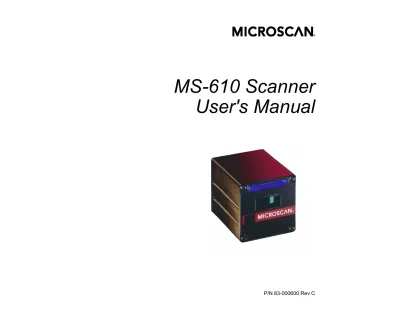
MS-610 Scanner User's Manual
Manual102 pagesPDF 723 KB
User's manual for the Microscan MS-610 fixed-mount laser barcode scanner: setup, installation, menu and serial configuration.
Names · 2 models
The models it names
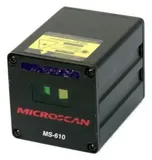 Microscan MS-610Decoded fixed-mount laser barcode scanner from$595.00186 in stock
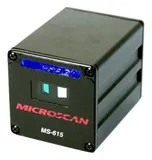 Microscan MS-615Decoded fixed-mount laser barcode scanner from$695.002 in stock
Filed with · 1 model
Also filed with these models on the old site
Summary
What is in it
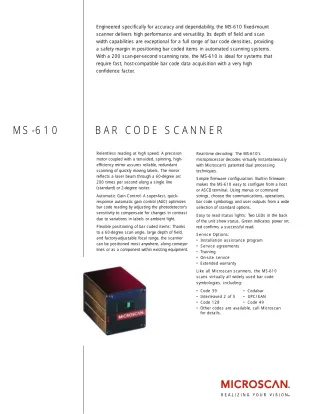
User's manual for the Microscan MS-610 scanner, which combines a scan head and decoder in one unit and sends decoded bar code data to the host as ASCII. It gives step-by-step setup and installation (planning the system, read range and scan width, number of scans, cabling, positioning, read rate test, object detector), configuration through the menu program and by serial commands, the operational commands the host can send, and appendices with specifications, troubleshooting, symbologies and multidrop communications.
Its parts
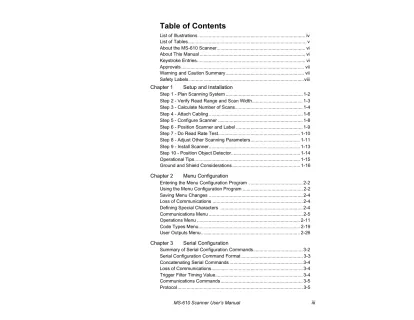
- Setup and Installation
- Menu Configuration
- Serial Configuration
- Operational Commands
From the manual
Key facts from this manual
Some pages are scans or cannot be read; this says only what the readable text supports. Each line names its page in the PDF.
User's manual for the Microscan MS-610 laser bar code scanner, which also covers the MS-615, its infrared version. It walks through planning, wiring, configuring by menu or serial command, positioning and installing the scanner, and gives specifications, a reset procedure, troubleshooting and mounting accessories.
- Device
- Laser bar code scanner with scan head and decoder in one unit; sends decoded data to the host as ASCII p. 6
- Laser
- MS-610: visible, 670 nm nominal; MS-615: infrared, 780 nm nominal p. 6, 76
- Scan rate
- 200 scans per second from a ten-sided spinning mirror; 60 degree scan width angle p. 6, 76
- Interfaces
- RS-232, RS-422, RS-485 p. 76
- Connector
- High-density 15-pin D-subminiature socket for all input and output p. 14
- Power
- 5 VDC at 400 mA and ±12 VDC at 80 mA, from a Listed Class 2 direct plug-in power unit p. 7
- Bar codes read
- Code 39, Codabar, Interleaved 2 of 5, UPC/EAN, Code 128 p. 76
- Default serial settings
- 9600 baud, seven data bits, even parity, one stop bit p. 16
- Baud rates
- 300, 600, 1200, 2400, 4800, 9600, 19.2K p. 76
- Size and weight
- 2.92 in (74.2 mm) long, 2.25 in (57.2 mm) high and wide; 9 oz (257 g) p. 76
- Operating temperature
- MS-610: 32° to 104°F (0° to 40°C); MS-615: 32° to 113°F (0° to 45°C) p. 6, 76
- Trigger input
- External trigger input, 3 to 24 VDC p. 14
- Mounting plate kit
- Part number 98-500002 p. 85
- Universal stands
- 4-inch 98-200008; 6-inch 98-200007; 10-inch flex neck 98-200006; 7-1/4-inch extension kit 98-200024; MS-610 adapter plate 98-200011 p. 86
What this manual walks you through
- Planning the scanning system and checking read range and scan width p. 10, 11
- Wiring the 15-pin connector and choosing cable lengths p. 14, 15
- Talking to the scanner from an ASCII terminal or PC p. 16
- Positioning the scanner and label to avoid specular reflection p. 17
- Choosing ladder or picket fence label orientation p. 80, 81
- Resetting the scanner to factory defaults p. 82
- Troubleshooting menus, read rates and triggering p. 83, 84
- Mounting with the plate kit or a universal stand p. 85, 86
- Choosing a bar code symbology p. 87
Good to know
- Switching power supplies with 20 mV p-p or more of switching noise on ±12 VDC are not recommended. p. 14
- Maximum cable length is 50 feet for RS-232 and 4000 feet for RS-422 and RS-485 multidrop, under ideal conditions; real limits vary. p. 15
- The photo diode behind the large window must not be blocked. p. 17
- Up to 5 mW of laser diode power can be present inside; avoid opening the scan head. p. 7
- When defaulting, shorting the wrong pins can seriously damage the unit. p. 82
Questions this manual answers
What is the difference between the MS-610 and MS-615?
The MS-610 uses a visible laser (670 nm nominal) and the MS-615 an infrared one (780 nm nominal); the manual otherwise applies to both. p. 6, 76
How do I reset an MS-610 to factory defaults?
With power on, briefly short pins 8 and 13 on the scanner's 15-pin socket (or pins 11 and 7 on the ADP box), wait for quick beeps, then short them again within three seconds; a longer beep confirms. p. 82
What are the MS-610 default communication settings?
9600 baud, seven data bits, even parity and one stop bit. p. 16
What power does the MS-610 need?
A Listed Class 2 direct plug-in power unit rated 5 VDC at 400 mA and ±12 VDC at 80 mA. p. 7
Why do I get unintelligible characters from the scanner?
The host and scanner baud rates or parity do not match; set them to match the host. p. 83
The whole text · 11 parts
Read the manual here as text
Its text as extracted from the PDF, unedited, in parts; each page opens the PDF at that page.
The file