Manual · Intermec
TE 2000 VT/ANSI Terminal Emulation Programmer's Guide
Manual416 pagesPDF 3.6 MB
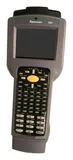
Programmer's guide for Intermec TE 2000 VT/ANSI terminal emulation on the 2435A and other Intermec terminals and data collection PCs.
Covers · 1 model
The models it covers
Summary
What is in it
Intermec's programmer's guide to the TE 2000 VT/ANSI terminal emulation application. It covers getting started, network protocol options, quick configuration, printing and serial scanning, and the keyboard layout for each supported unit, including the 2415, 2425, 2435A, 2455, 2475, 248X, 6400, 5020, 5055, 59XX, 17XX, 11XX, 700 Series, CK30 and CV60. Later chapters explain the terminal emulation menus, customizing the configuration, programming, extended commands, bar code scanning and symbologies.
Its parts
- Before You Begin
- Getting Started
- Using Terminal Emulation Applications
- Using the Terminal's Keyboard
- Using the Terminal Emulation Menus
- Customizing Your Configuration
- Programming
- Extended Commands
From the manual
Key facts from this manual
Each line names its page in the PDF.
Intermec TE 2000 VT/ANSI Terminal Emulation Programmer's Guide, revision G (10/2003), written for TE software version 7.26 or greater. It covers many Intermec terminals, among them the Trakker Antares 2415, 2425, 2435A, 2455, 2475 and 248X, the 6400, 5020, 5055, 59XX, 17XX, 11XX, 700 Series, CK30 and CV60 as printed. It explains how to set up, configure and customize VT/ANSI emulation, the keyboard mappings, escape sequences and extended commands.
- What it is
- Guide to install, configure, operate and troubleshoot the TE 2000 VT/ANSI terminal emulation application p. 23
- Software version
- Revision G, 10/2003, written for software version 7.26 or greater p. 3
- Network protocols
- UDP Plus through the DCS 300 and an access point; TCP/IP through an access point; WTP p. 26
- TE options
- 2415, 2425, 2435A, 2455, 2475, 248X: WTP, UDP Plus or IP, each with 2.4 GHz OpenAir or 802.11 p. 30
- 2435A keyboards
- 57-key, 48-key and 39-key function numeric keyboards are mapped p. 52
- Radios not supported
- SST (Spread Spectrum Transmission) and regular UHF p. 30
- Extended commands
- #F, #P and #G for the RS-232 port, #V version, #T tone, #S scan; off by default p. 28, 305
- RS-232 data limit
- #F data must be less than 1840 bytes and end with a # character p. 306
- Unsupported on Trakker Antares
- End and Home viewport, Fast Cursor, Reshow, Status, status line messages and dual sessions p. 29
- TE menu settings
- UDP Plus or TCP/IP communications, VT/ANSI options and the Main Menu password on Trakker Antares terminals p. 192
- Related manual
- TRAKKER Antares 243X Hand-Held Terminal User's Manual P/N 071791-001 p. 52
- Other TE guides
- TE 2000 3270 guide 977-055-003; TE 2000 5250 guide 977-055-004; Native TE guide 977-055-006 p. 24
What this manual walks you through
- Choosing a network protocol and setting up the terminal and network p. 26
- Starting the TE 2000 application p. 27
- Quick configuration: switching the data stream to VT/ANSI and saving p. 28
- Using the 2435A keyboards for cursor, paging, editing and function keys p. 52, 53, 54, 55
- Opening and moving through the TE configuration menus p. 122, 123, 128
- Cold starting the application from the TE menus p. 192
- Using extended commands to send and receive on the RS-232 port p. 305, 306
- Reading return codes for transmit and receive p. 310
- Customizing with auto-login, key remapping and a custom set-up file p. 29
Good to know
- Some menu choices warn that an action can cause the terminal to lose data in memory; press Y only to proceed. p. 122
- In some submenus, pressing 6 exits the submenu or reboots the terminal. p. 123
- Scanning a bar code for an unsupported command reads it in as data; its key sequence is ignored. p. 29
- Some Trakker Antares parameters are set only in the TRAKKER Antares 2400 Menu System, not the TE menus. p. 192
Questions this manual answers
Which network protocols does TE 2000 use on Trakker Antares terminals?
UDP Plus through a DCS 300 and access point, TCP/IP through an access point connected to the host, or WTP. p. 26
How do I enable extended commands in TE 2000?
From the Protocol Opts menu select Extended Cmds, then Enabled. The option is disabled by default. p. 28
What does TE 2000 return code 2 mean?
For transmit and receive on the RS-232 port, code 2 means there was no delimiter (#) on the data stream. p. 310
Which TE 2000 version does this programmer's guide cover?
Revision G of 10/2003 is written for software version 7.26 or greater. p. 3
Does TE 2000 support dual sessions on the 2435A?
No. Dual sessions are not supported on Trakker Antares UDP Plus or TCP terminals. p. 29
Contents
Chapters and sections
Each line opens the PDF at its page.
- Legal Information2
- Document Change Record3
- Before You Begin21
- Chapter 1: Getting Started25
- Understanding Network Protocol Options26
- Setting Up the Terminal and the Network26
- Starting the TE 2000 Application27
- Becoming Familiar With VT/ANSI Terminal Emulation28
- Performing a Quick Configuration28
- Configuring the TE 2000 Application29
- Using Advanced Features29
- Unsupported Commands and Functions29
- Program Names30
- VT/ANSI Standard Terminal Keyboard31
- Chapter 2: Using Terminal Emulation Applications33
- Chapter 3: Using the Terminal's Keyboard41
92 more lines, from page 99 on
- 11XX Terminal99
- Chapter 4: Using the Terminal Emulation Menus121
- Chapter 5: Customizing Your Configuration197
- Chapter 6: Programming259
- Character Encoding260
- Character Sets260
- Received Codes269
- Select C1 Controls269
- Terminal Modes270
- Cursor Positioning272
- Tab Stops273
- Character Rendition and Attributes274
- Line Attributes275
- Erasure Mode276
- Editing277
- Erasing278
- Scrolling Margins (Top and Bottom)279
- Printing279
- User-Defined Keys (DECUDK)280
- Down-Line Loadable Character Set284
- Reports285
- Terminal Reset287
- Tests and Adjustments288
- VT52 Mode Escape Sequence289
- Define Area Qualification289
- Private Sequences289
- Proprietary Sequences290
- VT340 Applications291
- ANSI Mode Sequences293
- Transmitted Keyboard Codes294
- Transmitted Keyboard Keys295
- Local Edit Mode298
- Chapter 7: Extended Commands305
- Appendix A: Bar Code Scanning341
- Appendix B: Bar Code Symbologies371
- Appendix C: Full ASCII Table381
- Index385
The whole text · 47 parts
Read the manual here as text
Its text as extracted from the PDF, unedited, in parts; each page opens the PDF at that page.
- Pages 1 to 41-4
- Contents, pages 5 to 125-12
- Contents, pages 13 to 2013-20
- Before You Begin21-24
- Chapter 1: Getting Started25-32
- Chapter 2: Using Terminal Emulation Applications33-40
- Chapter 3: Using the Terminal's Keyboard, pages 41 to 5041-50
- Chapter 3: Using the Terminal's Keyboard, pages 51 to 6051-60
- Chapter 3: Using the Terminal's Keyboard, pages 61 to 7061-70
- Chapter 3: Using the Terminal's Keyboard, pages 71 to 8071-80
- Chapter 3: Using the Terminal's Keyboard, pages 81 to 9081-90
- Chapter 3: Using the Terminal's Keyboard, pages 91 to 10091-100
- Chapter 3: Using the Terminal's Keyboard, pages 101 to 110101-110
- Chapter 3: Using the Terminal's Keyboard, pages 111 to 120111-120
- Chapter 4: Using the Terminal Emulation Menus, pages 121 to 130121-130
- Chapter 4: Using the Terminal Emulation Menus, pages 131 to 140131-140
- Chapter 4: Using the Terminal Emulation Menus, pages 141 to 150141-150
- Chapter 4: Using the Terminal Emulation Menus, pages 151 to 160151-160
- Chapter 4: Using the Terminal Emulation Menus, pages 161 to 170161-170
- Chapter 4: Using the Terminal Emulation Menus, pages 171 to 180171-180
- Chapter 4: Using the Terminal Emulation Menus, pages 181 to 190181-190
- Chapter 4: Using the Terminal Emulation Menus, pages 191 to 196191-196
- Chapter 5: Customizing Your Configuration, pages 197 to 205197-205
- Chapter 5: Customizing Your Configuration, pages 206 to 214206-214
- Chapter 5: Customizing Your Configuration, pages 215 to 223215-223
- Chapter 5: Customizing Your Configuration, pages 224 to 232224-232
- Chapter 5: Customizing Your Configuration, pages 233 to 241233-241
- Chapter 5: Customizing Your Configuration, pages 242 to 250242-250
- Chapter 5: Customizing Your Configuration, pages 251 to 258251-258
- Chapter 6: Programming, pages 259 to 268259-268
- Chapter 6: Programming, pages 269 to 278269-278
- Chapter 6: Programming, pages 279 to 288279-288
- Chapter 6: Programming, pages 289 to 298289-298
- Chapter 6: Programming, pages 299 to 304299-304
- Chapter 7: Extended Commands, pages 305 to 313305-313
- Chapter 7: Extended Commands, pages 314 to 322314-322
- Chapter 7: Extended Commands, pages 323 to 331323-331
- Chapter 7: Extended Commands, pages 332 to 340332-340
- Appendix A: Bar Code Scanning, pages 341 to 350341-350
- Appendix A: Bar Code Scanning, pages 351 to 360351-360
- Appendix A: Bar Code Scanning, pages 361 to 370361-370
- Appendix B: Bar Code Symbologies371-380
- Appendix C: Full ASCII Table381-384
- Index, pages 385 to 392385-392
- Index, pages 393 to 400393-400
- Index, pages 401 to 408401-408
- Index, pages 409 to 416409-416
The file