Manual · Intermec
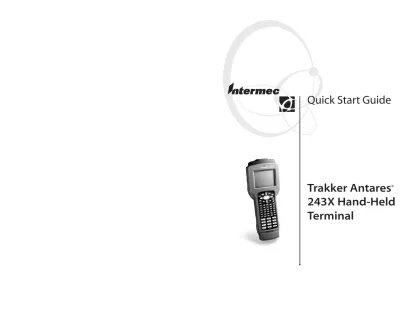
Trakker Antares 243X Hand-Held Terminal Quick Start Guide
Manual9 pagesPDF 177 KB
Quick start guide for the Intermec Trakker Antares 2430 and 2435 hand-held terminals: battery, first power-up, serial, network and radio setup.
Covers · 1 model
The models it covers
Summary
What is in it
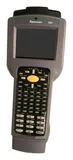
Quick start guide for the Intermec Trakker Antares 2430 batch terminal and 2435 RF terminal. It lists the equipment needed, then walks through unpacking, charging and installing the battery pack, turning on the terminal, setting time and date, serial port settings and, for the 2435, network and radio parameters for OpenAir or 802.11b. It also covers TE 2000 configuration, the keypad, symbologies, beep volume, status icons, useful bar codes and key specifications.
Its parts
- About This Guide
- Introducing the Trakker Antares 243X Terminals
- Equipment You Need to Get Started
- Using the Terminal for the First Time
- Choosing Your TE 2000 Configuration
- Using the Keypad
- Learning About the Bar Code Symbologies
- Changing the Beep Volume
- Learning About the Status Icons
- Useful Bar Codes
- Specifications
- Where to Go From Here
From the manual · read page by page
Key facts from this manual
Each line names its page in the PDF.
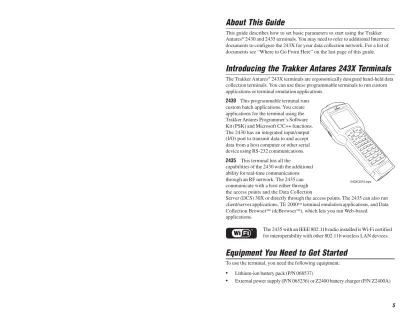
Quick start guide for the Trakker Antares 243X hand-held terminals, the 2430 and the 2435. It takes a new user from unpacking through charging the battery, first power-up, setting the clock, and setting the serial port, and on the 2435 the network and radio settings. It also explains the keypad, status icons, a few useful configuration bar codes and basic specifications.
- What it is
- Hand-held programmable data collection terminal; the 2435 adds real-time RF network communications to the batch 2430 p. 3
- Battery pack
- Lithium-ion, P/N 068537; rechargeable 1500 mAh; full charge in about 3 to 4 hours p. 3, 4, 8
- Charging
- External power supply P/N 065236 with adapter cable P/N 071776, or Z2400 battery charger P/N Z2400A p. 3, 4
- Electrical rating
- 7.4 to 12V; 1.15A p. 8
- Serial cable
- Serial adapter cable P/N 216-807-001 to a host, PC or other RS-232 device; a vehicle dock can also be used p. 5
- Radio options
- 2435: WLI Forum OpenAir (2.4 GHz) or IEEE 802.11b p. 6
- Network paths
- 2435: to a host through access points and the DCS 30X (UDP Plus or WTP), or directly through access points (TCP/IP) p. 6
- Software
- Ships with APPTSK.BIN and EM9560.BIN on drive C; the 2435 can also run TE 2000 and dcBrowser p. 3, 5
- Size and weight
- 4.6 cm (1.8 in) high at grip; 10.2 cm (4 in) wide at screen; 708.7 g (25 oz) with battery p. 8
- Operating temperature
- Standard -20°C to 50°C (-4°F to 122°F); cold-temperature model -30°C to 50°C (-22°F to 122°F) p. 8
- Environment
- Charging 0°C to 40°C; humidity 0 to 95% non-condensing; IP54 p. 8
- Default symbologies
- Code 39, Code 128 and UPC/EAN enabled out of the box p. 7
- Backup power
- Rechargeable capacitor p. 8
- Related manuals
- 243X User's Manual P/N 071791; 2400 Family System Manual P/N 071389; TE 2000 VT/ANSI guide P/N 977-055-005 p. 9
What this manual walks you through
- Charging and installing the battery pack p. 4, 5
- Turning on the terminal for the first time and the Boot Menu p. 5
- Setting the time and date p. 5
- Setting the serial port parameters to match the host p. 5, 6
- Setting the 2435 network addresses, subnet mask and default router p. 6
- Setting OpenAir or 802.11b radio parameters on the 2435 p. 6, 7
- Choosing the TE 2000 configuration (VT/ANSI, 5250 or 3270) p. 7
- Using the color-coded keypad p. 7
- Enabling and reading the status icons p. 7, 8
- Bar codes for backlight, contrast, beep volume and resetting firmware p. 8
Good to know
- The battery pack must be fully charged before first use; the terminal will not operate without one. p. 4
- Replace the battery pack only with P/N 068537; another pack may present a risk of fire or explosion. p. 4
- Keep a battery pack in the terminal at all times to prevent loss of data. p. 4
- Do not disassemble, heat above 100°C (212°F) or incinerate the lithium-ion pack. p. 4
- The cold-temperature option allows only limited time at -30°C and severely affects battery life. p. 9
Questions this manual answers
What battery does the Intermec 2435 use?
A lithium-ion battery pack, P/N 068537, rated 1500 mAh. It charges fully in about 3 to 4 hours. p. 3, 4, 8
What is the difference between the Intermec 2430 and 2435?
The 2430 runs custom batch applications and talks to a host over RS-232. The 2435 adds real-time RF network communications and can run TE 2000 and dcBrowser. p. 3
What radios can the 2435 have?
It ships with either a WLI Forum OpenAir radio or an IEEE 802.11b radio. p. 6
What is the operating temperature of the Trakker Antares 243X?
-20°C to 50°C for the standard model and -30°C to 50°C for the cold-temperature model. p. 8
Which cable connects the 243X to a PC?
The serial adapter cable, P/N 216-807-001, connects it to a host, PC or other RS-232 device. p. 5
Contents
Chapters and sections
Each line opens the PDF at its page.
- About This Guide3
- Introducing the Trakker Antares 243X Terminals3
- Equipment You Need to Get Started3
- Using the Terminal for the First Time4
- Choosing Your TE 2000 Configuration7
- Using the Keypad7
- Learning About the Bar Code Symbologies7
- Changing the Beep Volume7
- Learning About the Status Icons7
- Useful Bar Codes8
- Specifications8
- Where to Go From Here9
The whole text · 1 part
Read the manual here as text
Its text as extracted from the PDF, unedited, in parts; each page opens the PDF at that page.
The file