Manual · Intermec
Native Terminal Emulation Programmer's Guide
Manual340 pagesPDF 2.9 MB
Programmer's guide to Intermec Native terminal emulation on the 2435A and other Intermec terminals, with menus and host commands.
Covers · 1 model
The models it covers
Summary
What is in it
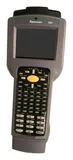
Intermec's programmer's guide for the Native terminal emulation application: how to install, configure, operate, maintain and troubleshoot it. It covers the 2415, 2425, 2435A, 2455, 2475 and 248X terminals, the 6400 computer, the 5055 data collection PC and the 59XX, 17XX and 11XX terminals. Readers find the keys on each keyboard, the terminal emulation menus, auto-login and other customizing, data collection server and gateway commands, terminal commands, bar code scanning and symbologies, the font set and native sockets.
Its parts
- Getting Started
- Using the Terminal's Keyboard
- Using the Terminal Emulation Menus
- Customizing Your Configuration
- Data Collection Server and Gateway Commands
- Terminal Commands
- Bar Code Scanning
- Bar Code Symbologies
- Terminal Font Set Table
- Native Sockets
From the manual
Key facts from this manual
Some pages are scans or cannot be read; this says only what the readable text supports. Each line names its page in the PDF.
This is the Intermec Native Terminal Emulation Programmer's Guide (revision D, 10/2003) for the TE 2000 Native terminal emulation application. It covers the 2415, 2425, 2435A, 2455, 2475 and 248X Trakker Antares terminals, the 6400 Computer, the 5055 Data Collection PC and the 59XX, 17XX and 11XX terminals. It explains setting up, configuring and customizing the application, the keyboard of each terminal, and the host commands and error codes used through a DCS or gateway.
- Software
- Native terminal emulation (TE 2000) application for Intermec terminals p. 20, 23
- Terminals covered
- 2415, 2425, 2435A, 2455, 2475, 248X (Trakker Antares), 6400 Computer, 59XX, 17XX, 11XX, 5055 Data Collection PC p. 61
- Network protocols
- UDP Plus (through a DCS 300 and access point), TCP/IP (through an access point to the host), or WTP p. 22
- 2415 to 248X options
- TE over WTP, UDP Plus or IP, each with a 2.4 GHz OpenAir or 802.11 radio p. 26
- 2435A keyboards
- 57-key, 48-key or 39-key function numeric keyboard p. 32
- Radios not supported
- SST (Spread Spectrum Transmission) and regular UHF p. 26
- Trakker Antares settings
- UDP Plus or TCP/IP communications, 3270 options and the Main Menu password p. 119
- Main Menu
- Set-up Parms, LCD Parms, Beeper Setup, Tests, Version Info, Exit Menus, More p. 62
- Gateway error codes
- ?x responses: 0 Communications, 1 Syntax, 4 Length, 5 Disabled, 6 Gap, 8 Check, 10 Buffer, 11 Sequence p. 205
- Host message length
- Up to 1000 bytes with three-byte addressing, 128 bytes with one-byte addressing p. 205
- Legacy controllers
- PC1000 PCMUX, RM2216, RM3216, RM3242, RM1202, RM1204, RC2250, RC3250, RCB4000, RCB4030 p. 204
- Terminal manual
- TRAKKER Antares 243X Hand-Held Terminal User's Manual, P/N 071791-001 p. 32
- Removed commands
- 2415 to 248X: End, Erase Field, Erase Last Word, Fast Cursor Right or Left, Home, Reshow, Status, status line messages p. 25
- Revision
- D, 10/2003 p. 3
What this manual walks you through
- Setting up the terminal and network before using Native TE p. 22
- Starting the Native terminal emulation application p. 23
- A quick configuration that switches the data stream to Native p. 24
- Using the 2435A cursor, function and AID-generating keys p. 32, 33, 34
- Opening the TE configuration Main Menu by key sequence or bar code p. 61, 62
- Customizing with auto-login, a custom set-up file and changed menu text p. 25
- Host command flow through a DCS or gateway p. 203
- Reading DCS and gateway error codes p. 205
- Replacing a legacy multiplexer or controller with a DCS or gateway p. 204
Good to know
- With the beeper turned off, no low battery beep warnings are heard. p. 61
- Dual sessions are not supported in Trakker Antares UDP Plus or TCP terminals. p. 26
- Scanning the bar code for an unsupported command reads its data into the terminal; its key sequence is ignored. p. 26
- In some menus, pressing [6] exits a submenu or reboots the terminal. p. 57
- Some 2415 to 248X parameters are set only in the TRAKKER Antares 2400 Menu System, not in the TE menus. p. 119
Questions this manual answers
What does DCS or gateway error ?4 mean in Intermec Native TE?
Length Error: the host message is too long, over 1000 bytes with three-byte addressing or 128 bytes with one-byte addressing. p. 205
What network protocols does Intermec Native terminal emulation use?
UDP Plus through a DCS 300 and an access point, TCP/IP through an access point to the host, or WTP. p. 22
What keyboards does the Trakker Antares 2435A have?
A 57-key, a 48-key, or a 39-key function numeric keyboard. p. 32
How do I open the terminal emulation menus on a 2435A?
Press the key sequence for its keyboard ([Green] > [Orange] > on the 48-key keyboard), or scan the TE configuration menus bar code. p. 61, 62
Which legacy Intermec controllers does the Native TE guide mention?
Legacy multiplexers and controllers such as the PC1000 PCMUX, RM2216, RM3216, RC2250 and RCB4000 support various commands in the guide. p. 204
Contents
Chapters and sections
Each line opens the PDF at its page.
- Legal Information2
- Document Change Record3
- Before You Begin17
- Chapter 1: Getting Started21
- Understanding Network Protocol Options22
- Setting Up the Terminal and the Network22
- Starting the Native Terminal Emulation Application23
- Becoming Familiar With Native Terminal Emulation24
- Performing a Quick Configuration24
- Configuring the Native Application25
- Using Advanced Features25
- Unsupported Commands and Functions25
- Program Names26
- Chapter 2: Using the Terminal's Keyboard27
- Chapter 3: Using the Terminal Emulation Menus55
- Chapter 4: Customizing Your Configuration123
92 more lines, from page 160 on
- Changing Text160
- Chapter 5: Data Collection Server and Gateway Commands177
- CMT (Return Parameter Values)178
- CMT, (Set All Parameters)179
- CMT0 (Set Response Delay)181
- CMT1 (Set Data Time-Out)182
- CMT2 (Interactive Mode)183
- CMT4 (Add Line Feed to Responses)184
- CMT5 (Set Gap Time-Out)185
- CMT8 (Set Data Error Checking)186
- CMT10 (Enable Extended Response Mode)187
- CMT13 (Automatically Enable Terminal)188
- CMT21 (One-Character Address Mode)189
- CMT22 (Multiple Buffering Mode)190
- CMT27 (6910 IGAP Operating Mode)192
- CMTI (Restore Default Parameters)193
- ? (Get Transmit Message Status)194
- E (Enable Terminals)195
- R (Read)196
- T (Repeat Response)198
- F (Return Terminal Power-Up Type)199
- DME (Echo-Back Diagnostics)200
- DMP (Reset)201
- DMV (Send Software Version)202
- Normal Communication Flow203
- CompatibilityWith Legacy Systems204
- Write Display Errors205
- Chapter 6: Terminal Commands207
- G (Reset Terminal)208
- StD/ (Set Terminal Parameters)209
- WtB (Audio Annunciator)213
- WtD/ (Write Display)214
- WtD// (ExtendedWrite Display)218
- WtD/ \yS (Download Table)220
- WtD/ \y (Display Table)223
- WtD/ \yT (Download and Display Table)225
- WtD/ \yU (Update Table)227
- WtD/ \yV (Update and Display Table)231
- WtD/ \F (Set Terminal Function Keys)234
- WtD/ \B (Set Bank)235
- WtD/ \BU (Update Bank)236
- WtD/ \BE (Erase Bank)237
- WtD/ \C (Set Screen Mode)238
- WtD/ \P (Print)239
- WtD/ \PM (Port in Use Message)241
- WtD/ \PS (RS-232 Port Options)243
- WtD/ \PG (Get Data from an External Device)244
- WtD/ \PF (Send and Get Data from an External Device)247
- WtD/ \yP (Print Table)249
- WtD/ \yR (Update and Print Table)250
- WtD/ \yQ (Update, Display, and Print Table)252
- WtD/ \T (Tone)254
- DtV (Terminal Emulation Version)255
- DtE (Echo-Back Diagnostic)256
- Appendix A: Bar Code Scanning257
- Appendix B: Bar Code Symbologies287
- Appendix C: Terminal Font Set Table297
- Appendix D: Native Sockets307
- Index321
The whole text · 37 parts
Read the manual here as text
Its text as extracted from the PDF, unedited, in parts; each page opens the PDF at that page.
- Pages 1 to 41-4
- Contents, pages 5 to 105-10
- Contents, pages 11 to 1611-16
- Before You Begin17-20
- Chapter 1: Getting Started21-26
- Chapter 2: Using the Terminal's Keyboard, pages 27 to 3627-36
- Chapter 2: Using the Terminal's Keyboard, pages 37 to 4637-46
- Chapter 2: Using the Terminal's Keyboard, pages 47 to 5447-54
- Chapter 3: Using the Terminal Emulation Menus, pages 55 to 6455-64
- Chapter 3: Using the Terminal Emulation Menus, pages 65 to 7465-74
- Chapter 3: Using the Terminal Emulation Menus, pages 75 to 8475-84
- Chapter 3: Using the Terminal Emulation Menus, pages 85 to 9485-94
- Chapter 3: Using the Terminal Emulation Menus, pages 95 to 10495-104
- Chapter 3: Using the Terminal Emulation Menus, pages 105 to 114105-114
- Chapter 3: Using the Terminal Emulation Menus, pages 115 to 122115-122
- Chapter 4: Customizing Your Configuration, pages 123 to 131123-131
- Chapter 4: Customizing Your Configuration, pages 132 to 140132-140
- Chapter 4: Customizing Your Configuration, pages 141 to 149141-149
- Chapter 4: Customizing Your Configuration, pages 150 to 158150-158
- Chapter 4: Customizing Your Configuration, pages 159 to 167159-167
- Chapter 4: Customizing Your Configuration, pages 168 to 176168-176
- Chapter 5: Data Collection Server and Gateway Commands, pages 177 to 186177-186
- Chapter 5: Data Collection Server and Gateway Commands, pages 187 to 196187-196
- Chapter 5: Data Collection Server and Gateway Commands, pages 197 to 206197-206
- Chapter 6: Terminal Commands, pages 207 to 216207-216
- Chapter 6: Terminal Commands, pages 217 to 226217-226
- Chapter 6: Terminal Commands, pages 227 to 236227-236
- Chapter 6: Terminal Commands, pages 237 to 246237-246
- Chapter 6: Terminal Commands, pages 247 to 256247-256
- Appendix A: Bar Code Scanning, pages 257 to 266257-266
- Appendix A: Bar Code Scanning, pages 267 to 276267-276
- Appendix A: Bar Code Scanning, pages 277 to 286277-286
- Appendix B: Bar Code Symbologies287-296
- Appendix C: Terminal Font Set Table297-306
- Appendix D: Native Sockets307-320
- Index, pages 321 to 330321-330
- Index, pages 331 to 340331-340
The file