Manual · Intermec
MaxiScan 2200 Reference Manual
Manual244 pagesPDF 753 KB
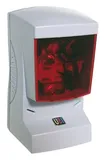
Reference manual for the MaxiScan 2200 laser bar code scanner: interfaces, configuration bar codes, symbologies and troubleshooting.
Covers · 1 model
The models it covers
Summary
What is in it
Reference manual for the MaxiScan 2200 laser bar code scanner from United Barcode Industries, with topics in alphabetical order. It explains installation, connecting to keyboard wedge, RS-232, wand emulation, IBM 46xx and OCIA cash register hosts, setting parameters by scanning configuration bar codes, beeps, reading distance, scan rate, standby mode, each supported symbology (Codabar, Code 39, Code 128, Interleaved 2 of 5, UPC/EAN and more), test codes and troubleshooting.
Its parts
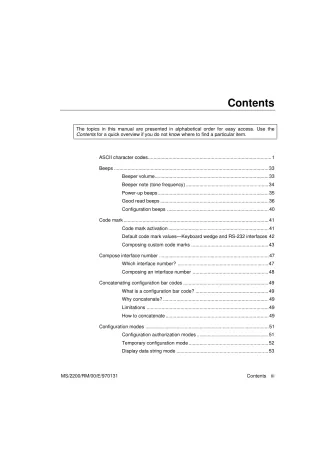
- ASCII character codes
- Beeps
- Code mark
- Compose interface number
- Concatenating configuration bar codes
- Configuration modes
- Data decoding security parameters
- Default parameter settings
- Error messages
- IBM 46xx cash registers
- Installation procedure
- Inter-character delay
- Inter-message delay
- Interfaces
- Keyboard wedge
From the manual
Key facts from this manual
Some pages are scans or cannot be read; this says only what the readable text supports. Each line names its page in the PDF.
The preliminary reference manual (January 1997) from United Barcode Industries (UBI) for the MaxiScan 2200 laser bar code scanner, arranged alphabetically by topic. It shows how to connect each interface, set the scanner up by scanning configuration bar codes, read its beeps and LEDs, and solve common problems.
- Device
- Laser bar code scanner with a laser diode and rotating mirror motor, set up by scanning configuration bar codes p. 50, 170
- Interfaces
- RS-232 C, dual RS-232 C, RS-232 TTL, IBM 46xx cash registers, OCIA cash registers, wand emulation, keyboard wedge p. 80
- Interface flash codes
- 2 flashes RS-232 C or dual RS-232 C; 3 IBM 46xx; 4 RS-232 TTL or wand emulation; 5 OCIA; 7 keyboard wedge p. 80
- Input voltage
- 5.5 to 7 V p. 2
- External power supply
- 6V mains adapter; needed for keyboard wedge and dual RS-232 C, or when the host supplies too little power p. 71
- Scan rate
- 1400 scans per second default; 1200 or 1600 selectable p. 168
- Reading distance
- Maximum set to 20 cm (default), 15 cm, or 10 cm (UPC/EAN 100% only) p. 145
- Video channels
- Alternates high- and low-resolution channels by default; high for narrow bars under 0.2 mm, low for over 1 mm p. 147
- Standby
- Laser off after 15 minutes idle, mirror motor off after 45 minutes in all (defaults, adjustable) p. 171
- In the box
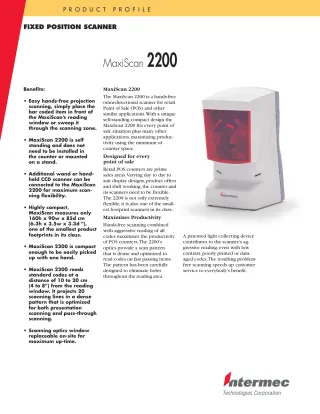
- Cable for the host, installation guide, mounting plate, replacement red reading window; options: external power supply, adjustable stand p. 144
- Pen input
- Plug-and-play cable with pen adaptor, for all interfaces p. 142
- Beep codes
- 2 beeps: power-up done or setting accepted; 6 short: setup error; 3 long: EEPROM integrity error p. 45, 50
- Error log
- Operating error messages kept in internal EEPROM; shown on keyboard wedge, RS-232 C and RS-232 TTL hosts p. 70
What this manual walks you through
- Connecting the keyboard wedge between keyboard and computer p. 81
- Connecting single or dual RS-232 p. 148, 149
- Connecting to IBM 46xx or OCIA cash registers, or as wand emulation p. 72, 114, 231
- Entering an interface number p. 57, 58
- Identifying the interface from the LED flashes at power-up p. 80
- Resetting all parameters to factory defaults p. 146
- Choosing reading distance, video channel and scan rate p. 145, 147, 168
- Setting the time before standby p. 170, 171
- Showing and clearing stored error messages p. 70
- Troubleshooting power-up, configuration and reading problems p. 226, 227, 228, 229, 230
Good to know
- Do not switch on the host until the external power supply is connected and plugged in. p. 81
- Reset Factory Defaults clears the interface, so the interface number must be entered again. p. 146
- Only interface numbers that match the scanner's I/O board and cable are accepted. p. 58
- On dual RS-232 the default setup sends data on the DTE (host) connector only. p. 149
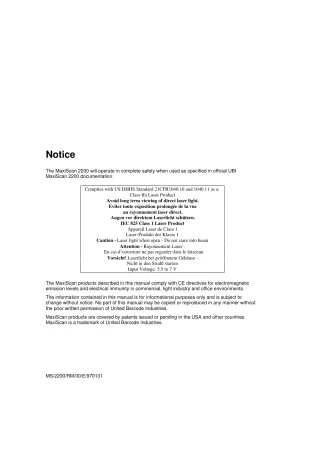
- Laser light when the case is open: do not stare into the beam. p. 2
Questions this manual answers
What do three long beeps at power-up mean on a MaxiScan 2200?
An EEPROM integrity error; the manual says to contact your UBI representative. p. 45
Why does the MaxiScan 2200 LED stay orange?
No interface number is programmed, for example after Reset Factory Defaults; enter the interface number for your system again. p. 80
What power supply does the MaxiScan 2200 use?
Input is 5.5 to 7 V; a 6V mains adapter is needed when the host cannot power the scanner. p. 2, 71
What do six short beeps mean when scanning a setup code?
A setup error, such as an option or interface number that is not available or codes read in the wrong order. p. 50
The scanner sends the same bar code twice. How do I stop it?
Increase the time-out between identical consecutive codes in the data decoding security parameters. p. 230
The whole text · 25 parts
Read the manual here as text
Its text as extracted from the PDF, unedited, in parts; each page opens the PDF at that page.
- Pages 1 to 101-10
- Pages 11 to 2011-20
- Pages 21 to 3021-30
- Pages 31 to 4031-40
- Pages 41 to 5041-50
- Pages 51 to 6051-60
- Pages 61 to 7061-70
- Pages 71 to 8071-80
- Pages 81 to 9081-90
- Pages 91 to 10091-100
- Pages 101 to 110101-110
- Pages 111 to 120111-120
- Pages 121 to 130121-130
- Pages 131 to 140131-140
- Pages 141 to 150141-150
- Pages 151 to 160151-160
- Pages 161 to 170161-170
- Pages 171 to 180171-180
- Pages 181 to 190181-190
- Pages 191 to 200191-200
- Pages 201 to 210201-210
- Pages 211 to 220211-220
- Pages 221 to 230221-230
- Pages 231 to 240231-240
- Pages 241 to 244241-244
The file