Manual · HHP
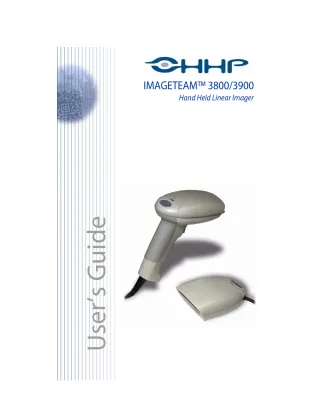
IMAGETEAM 3800/3900 Hand Held Linear Imager User's Guide
Manual180 pagesPDF 2.7 MB
User's guide for the HHP IMAGETEAM 3800 hand-held and 3900 fixed-mount linear imaging bar code scanners: setup, interfaces and programming.
Covers · 2 models
The models it covers
Summary
What is in it
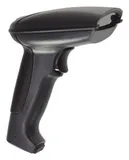
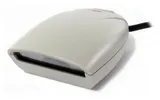
User's guide for the HHP IMAGETEAM 3800 hand-held linear imager and the IMAGETEAM 3900 fixed-mount scanner. It gives installation and programming instructions: connecting by keyboard wedge, serial, wand emulation, IBM 4683, USB and OCIA interfaces, output and trigger settings, prefixes and suffixes, data formatting, symbology settings, cloning, utilities, default charts, serial programming commands, product specifications and maintenance. Settings are changed by scanning the bar codes printed in the guide.
Its parts
- Getting Started
- Terminal Interfaces
- Output
- Data Editing
- Data Formatting
- Secondary Interface
- Symbologies
- Cloning
- Visual Menu
- Interface Keys
- Utilities
- Default Charts
- Serial Programming Commands
- Product Specifications
- Maintenance
From the manual
Key facts from this manual
Each line names its page in the PDF.
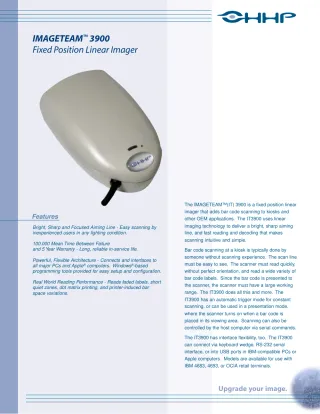
HHP's User's Guide for the IMAGETEAM 3800/3900 linear imagers: the IT3800 hand held scanner and the IT3900 fixed mount scanner. It covers connecting the scanner, programming it by scanning setup bar codes, the specifications and cable pinouts of both models, maintenance and troubleshooting.
- Device
- Linear imaging bar code scanner; IT3800 hand held, IT3900 fixed mount p. 13
- Interfaces
- Keyboard wedge, RS-232 serial, wand emulation, non decoded laser output p. 16
- Light source
- 630 nm visible red LED p. 155, 156
- Scan rate
- Programmable to 270 scans per second; 270 decodes per second p. 155, 156
- Power
- 5VDC plus or minus 10% at the scanner; IT3800 -11 and -15 models 5-12VDC p. 155
- Temperature
- Operating 32 F to 122 F (0 C to 50 C); storage -4 F to 140 F p. 155, 156
- IT3800 size
- 6.0 in. high, 5.3 in. long, 3.1 in. wide; 6.3 ounces (179.2 g) p. 155
- IT3900 size
- 1.5 in. high, 4.7 in. long, 3.1 in. wide p. 156
- Cable connector
- 10 pin modular (RJ41) in the handle; field replaceable cable p. 158, 168
- IBM retail models
- IBM 4683 Port 5B, 9B, 17 codes for 3800LR-11 and -15; IBM SurePOS USB for 3800LX-15 p. 21, 22
- RS-232 default code
- 9600 bps, even parity, 7 data bits, CR and LF suffix p. 20
- Skew and pitch
- Skew plus or minus 30 degrees, pitch plus or minus 15 degrees p. 155
- Drop rating
- IT3800 25 drops, IT3900 5 drops, from 5 feet to concrete p. 155, 156
- ESD and vibration
- 15 kV to any surface; 5G peak from 20 to 300 Hz p. 155
What this manual walks you through
- Connecting the scanner as a keyboard wedge p. 16
- Setting up common interfaces with Plug and Play bar codes p. 18, 19, 20
- Programming for IBM 4683 ports and IBM SurePOS USB p. 21, 22
- Mounting the IT3900 at an angle to avoid the specular zone p. 18
- Cable pinouts: laser output, keyboard wedge, wand emulation, serial and USB p. 157, 158, 159, 160, 161
- Replacing the interface cable with a paper clip p. 168
- Cleaning the window and inspecting the cable p. 167
- Troubleshooting power, read and output problems p. 168, 169
- Restoring the factory default settings p. 169
Good to know
- On the laser output cable, some decoders carry +12V on pins 4 or 9; the guide says to connect +5VDC only. p. 157
- The housing is not water-tight: do not submerge it, and do not use solvents or abrasive wipers on it. p. 167
- After scanning a Plug and Play code, power cycle the host (or re-boot the cash register for IBM codes) for it to take effect. p. 18
- Repairs and upgrades are for an authorized service center only. p. 167
- When ordering a replacement cable, give the part number of the original cable. p. 168
Questions this manual answers
How do I reset an HHP IT3800 to factory defaults?
Scan the Factory Default Settings bar code on manual page 12-1. p. 169
IT3800 scans but I still have to press Enter. How do I fix that?
Program a suffix such as CR so the scanner sends the Enter key after the data. p. 169
Why does my IT3800 send garbled characters?
It is probably set for the wrong terminal interface; rescan the correct Plug and Play or Terminal selection bar code. p. 169
What voltage does the IT3900 need?
5 VDC plus or minus 10% at the scanner. p. 156
How do I remove the cable from an IT3800?
With host power off, push a straightened paper clip into the small hole on the side of the handle to release the tab and pull the connector out. p. 168
Contents
Chapters and sections
Each line opens the PDF at its page.
- Getting Started13
- Typical Applications for the IT390013
- About This Manual13
- Unpacking the Scanner14
- IT3800 Scanner Identification15
- IT3900 Scanner Identification15
- Connecting the Scanner When Powered by Host (Keyboard Wedge)16
- Mounting Information for the IMAGETEAM 390017
- Plug and Play18
- IBM 4683 Ports 5B, 9B, and 17 Interface21
- USB Interface22
- USB Converter23
- OCIA Interface24
- NCR OCIA Short Format (8 Bit) Interface24
- NCR OCIA Long Format (9 Bit) Interface25
- Nixdorf OCIA Interface25
- Serial Wedge26
- Terminal Interfaces27
- Output45
- Data Editing51
76 more lines, from page 57 on
- Intercharacter, Interfunction, and Intermessage Delays57
- Data Formatting61
- Secondary Interface67
- Secondary Code 39 Wand Emulation67
- Secondary RS-232 Connection67
- Secondary Non Decoded Output Laser Emulation68
- Non Decoded Output Laser Emulation Transmission Rate68
- Non Decoded Output Laser Emulation Polarity68
- Non Decoded Laser Emulation Idle69
- Disabling the Secondary Interface69
- Secondary Trigger Mode69
- Symbologies71
- Introduction71
- All Symbologies71
- Codabar72
- Code 3976
- Interleaved 2 of 580
- Code 9382
- Code 2 of 583
- IATA Code 2 of 584
- Matrix 2 of 585
- Code 1186
- Code 12888
- Telepen90
- UPC A92
- UPC E0 and UPC E195
- EAN/JAN 1399
- EAN/JAN 8102
- MSI105
- Plessey107
- RSS-14108
- RSS-14 Limited108
- RSS-14 Expanded109
- China Post Code110
- PDF417111
- Scan Diagnostics112
- PDF Learn Mode113
- MicroPDF417114
- EAN•UCC Composite Symbology116
- EAN•UCC Composite116
- Enable UPC/EAN Version116
- Cloning119
- Visual Menu121
- Interface Keys123
- Utilities129
- Default Charts131
- Serial Programming Commands139
- Product Specifications155
- Maintenance167
- Customer Support171
The whole text · 22 parts
Read the manual here as text
Its text as extracted from the PDF, unedited, in parts; each page opens the PDF at that page.
- Pages 1 to 41-4
- Table of Contents5-12
- Getting Started13-26
- Terminal Interfaces, pages 27 to 3527-35
- Terminal Interfaces, pages 36 to 4436-44
- Output45-50
- Data Editing51-60
- Data Formatting61-66
- Secondary Interface67-70
- Symbologies, pages 71 to 8071-80
- Symbologies, pages 81 to 9081-90
- Symbologies, pages 91 to 10091-100
- Symbologies, pages 101 to 110101-110
- Symbologies, pages 111 to 118111-118
- Pages 119 to 122119-122
- Interface Keys123-128
- Pages 129 to 138129-138
- Serial Programming Commands, pages 139 to 146139-146
- Serial Programming Commands, pages 147 to 154147-154
- Product Specifications155-166
- Maintenance167-170
- Customer Support171-180
The file