Manual · Datalogic
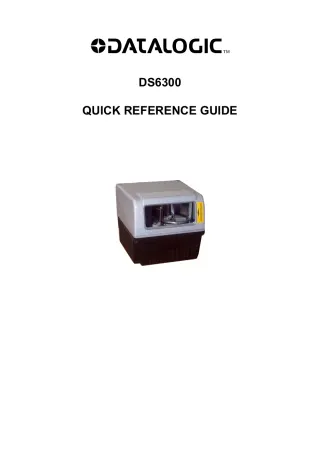
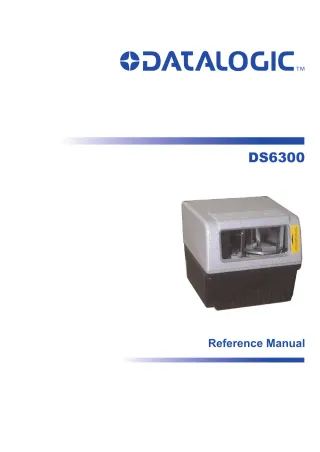
DS6300 Reference Manual
Manual105 pagesPDF 8.5 MB
Reference manual for the Datalogic DS6300 fixed-mount industrial laser bar code scanner: mounting, wiring, Genius setup and reading diagrams.
Covers · 1 model
The models it covers
Summary
What is in it
The reference manual for the Datalogic DS6300 fixed-mount laser scanner, in standard, oscillating mirror and GFX-60 versions. It covers safety and compliance, mechanical mounting, electrical connections (main and auxiliary serial, Lonworks, Ethernet, DeviceNet and Profibus), typical layouts from point-to-point to fieldbus networks, the keypad and display, focus adjustment, configuration with the Genius software, ACR 4 code reconstruction, reading diagrams, maintenance with automatic scanner replacement, troubleshooting and technical features.
Its parts
- References
- Compliance
- General View
- Guide to Installation
- Introduction
- Installation
- Software Configuration
- Reading Features
- Maintenance
- Troubleshooting
- Technical Features
From the manual
Key facts from this manual
Each line names its page in the PDF.
This is the reference manual for the Datalogic DS6300 industrial laser barcode scanner, edition 10/2007. It covers the versions of the reader head and decoder base, mounting, wiring of the serial and I/O connector, the keypad and display, maintenance, troubleshooting and technical features.
- Device
- Industrial laser barcode scanner with a reader head and a decoder base that rotate independently p. 15
- Versions
- Standard or Oscillating Mirror head; Master/Slave, Profibus, Ethernet or DeviceNet decoder base p. 15, 16
- Reading range
- 250 mm to 2,000 mm (10-80 inches), mechanically adjustable focus p. 15
- Scan rate
- 600-1200 scans/s p. 97
- Power
- 15 to 30 Vdc; 15 W typical, 20 W max. including startup current p. 97
- Connector
- Master/slave model: 25-pin male D-sub; fieldbus models (Ethernet, DeviceNet, Profibus): 26-pin male p. 31
- Interfaces
- Main (isolated): RS232, RS485 full-duplex or half-duplex, 20 mA current loop (INT-30 with C-BOX 100 only); auxiliary RS232; Lonworks, Ethernet, DeviceNet, Profibus p. 97
- Inputs and outputs
- External trigger and 3 auxiliary digital inputs; 3 software programmable optocoupled digital outputs p. 97
- Display and keys
- 2 lines by 16 characters LCD, 3 keys; LEDs Power ON (red), Phase ON (yellow), TX data (green) p. 97
- Light source
- Solid state laser diode, 630 to 680 nm p. 15
- Readable codes
- Interleaved 2/5, Code 39, Codabar, Code 128, EAN128, Code 93, EAN/UPC with Add-on 2 and Add-on 5 p. 98
- Temperature
- Operating 0 to +40 °C (+32 to +104 °F); storage -20 to +70 °C (-4 to +158 °F) p. 98
- Decoder
- Intel XScale CPU with ACR™ 4 code reconstruction p. 15
- Accessories named
- C-BOX 100, INT-30, PWR-120, BTK-6000, PG6000, PG6001, PG6002, FBK-6000, GFC-60, GFC-600, GFX-60, US-60, PH-1, MEP-543, OEK-1, OEK-2 p. 20
What this manual walks you through
- Installing the scanner step by step p. 21
- Setting oscillating mirror speed and angle limits p. 17, 18
- Wiring the 25/26-pin connector and the C-BOX 100 terminal block p. 29, 30, 31
- Using the keypad menu p. 64
- Assigning master or slave role from the keypad p. 64
- Cleaning the output window p. 92
- Replacing scanners with Automatic Scanner Replacement (ASR) p. 92, 93
- Troubleshooting power, triggering, reading and host communication p. 94, 95
Good to know
- Do not connect an RS232 port to the 9-pin Lonworks connector; it may damage a laptop PC. p. 29
- Position several scanners so no laser beam enters another reader's window perpendicularly, or its laser may start blinking. p. 21
- A skew angle under 10° gives direct reflection, a cause of No Read results. p. 95
- Clean the window only with the scanner off, or at least with the laser beam not active. p. 92
- ASR works only if both master and slave have software 6.40 or later, and scanners are replaced one at a time. p. 93
Questions this manual answers
What power supply does the DS6300 need?
15 to 30 Vdc, drawing 15 W typical and 20 W max. including startup current. p. 97
How far can the DS6300 read a barcode?
The reading range is 250 mm to 2,000 mm (10-80 inches), with mechanically adjustable focusing. p. 15
Which connector does the DS6300 use for host and power?
The master/slave model has a 25-pin male D-sub connector; the Ethernet, DeviceNet and Profibus models have a 26-pin male connector. p. 31
Contents
Chapters and sections
Each line opens the PDF at its page.
The whole text · 15 parts
Read the manual here as text
Its text as extracted from the PDF, unedited, in parts; each page opens the PDF at that page.
- CONTENTS1-4
- Pages 5 to 85-8
- GENERAL VIEW9-11
- GUIDE TO INSTALLATION12-14
- INTRODUCTION15-20
- INSTALLATION, pages 21 to 3021-30
- INSTALLATION, pages 31 to 4031-40
- INSTALLATION, pages 41 to 5041-50
- INSTALLATION, pages 51 to 6051-60
- INSTALLATION, pages 61 to 6661-66
- SOFTWARE CONFIGURATION67-78
- READING FEATURES79-91
- Pages 92 to 9692-96
- Pages 97 to 10197-101
- Pages 102 to 105102-105
The file