Manual · Datalogic
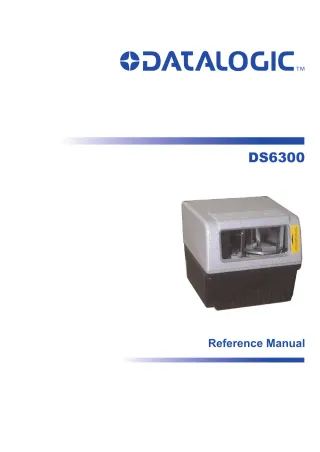
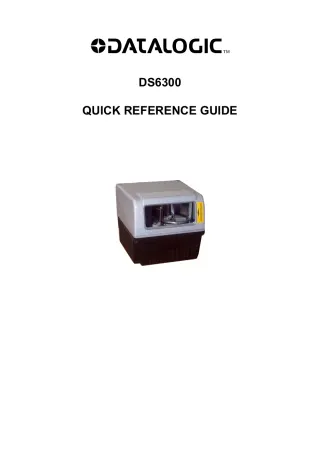
DS6300 Quick Reference Guide
Manual39 pagesPDF 2.6 MB
Quick reference guide for the Datalogic DS6300 fixed-mount laser scanner in its Master/Slave, Profibus, Ethernet, DeviceNet and oscillating mirror models.
Covers · 1 model
The models it covers
Summary
What is in it
Quick reference guide for the Datalogic DS6300 industrial laser bar code scanner. For each model (Master/Slave, Profibus, Ethernet, DeviceNet and oscillating mirror) it gives the technical features, accessories with part numbers, connector pinouts, Lonworks network termination and connection layouts such as point-to-point, pass through, multiplexer and synchronized networks, followed by features common to all models. Full installation details are in the Reference Manual on the configuration CD-ROM.
Its parts
- DS6300-100-010 Master/Slave Model
- DS6300-100-011 Profibus Model
- DS6300-100-012 Ethernet Model
- DS6300-100-015 DeviceNet Model
- DS6300-105-0XX Oscillating Mirror Model
- Common Features
From the manual
Key facts from this manual
Each line names its page in the PDF.
Quick reference guide for the Datalogic DS6300 laser scanner, covering the Master/Slave, Profibus, Ethernet, DeviceNet and Oscillating Mirror models. It gives each model's technical features, accessories and connector pinouts. It also explains mounting, rotating the head, focus adjustment, oscillating mirror setup, reading conditions and reading diagrams.
- Device
- Laser scanner whose reading head and decoder base rotate independently (Step-A-Head) p. 28, 39
- Models
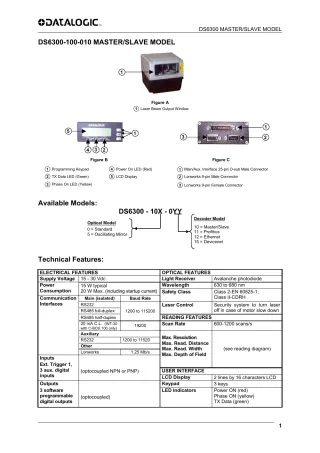
- DS6300-100-010 Master/Slave, -011 Profibus, -012 Ethernet, -015 DeviceNet; DS6300-105-0XX Oscillating Mirror p. 2
- Power
- 15 - 30 Vdc; 15 W typical, 20 W max. including startup p. 3
- Host interfaces
- Main (isolated): RS232, RS485 full- or half-duplex, 20 mA C.L. (INT-30 with C-BOX 100 only); auxiliary RS232; Lonworks p. 3
- Connectors
- Master/Slave: 25-pin D-sub plus two 9-pin Lonworks; Ethernet: 26-pin D-sub, RJ45 (10 or 100 Mb/s) and one 9-pin Lonworks p. 4, 15, 16
- Inputs and outputs
- External trigger and 3 auxiliary digital inputs; 3 software programmable digital outputs, optocoupled p. 3
- Scan rate
- 600-1200 scans/s; Oscillating Mirror models 1200 scans/sec p. 3, 26
- User interface
- 2 lines by 16 characters LCD, 3 keys, Power ON, Phase ON and TX Data LEDs p. 3
- Readable codes
- Interleaved 2/5, Code 39, Codabar, Code 128, EAN 128, Code 93, EAN/UPC with add-ons; up to 10 codes per reading phase p. 4
- Dimensions
- Standard models 110x113x99 mm; Oscillating Mirror 113x180x104.5 mm p. 4
- Operating temperature
- 0° to +40 °C (+32° to +104 °F) p. 4
- Protection class
- Master/Slave model: IP64; Ethernet model: IP50 p. 4, 16
- Configuration
- Genius utility program over RS232; settings kept in internal flash p. 2, 4
- Accessories
- BTK-6000 Lonworks terminator; C-BOX 100 connection box with INT-30 board; ST-237 106° bracket; ST-210 90° bracket in the US-60 kit (order no. 890001020) p. 5, 29
What this manual walks you through
- Wiring the 25-pin D-sub and Lonworks connectors p. 5
- Terminating a local Lonworks network with BTK-6000 terminators p. 5
- Connecting the Ethernet model: 26-pin and RJ45 pinouts p. 16, 17
- Setting the oscillating mirror speed and angles p. 25, 26
- C-BOX 100 terminal block pinout p. 27
- Rotating the head on the base p. 28
- Standard and 45° skew mounting with the ST-237 and ST-210 brackets p. 29
- Adjusting the focus with the screw and Test Mode display p. 30, 31
- Minimum code height by conveyor speed and reading diagrams p. 31, 32, 33, 34, 35, 36
- Building a simple interface test cable p. 37
Good to know
- With the oscillating mirror, keep at least 10° of skew to avoid direct reflection of the laser. p. 25
- Scanners mounted facing each other's beams can make a laser blink; change the position of one scanner slightly. p. 29
- Installation is for qualified personnel, with a UL Listed Class 2 or LPS power source. p. 38
- Do not use excessive force when turning the focus adjustment screw. p. 30
- The guide states it is a Class A product that may cause radio interference in a domestic environment. p. 38
Questions this manual answers
What power does the Datalogic DS6300 need?
15 to 30 Vdc, drawing 15 W typical and 20 W maximum including startup current. p. 3
How do I terminate a DS6300 Lonworks network?
Fit a BTK-6000 terminator on the master reader (female side) and on the last slave reader (male side). p. 5
How do I adjust the DS6300 focus?
Turn the screw on the back of the optic head while Test Mode shows the focus position; clockwise moves the focus farther away. p. 30
How fast can the DS6300 oscillating mirror move?
Up to 19 Hz, with the mirror deflecting up to 40°. p. 26
What software configures the DS6300?
The Genius utility program, which configures the reader from a PC over RS232. p. 2
The whole text · 4 parts
Read the manual here as text
Its text as extracted from the PDF, unedited, in parts; each page opens the PDF at that page.
The file