Manual · Datalogic
Gryphon Reference Manual
Manual183 pagesPDF 4.7 MB
Reference manual for the Datalogic Gryphon D and M hand-held barcode readers and the OM-Gryphon and C-Gryphon cradles.
Names · 2 models
The models it names
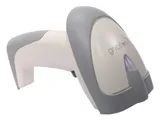 Datalogic D100Hand-held imaging barcode scanner from$195.0016 in stock
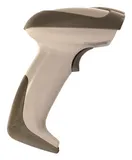 Datalogic M100Hand-held wireless barcode scanner from$295.002 in stock
Filed with · 1 model
Also filed with these models on the old site
Summary
What is in it
Datalogic's reference manual for the Gryphon reader series: the tethered Gryphon D (D100, D200) and cordless Gryphon M (M100, M200) readers and the OM-Gryphon and C-Gryphon cradles. It covers interface cable connections (RS232, USB, IBM USB POS, wedge, pen emulation), Gryphon M batteries, stand-alone and STAR-System network layouts, configuration by barcode or host string, all parameter settings, technical features and reading diagrams.
Its parts
- General View
- Introduction
- Installation
- Gryphon M System and Network Layouts
- Configuration
- References
- Technical Features
From the manual
Key facts from this manual
Some pages are scans or cannot be read; this says only what the readable text supports. Each line names its page in the PDF.
The Datalogic Gryphon Reference Manual, covering the tethered D100 and D200 readers, the cordless M100 and M200 readers, and the OM-Gryphon and C-Gryphon cradles. It explains cable connections, Gryphon M batteries, stand alone and STAR-System layouts, configuration by barcodes, and the technical data and status signals.
- Device
- Handheld barcode readers: tethered (D100, D200) and cordless (M100, M200) p. 11
- Host interfaces
- RS232, Wedge or Pen emulation cable (Gryphon D directly, Gryphon M through the OM-Gryphon cradle); USB on Gryphon D USB readers p. 12, 13, 23
- Scan engine
- CCD solid state sensor, 3648 pixels, up to 270 scans/sec p. 158, 159
- Reading range
- Near contact to over 30 cm; codes down to 3 mils p. 11
- Gryphon D power
- Gryphon D: 5 Vdc ± 5% p. 158
- Gryphon M battery
- Gryphon M: 2 AA NiMh batteries (1.2 V, 1400 mAh); NiCd or non-chargeable alkaline AA also usable p. 159
- Cradle supply
- OM-Gryphon / C-Gryphon: 9 to 28 Vdc p. 160
- Radio
- 433.92 MHz (European models), 910 MHz (USA models) p. 161
- USB hosts
- Windows 98 and later, Mac OS 8.0 and later, IBM POS for Windows, 4690 Operating System p. 35
- Dimensions
- Gryphon D and M: 179 x 81 x 98 mm (7.04 x 3.18 x 3.85 in) p. 158, 159
- Weight
- Gryphon D: about 200 g without cable; Gryphon M: about 280 g with batteries p. 158, 159
- Operating temperature
- Gryphon D: 0 to +55 °C (+32 to +131 °F) p. 158
- Configuration
- Configuration barcodes, DL Sm@rtSet over RS232, copy command, or strings sent from the host p. 22, 23
- Software
- Software version 3.1.0 and later p. 4
What this manual walks you through
- Plugging in and removing the Gryphon D interface cable p. 12
- Connecting the OM-Gryphon cradle to the host and an external power supply p. 13
- Choosing, charging and replacing Gryphon M batteries p. 16, 17, 18
- Reconditioning NiCd or NiMh batteries in the cradle p. 17
- Laying out stand alone systems and STAR-System networks p. 19, 20, 21
- Choosing a configuration method p. 22, 23
- Restoring defaults and setting the Gryphon M radio address p. 24
- First start-up of a USB reader and loading drivers p. 35, 36
- Turning off C-Gryphon charging for alkaline batteries p. 156
- Reading the beeper, LED and cradle indicator signals p. 161, 162, 163
Good to know
- Make all connections with the power off. p. 12
- Alkaline batteries must not be charged; charging them can cause leakage, heat or, in extreme cases, explosion. p. 156
- Recharging NiCd or NiMh batteries before they are fully discharged can reduce their capacity (memory effect). p. 17
- Several stand alone systems can share an area only if every reader and cradle has a different address. p. 20
- If the USB host cannot power the reader, it stays blocked until an external supply is connected to the USB cable. p. 35
Questions this manual answers
What batteries does the Gryphon M100 use?
Two AA NiMh batteries; NiCd or non-chargeable alkaline AA batteries can also be used. p. 16, 159
What supply voltage does the Gryphon D100 need?
The Gryphon D takes 5 Vdc ± 5%. p. 158
How do I recondition a Gryphon M battery?
Press the battery-reconditioning key on the cradle; the battery is discharged (red LED flashing) and then recharged automatically. p. 17
What radio frequency does the Gryphon M use?
433.92 MHz on European models and 910 MHz on USA models. p. 161
What do 10 short high beeps on a Gryphon M mean?
Ten short high tones with ten short LED blinks signal a low battery. p. 162
Contents
Chapters and sections
Each line opens the PDF at its page.
- General View10
- 1 Introduction11
- 2 Installation12
- 3 Gryphon™ M System and Network Layouts19
- 4 Configuration22
- Configuration Methods22
- Setup Procedures23
- Gryphon™ D Setup24
- Gryphon™ M/OM-Gryphon™ Stand Alone Setup24
- Gryphon™ M/STAR-System™ Setup28
- Interface Selection30
- USB Reader Configuration35
- Changing Default Settings38
- RS232 Parameters39
- USB Parameters46
- Wedge Parameters53
- Pen Emulation61
- Data Format67
- Power Save79
- Reading Parameters82
- Decoding Parameters90
- Code Selection94
- Advanced Formatting115
- Radio Parameters134
- 5 References138
The whole text · 21 parts
Read the manual here as text
Its text as extracted from the PDF, unedited, in parts; each page opens the PDF at that page.
- Pages 1 to 91-9
- Pages 10 to 1810-18
- 3 Gryphon™ M System and Network Layouts19-21
- 4 Configuration, pages 22 to 3122-31
- 4 Configuration, pages 32 to 4132-41
- 4 Configuration, pages 42 to 5142-51
- 4 Configuration, pages 52 to 6152-61
- 4 Configuration, pages 62 to 7162-71
- 4 Configuration, pages 72 to 8172-81
- 4 Configuration, pages 82 to 9182-91
- 4 Configuration, pages 92 to 10192-101
- 4 Configuration, pages 102 to 111102-111
- 4 Configuration, pages 112 to 121112-121
- 4 Configuration, pages 122 to 131122-131
- 4 Configuration, pages 132 to 137132-137
- 5 References, pages 138 to 147138-147
- 5 References, pages 148 to 157148-157
- 6 Technical Features158-164
- A Host Configuration Strings165-177
- B Code Identifier Table178-180
- C Hex and Numeric Table181-183
The file