Manual · Allen-Bradley
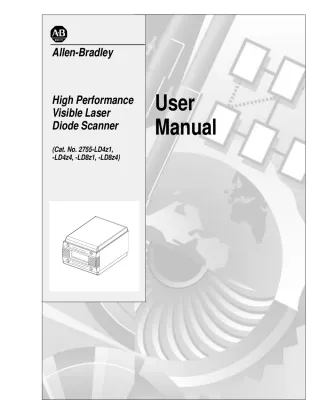
High Performance Visible Laser Diode Scanner (Cat. No. 2755-LD4z1, -LD4z4, -LD8z1, -LD8z4) User Manual
Manual57 pagesPDF 374 KB
User manual for the Allen-Bradley 2755-LD4 and 2755-LD8 fixed-mount visible laser diode scanners used with 2755-DS and -DD decoders.
What this file really is
The old site listed this file as “33” for the Allen-Bradley 2755-DS. The file is filed under the 2755-DS decoder, but it is the user manual for the 2755-LD4 and -LD8 laser scanners that connect to that decoder.
Filed with · 1 model
Also filed with these models on the old site

Summary
What is in it
User manual for the Allen-Bradley 2755-LD4 and -LD8 family of high performance fixed-mount visible laser diode scanners, which work with the 2755-DS single-head and 2755-DD dual-head bar code decoders. It covers scanner features, LED indicators, scan angle adjustment, safety labels and accessories, read ranges and usable beam length, positioning symbols, installing and mounting the scanner and package detector, operation, cleaning and replacing the scan window, troubleshooting and specifications.
Its parts
- Using this Manual
- Features of Scanner
- Installation Considerations
- Installing the Scanner
- Operating the Scanner
- Maintenance and Troubleshooting
- Specifications
From the manual
Key facts from this manual
Some pages are scans or cannot be read; this says only what the readable text supports. Each line names its page in the PDF.
A user manual for the Allen-Bradley 2755-LD4 and 2755-LD8 high performance visible laser diode scanners (2755-LD4z1, -LD4z4, -LD8z1, -LD8z4), fixed-mount scanners that work with a bar code decoder. It covers features, read ranges, mounting, package detector hookup, laser control, window cleaning and replacement, troubleshooting and specifications. The site files it under the 2755-DS, which the manual names only as a compatible decoder.
- Device
- Fixed-mount visible laser diode bar code scanners: 2755-LD4 at 200 scans per second, 2755-LD8 at 500 p. 8, 45
- Catalog numbers
- LD4z1 and LD8z1 have a NEMA Type 1 connector, LD4z4 and LD8z4 a NEMA Type 4; z is the read range: A, B, C or E (LD4), A, B or C (LD8) p. 9
- Compatible decoders
- 2755-DS1A/DS4A single-head and 2755-DD1A/DD4A dual-head enhanced decoders p. 8
- Power
- Receives power from the decoder p. 45
- Attached cables
- 10 foot (3 meter) decoder cable and 11.5 inch (.29 meter) package detector cable, permanently attached p. 8
- Extension cables
- NEMA Type 1: 2755-C15D1 (15 feet) and 2755-C40D1 (40 feet); NEMA Type 4: 2755-C15D4 (15 feet) and 2755-C40D4 (40 feet) p. 12
- Package detector cable
- Optional extension 2755-CP13, 13 feet (4 meters) p. 9
- Package detector
- External sinking sensor on +12 V DC, 100 mA max, 5 mA current sink; Photoswitch 42SRU-6203-QD or 42GRU-9200-QD as examples p. 12, 46
- Optics
- Visible laser diode, 660 nm, 1.0 mW maximum average output p. 45
- Connectors
- NEMA Type 1: subminiature DB15; NEMA Type 4: Cannon KPT series; package detect: Micro-Mini (Crouse-Hinds) or Micro-Change (Brad Harrison) p. 45
- Temperature and humidity
- Operating 0 to 40° C (32 to 104° F); storage -30 to 70° C (-22 to 158° F); 5 to 95% relative humidity, non-condensing p. 45
- Enclosure and weight
- NEMA Type 4 enclosure; about 4.0 lbs (1.8 kg) p. 45
- Mounting
- Bracket 2755-NM6, with or without bracket kit 2755-NM42 p. 13
- Spare parts
- Glass window kit 77125-898-01, plastic window kit 77125-899-01, safety label kit 77121-802-01 p. 13
What this manual walks you through
- Choosing a read range for the label size p. 17, 21
- Planning space and mounting the scanner p. 33
- Connecting the scanner and package detector to the decoder p. 36
- Installing and wiring a package detector p. 37
- Turning the laser on and off from the decoder p. 38
- Cleaning the scan window p. 41
- Replacing the scan window p. 42
- Troubleshooting power, laser and read problems p. 43, 44
- Installing the scanner under European Union directives p. 47
Good to know
- No user maintenance is needed and the enclosure must not be opened. p. 41
- If the scanner makes an intense dot of light instead of a thin line, turn the laser off through the decoder and remove decoder power. p. 38
- The package detect cap or a package detector must stay installed during operation to keep the NEMA Type 4 seal. p. 37
- Glare from reflective objects may affect the LD4C, LD4E and LD8C scanners at long ranges. p. 18, 22
- Clean the window only with reagent grade alcohol; no organic solvents or abrasive paper wipes. p. 41
Questions this manual answers
What do the POWER and VALID lights on the 2755-LD4 scanner mean?
The amber POWER light shows the scanner is getting power from a connected, running decoder; the green VALID light flashes on a successful decode. p. 10
Which decoders work with the 2755-LD4 and 2755-LD8 scanners?
The 2755-DS1A/DS4A single-head and 2755-DD1A/DD4A dual-head enhanced decoders. p. 8
How far can the scanner be from the decoder?
The attached cable is 10 feet; extension cables raise the distance to 25 or 50 feet (7.6 or 15.2 meters). p. 12
Why does no laser beam come out of the scan window?
The manual points to a missing scan trigger: check the decoder Laser On Mode and Decode Mode, and the package detect or decoder trigger. p. 43
What package detector does the 2755-LD4 or LD8 scanner need?
A sinking type sensor that runs from 12V DC with the -QD quick disconnect suffix, such as Photoswitch 42SRU-6203-QD or 42GRU-9200-QD. p. 12
Contents
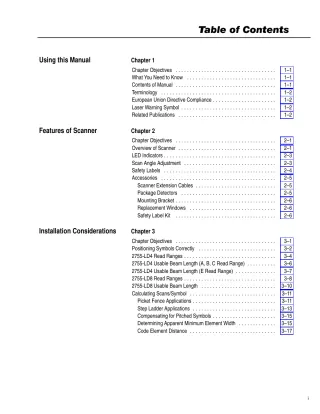
Chapters and sections
Each line opens the PDF at its page.
The whole text · 9 parts
Read the manual here as text
Its text as extracted from the PDF, unedited, in parts; each page opens the PDF at that page.
The file