Manual · Allen-Bradley
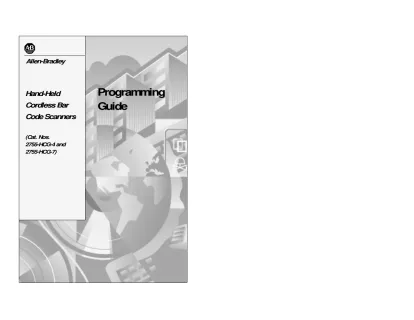
Hand-Held Cordless Bar Code Scanners (Cat. Nos. 2755-HCG-4 and 2755-HCG-7) Programming Guide
Manual176 pagesPDF 617 KB
Programming guide with configuration bar codes for the Allen-Bradley 2755-HCG-4 and 2755-HCG-7 hand-held cordless bar code scanners.
What this file really is
The old site listed this file as “28” for the Allen-Bradley 2755-DS. Filed as a 2755-DS document, this is the programming guide for the 2755-HCG-4 and 2755-HCG-7 cordless scanners; the 2755-DD/DS Enhanced Decoder appears only in one application example.
Filed with · 1 model
Also filed with these models on the old site

Summary
What is in it
Allen-Bradley's programming guide for the 2755-HCG-4 standard and 2755-HCG-7 long range hand-held cordless bar code scanners. It holds the configuration bar codes you scan to set code types and lengths, decode options, prefixes and suffixes, laser control, RS-232C options and keyboard emulation, plus Advanced Data Format bar codes. Appendix A gives application examples with the Enhanced Decoder (2755-DD/DS), a Flexible Interface Module, SLC 5/03 and 5/04 and PLC-5 controllers, AdaptaScan and DTAM Plus DeviceNet.
Its parts
- Preface
- Basic Bar Codes
- Advanced Data Format Bar Codes
From the manual
Key facts from this manual
Some pages are scans or cannot be read; this says only what the readable text supports. Each line names its page in the PDF.
A programming guide (Publication 2755-6.6, January 1998) of configuration bar codes for the Allen-Bradley 2755-HCG-4 and 2755-HCG-7 standard and long range hand-held cordless bar code scanners. It covers defaults, host interface, symbology, serial and keyboard options, Advanced Data Format rules, and hookup examples for the 2755-DD/DS Enhanced Decoder, SLC 5/03 and 5/04, PLC-5, AdaptaScan and DTAM Plus DeviceNet. The site files it under the 2755-DS, which the guide covers only as a host device.
- Device
- Standard and long range hand-held cordless bar code scanners, 2755-HCG-4 and 2755-HCG-7 p. 1, 8
- Configuration symbols
- Code 128, which the scanner always reads; defaults are marked with an asterisk p. 7
- Host interfaces
- Single port RS-232; IBM PC/AT and PS2-50, -55sx, -60, -70, -80; IBM PC/XT; IBM PS2-30; DEC VT 2xx/3xx/4xx p. 14
- Default serial settings
- 9600 baud, odd parity, 2 stop bits, 7-bit ASCII, no hardware or software handshaking, 2-second serial response time-out p. 12
- Default suffix
- 7013: Enter for keyboard wedges, CR/LF for serial devices p. 12
- Other defaults
- Laser on time-out 3 seconds, beeper volume high, U.S. English keyboard type, transmission channel 50 p. 11, 12, 13
- Radio channel
- Two-digit channel number set by bar code p. 48
- Host response wait
- 0 to 99 seconds; zero turns on an automatic time-out calculation p. 50
- RS-232 cables
- 2755-HCC-BR1-06 (Enhanced Decoder, SLC 5/03 and 5/04, AdaptaScan, DTAM Plus) and 2755-HCC-BR2-06 (flexible interface module, PLC-5), from the base/charger unit p. 120, 124, 130, 138, 146, 152
- Adapter
- SLC 5/03, 5/04 and DTAM Plus hookups need a 25-to-9 pin adapter p. 130, 152
- Controllers in examples
- SLC 5/03 (1747-L532), SLC 5/04 (1747-L541, 1747-L542, 1747-L543), PLC-5 (1785-L11B, 1785-L20B, 1785-L30B, 1785-L40B, 1785-L60B, 1785-L80B) p. 129, 137
- AdaptaScan readers
- 2755-SN3, 2755-SN5 and 2755-SN8, through a custom cable of at most 18 inches (.46 meter) p. 145, 147
- Enhanced Decoder settings
- For AUX port pass-through the scanner uses 9600 baud, no parity, 8 data bits, 1 stop bit p. 122
- Advanced Data Format
- Rules of criteria and actions that edit scanned data before it goes to the host p. 52
What this manual walks you through
- Restoring the scanner's default settings p. 11, 12, 13
- Selecting the host interface type p. 14
- Setting the radio transmission channel p. 48, 49
- Setting the wait time for a host response p. 50
- Building Advanced Data Format rules p. 52, 53
- Using the scanner with an Enhanced Decoder AUX port p. 119, 120, 121, 122
- Using the scanner with a flexible interface module p. 123, 124, 125, 126, 127, 128
- Connecting to SLC 5/03 and SLC 5/04 controllers p. 129, 130
- Connecting to PLC-5 controllers p. 137, 138
- Wiring a custom cable to an AdaptaScan wiring base p. 145, 146, 147
Good to know
- Do not install the RS-232 cable while power is applied to the base/charger unit or the host; it may damage the scanner, base or host. p. 119, 123, 129, 137
- The custom AdaptaScan cable may be at most 18 inches long. p. 147
- In an ADF rule with no code type selected, the rule acts on all code types. p. 53
- If a communication setting is changed, the flexible interface module must be set to accept the change. p. 126
Questions this manual answers
What are the default serial settings of the 2755-HCG-4 cordless scanner?
9600 baud, odd parity, 2 stop bits and 7-bit ASCII data, with no hardware or software handshaking. p. 12
Which cable connects the cordless scanner base to a PLC-5?
The RS-232 cable 2755-HCC-BR2-06, from the base/charger unit to the PLC-5 Channel 0 port. p. 138
How do I change the radio channel of the cordless scanner?
Scan the Set Transmission Frequency bar code, then two digit bar codes for the channel number; the default channel is 50. p. 13, 48
How do I reset the 2755-HCG-4 or 2755-HCG-7 scanner to its defaults?
Scan the Set Defaults bar code in Chapter 1. p. 13
What scanner settings does an Enhanced Decoder AUX port need?
9600 baud, no parity, 8 data bits and 1 stop bit. p. 122
Contents
Chapters and sections
Each line opens the PDF at its page.
- Front Cover1
- Important User Information2
- Preface6
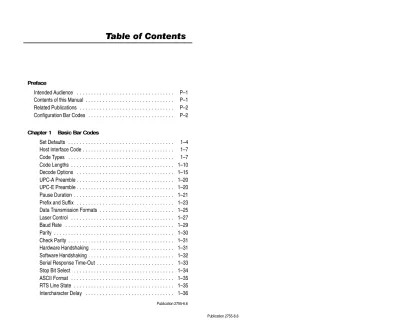
- 1 - Basic Bar Codes8
- Set Defaults11
- Host Interface Code14
- Code Types14
- Code Lengths17
- Decode Options22
- UPC-A Preamble27
- UPC-E Preamble27
- Pause Duration28
- Prefix and Suffix30
- Data Transmission Formats32
- Laser Control34
- Baud Rate36
- Parity37
- Check Parity38
- Hardware Handshaking38
- Software Handshaking39
- Serial Response Time-Out40
- Stop Bit Select41
- ASCII Format42
- RTS Line State42
- Intercharacter Delay43
- Transmit Code ID Character44
- Transmit AIM Code ID45
- Ignore Unknown Characters45
- International Keyboard Emulation46
- International Keyboard Emulation Fast Transmit46
- National Keyboard Types47
- Set Transmission Frequency48
- Wait for Host Interface Response Time50
- 2 - Advanced Data Format Bar Codes52
20 more lines, from page 54 on
The whole text · 19 parts
Read the manual here as text
Its text as extracted from the PDF, unedited, in parts; each page opens the PDF at that page.
- Pages 1 to 51-5
- Pages 6 to 156-15
- Pages 16 to 2516-25
- Pages 26 to 3526-35
- Pages 36 to 4536-45
- Pages 46 to 5146-51
- 2 - Advanced Data Format Bar Codes, pages 52 to 6152-61
- 2 - Advanced Data Format Bar Codes, pages 62 to 7162-71
- 2 - Advanced Data Format Bar Codes, pages 72 to 8172-81
- 2 - Advanced Data Format Bar Codes, pages 82 to 9182-91
- 2 - Advanced Data Format Bar Codes, pages 92 to 10192-101
- 2 - Advanced Data Format Bar Codes, pages 102 to 111102-111
- 2 - Advanced Data Format Bar Codes, pages 112 to 117112-117
- A - Application Examples, pages 118 to 127118-127
- A - Application Examples, pages 128 to 137128-137
- A - Application Examples, pages 138 to 147138-147
- A - Application Examples, pages 148 to 156148-156
- B - ASCII Table157-163
- Pages 164 to 176164-176
The file