Manual · Adtran
TSU 600 & TSU 600e User Manual
Manual123 pagesPDF 2.1 MB
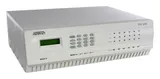
User manual for the ADTRAN TSU 600 and TSU 600e T1/FT1 multiplexers: installation, front panel operation, configuration, tests and SNMP.
Covers · 1 model
The models it covers
Summary
What is in it
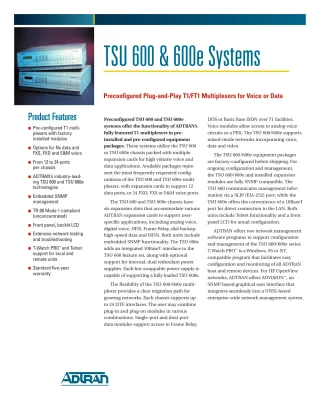
The user manual for the ADTRAN TSU 600 and TSU 600e, T1/FT1 multiplexers with six option slots for voice and data modules and embedded SNMP management. It covers installation, power and grounding, the rear panel interfaces, power-up testing and initialization, then front panel operation and the Status, Configuration, Utility and Test menus, including clock sources and DS0 maps. It also explains management by T-Watch PRO, SNMP, terminal and Telnet, with appendices on SNMP, TR-08, network pinouts, system messages and specifications.
Its parts
- Introduction
- Installation
- Operation
- Status Menu
- Configuration Menu
- Utility Menu
- Test Menu
- Telnet/Terminal Menus
From the manual
Key facts from this manual
Each line names its page in the PDF.
User manual for the ADTRAN TSU 600 and TSU 600e T1/FT1 multiplexers, including their DC-powered versions (part numbers 1202076L1, 1202076L1#DC, 1202076L2 and 1202076L2#DC). It explains installation, the front panel and terminal menus, configuration, testing and the specifications.
- Device
- T1/FT1 multiplexer with six option slots and built-in SNMP management p. 21
- Ports
- Up to four ports per option module, 24 voice or data ports in all p. 21
- T1 interface
- 1.544 Mbits/s; AMI or B8ZS; D4(SF), ESF or SLC96 framing; RJ-45 connector p. 113
- Test jacks
- Bantam jacks: TX and RX (to network) and MON p. 113
- Management ports
- Chain-In/Chain-Out: EIA-232 on RJ-45, data rates 1200 to 38400, SLIP and TCP/IP p. 114
- Management
- SNMP, Telnet and T-Watch PRO via SLIP, or via 10BaseT on the TSU 600e only; VT-100 terminal mode p. 22
- DC power
- DC units (1202076L1#DC, 1202076L2#DC): 21 to 26 VDC or 40 to 56 VDC, terminal strip p. 28
- Fuse
- AC units 1A, 250V; DC units 5A, 250V p. 115
- Power draw
- 40 W maximum; maximum current 0.7A (AC units) or 3A (DC units) p. 115
- Operating temperature
- 0 to 45 degrees C p. 115
- Chassis size
- Under 5.25 in high (fits a 3U opening), fits a 19-inch rack p. 114
- Option modules
- DSX1, Full Drop and Insert, Nx56/64 (V.35), NxIQ, Voice Interface, OCU DP, DSU DP, Dial Backup, U-BR1TE p. 23
- Backup power
- TSU 600e: second power supply slot for a backup supply p. 28
- In the box
- 15 ft line cable, DB-25 to modular adapter, 6-foot Chain-In cable, rackmount brackets, manual p. 27
What this manual walks you through
- Connecting a DC-powered unit to its terminal strip p. 28
- Adding a backup power supply to the TSU 600e p. 28
- Choosing option modules for voice and data ports p. 23
- Managing the unit by SNMP, Telnet, T-Watch PRO or a VT-100 terminal p. 22
- Setting the clock source p. 14
- Setting up DS0 maps that share bandwidth between ports p. 15
- Running loopback tests and test patterns p. 15
- Network pinouts and system messages p. 16
Good to know
- The DC-powered unit is to be installed only in restricted areas such as equipment rooms. p. 28
- The AC unit plugs into a grounded receptacle. p. 28
- The manual states shielded cables are needed to meet FCC Class A limits. p. 5
- Cables for option modules are not included. p. 27
- The unit has no user serviceable parts. p. 4
Questions this manual answers
What DC voltage does the TSU 600 need?
DC-powered units take 21 to 26 VDC or 40 to 56 VDC, wired to a terminal strip on the rear. p. 28
How many ports does the TSU 600 support?
It has six option slots, and each module offers up to four ports, for up to 24 voice or data ports. p. 21
Does the TSU 600 have an Ethernet port?
Only the TSU 600e has a 10BaseT interface; the TSU 600 is managed through SLIP on its chain-in port. p. 22
What comes with the TSU 600?
A 15 ft line cable, a DB-25 to modular adapter, a 6-foot Chain-In cable, the manual, rackmount brackets and a rackmount data sheet. p. 27
What is the TSU 600 operating temperature?
0 to 45 degrees C. p. 115
The whole text · 13 parts
Read the manual here as text
Its text as extracted from the PDF, unedited, in parts; each page opens the PDF at that page.
The file