Manual · Adtran
TDU 120e User Manual
Manual146 pagesPDF 2.3 MB
User manual for the ADTRAN TDU 120e T1 access unit: installation, menu operation, status, configuration, test and remote management.
Filed with · 1 model
Also filed with these models on the old site
Summary
What is in it
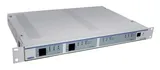
The ADTRAN user manual for the TDU 120e, a T1 unit with an Nx56/64 V.35 port, a DS-1 (PBX) interface and an option slot for modules such as DSX-1, voice, OCU DP, DSU DP and dial backup. It covers unpacking, power and grounding, rear panel interfaces, initialization, menu operation from a terminal or Telnet, the front panel and LEDs, then the Status, Configuration, Utility, Test and Remote/Management menus, with appendices on SNMP, connector pinouts, system messages and specifications.
Its parts
- Introduction
- Installation
- Operation
- Status Menu
- Configuration Menu
- Utility Menu
- Test Menu
- Remote/Management Menus
From the manual
Key facts from this manual
Some pages are scans or cannot be read; this says only what the readable text supports. Each line names its page in the PDF.
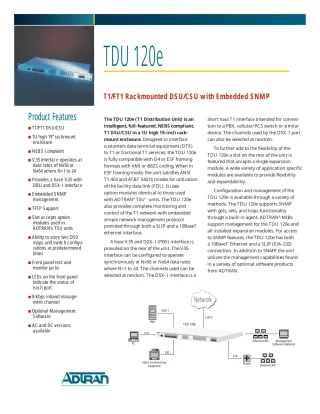
This is the user manual for the ADTRAN TDU 120e, a T1/FT1 multiplexer with a V.35 data port, a DS-1 (PBX) interface, an option slot and embedded SNMP management, in AC and DC versions. It covers installation, the rear panel interfaces, power-up testing, the LEDs, the terminal menus, firmware upgrades and the specifications.
- Device
- T1/FT1 multiplexer with an Nx56/64 V.35 data port, a DS-1 (PBX) interface, an option slot and embedded SNMP p. 25
- Network interface
- T1 at 1.544 Mbits/s, AMI or B8ZS, D4(SF) or ESF; RJ48C and DB 15 (male); bantam test jacks p. 137
- V.35 data port
- 56kbps to 1.536Mbps in 56k or 64k steps; Winchester (V.35) female connector on the Y cable; local and V.54 remote loopbacks p. 138, 139
- DS-1 (PBX) port
- 1 to 24 DS0s, short haul to 655 feet or long haul with line build-out; RJ48C, DB15 (female) p. 139
- Management ports
- Chain In/Out and craft ports on RJ-45 at 1200 to 38400 bps; 10BaseT for SNMP, Telnet and T-Watch PRO p. 140, 141
- Option modules
- One slot for TSU/TDU option modules such as DSX-1, Full Drop and Insert, Nx56/64, voice (FXS/FX0/E&M), OCU DP, DSU DP, dial backup and U-BR1TE p. 28, 141
- AC power
- 90-120 VAC from a grounded source; captive eight-foot cord; 15 Watts maximum; fuse 0.6A, 250V p. 32, 142
- Chassis
- 1 U high (1-3/4-inch), 19-inch rack mount, 12 inches deep; 23-inch rack adapter kit 1200.171L1 p. 142
- Operating temperature
- 0 deg C to 45 deg C p. 142
- Shipped with
- 15-foot 8-position modular line cables, a DB-25 to modular adapter, a 6-foot 8-position modular chain-in cable and the user manual p. 31
- Firmware
- Flash memory; upgrade by TFTP (file T120e.biz) or by XMODEM if that fails p. 27, 115
- Alarm relay
- External alarm connector; the relay trips on any alarm until the ACO button is pressed p. 37
- Cover part numbers
- 1202156L2 and 1202155L2 p. 1
- Timing
- From the network, the Nx56/64 or DS-1 ports, internal, or a secondary interface p. 27
What this manual walks you through
- Choosing option modules for the option slot p. 28, 29
- Unpacking and checking the shipped items p. 31, 32
- Connecting AC or DC power p. 32
- Identifying the rear panel interfaces p. 35, 36, 37
- Running the power-up and full self-tests p. 38
- Reading the network and port status LEDs p. 51, 52
- Upgrading firmware over TFTP p. 115
- Electrical, management and chassis specifications p. 137, 138, 139, 140, 141, 142
Good to know
- The craft port and control input can both be connected, but only one can be active at a time. p. 37
- Shielded cables are needed to stay within Class A FCC limits. p. 8
- The TFTP server address is lost on a power cycle, and a failed TFTP upgrade must be redone by XMODEM. p. 115
- The unit contains no user serviceable parts. p. 4
Questions this manual answers
What comes in the box with a TDU 120e?
The unit, 15-foot 8-position modular line cables, a DB-25 to modular adapter, a 6-foot modular chain-in cable and the user manual. p. 31
How do I update TDU 120e firmware?
Set the TFTP server address and file name (default T120e.biz) and begin the flash upgrade; if it fails after Telnet closes, load it by XMODEM. p. 115
Can the TDU 120e mount in a 23-inch rack?
Yes, with adapter kit 1200.171L1; the unit itself is 1U high for a 19-inch rack. p. 142
What does the red Error LED mean on the TDU 120e?
An error such as a BPV, OOF or CRC has occurred on the network interface. p. 51
The whole text · 15 parts
Read the manual here as text
Its text as extracted from the PDF, unedited, in parts; each page opens the PDF at that page.
- Pages 1 to 101-10
- Pages 11 to 2011-20
- Pages 21 to 3021-30
- Pages 31 to 4031-40
- Pages 41 to 5041-50
- Pages 51 to 6051-60
- Pages 61 to 7061-70
- Pages 71 to 8071-80
- Pages 81 to 9081-90
- Pages 91 to 10091-100
- Pages 101 to 110101-110
- Pages 111 to 120111-120
- Pages 121 to 130121-130
- Pages 131 to 140131-140
- Pages 141 to 146141-146
The file