Manual · WTI
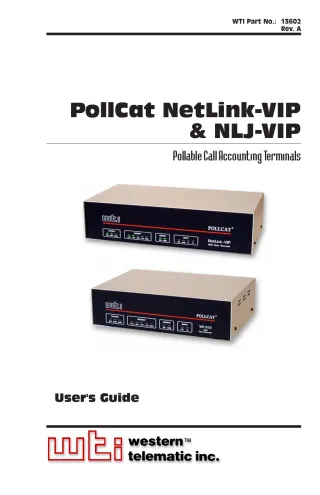
PollCat NetLink-VIP & NLJ-VIP Pollable Call Accounting Terminals User's Guide
Manual266 pagesPDF 1.6 MB
User's guide for the WTI PollCat NetLink-VIP and NLJ-VIP call accounting terminals that record PBX call data and watch for toll fraud.
Covers · 1 model
The models it covers
Summary
What is in it
User's guide for the WTI PollCat NetLink-VIP and NetLink Jr.-VIP (NLJ-VIP), PBX data recorders that collect SMDR/CDR call records and monitor them for suspicious phone activity. It covers the front and back panels, a quick start, power and set-up switches, cabling, port and network configuration, status screens, data filters, alarm filters for toll fraud, inactivity and memory alarms, alarm actions, polling by Telnet, FTP or Zmodem, the command reference and specifications.
Its parts
- Introduction
- Unit Description
- Quick Start Guide
- Hardware Installation
- Configuration
- Menu System Description
- Status Screens
- The Data Filters
- The Alarm Filters (Toll Fraud Detection)
- PBX Inactivity Alarms
- The 80% Full Alarm
- The Input Contact Alarms
- Alarm Actions
- Scheduled Actions
- Saving VIP Parameters
From the manual
Key facts from this manual
Each line names its page in the PDF.
User's guide for the WTI PollCat NetLink-VIP and the PollCat NLJ-VIP (NetLink Jr.-VIP), pollable call accounting terminals that store PBX call records and watch them for alarm conditions. It walks through installation, port setup, data and alarm filters, toll fraud alarms and ways to retrieve stored records.
- Device
- PBX data recorder for SMDR/CDR call record collection and alarm monitoring p. 11
- Power
- 115/230 VAC, 50/60 Hz, 12 watts, auto-sensing voltage p. 231, 232
- Memory
- NetLink-VIP: flash memory from 512 K to 64 Megabytes, expandable later with snap-in memory modules p. 11
- Data input ports
- NetLink-VIP: four (PBX Port A, PBX Port B, Auxiliary Port, PBX IP Port); the NLJ-VIP has only PBX A and PBX IP p. 12
- Serial connectors
- Console port RS-232 DCE, DB25 female; PBX and AUX input ports RS-232 DTE, DB9 male p. 231
- Network and modem
- 10Base-T network port; internal modem with an RJ11 jack to the telephone line p. 11, 231
- Baud rates
- All standard rates from 300 bps to 115.2 Kbps on the input, modem and console ports p. 231, 232
- Data retrieval
- TCP/IP network (Telnet), FTP client, modem or a directly connected local PC; Zmodem supported p. 11
- Alarm notification
- Pager, modem or SNMP trap when an alarm is detected p. 11
- NLJ-VIP memory
- NLJ-VIP: 512K of flash memory, about 10,000 to 16,000 records p. 232
- Size and weight
- NetLink-VIP: 3.45" x 14.75" x 7.75" (H x W x D), 7.4 lbs. total shipping weight p. 231
- NLJ-VIP size
- NLJ-VIP: 3.0" x 11.0" x 7.5" (H x W x D), 7 lbs. total shipping weight p. 232
- Operating environment
- 50°F to 104°F (10°C to 40°C), 20% to 80% RH p. 231, 232
- Fuse
- 250 Volts, 0.125 Amps, slow blow p. 231, 232
What this manual walks you through
- Applying power and connecting a PC for first access p. 5
- Setting the set-up switches and resetting to defaults p. 5
- Configuring the PBX, auxiliary, console, modem and network ports p. 5
- Defining data filters for collected call records p. 6
- Setting alarm filters for toll fraud detection p. 6
- Setting PBX inactivity, 80% full and input contact alarms p. 6, 7
- Retrieving stored data by polling, FTP push or FTP server p. 7
- Saving and restoring unit parameters p. 7
- Uploading firmware and running system diagnostics p. 8
- Using the command reference for ^B commands p. 8
Good to know
- In a closed or multi-unit rack, the maximum temperature for the equipment is 45°C. p. 3
- 48 VDC rated units must connect to a 48 VDC SELV source isolated from the AC source. p. 3
- There are no user-serviceable parts inside; service is for authorized personnel only. p. 3
- The unit helps catch suspect calls, but responding to alarms and judging fraud stays with the user. p. 12
Questions this manual answers
What power does the PollCat NetLink-VIP use?
115/230 VAC at 50/60 Hz, 12 watts, with auto-sensing voltage. p. 231
How much memory can the PollCat NetLink-VIP hold?
It comes with 512 K to 64 Megabytes of flash memory, and NetLink-VIP units can take snap-in memory modules later. p. 11
What is the difference between the NetLink-VIP and the NLJ-VIP?
The NetLink-VIP has four input ports and can have expanded memory; the NLJ-VIP has two input ports and 512K of flash memory. p. 12
How are call records retrieved from the PollCat VIP?
Over a TCP/IP network, with an FTP client, by modem, or by a local PC connected directly to the unit. p. 11
What connector does the PollCat VIP console port use?
An RS-232 DCE, DB25 female (modem style) connector. p. 231
The whole text · 27 parts
Read the manual here as text
Its text as extracted from the PDF, unedited, in parts; each page opens the PDF at that page.
- Pages 1 to 101-10
- Pages 11 to 2011-20
- Pages 21 to 3021-30
- Pages 31 to 4031-40
- Pages 41 to 5041-50
- Pages 51 to 6051-60
- Pages 61 to 7061-70
- Pages 71 to 8071-80
- Pages 81 to 9081-90
- Pages 91 to 10091-100
- Pages 101 to 110101-110
- Pages 111 to 120111-120
- Pages 121 to 130121-130
- Pages 131 to 140131-140
- Pages 141 to 150141-150
- Pages 151 to 160151-160
- Pages 161 to 170161-170
- Pages 171 to 180171-180
- Pages 181 to 190181-190
- Pages 191 to 200191-200
- Pages 201 to 210201-210
- Pages 211 to 220211-220
- Pages 221 to 230221-230
- Pages 231 to 240231-240
- Pages 241 to 250241-250
- Pages 251 to 260251-260
- Pages 261 to 266261-266
The file