Manual · Symbol
Series 3100/3500 Product Reference Guide
Manual170 pagesPDF 2.5 MB
Product reference guide for the Symbol PDT 3100 and PDT 3500 handheld terminals, batch and radio models: setup, operation, troubleshooting, care.
Names · 6 models
The models it names
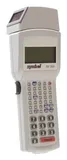 Symbol PDT-3100Portable batch data collection terminal from$795.004 in stock Symbol PDT-3110900 MHz wireless portable data collection terminal from$595.0071 in stock Symbol PDT-3140802.11 (1 Mbps) wireless portable data collection terminal Call for availability
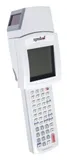 Symbol PDT-3500Portable batch data collection terminal Call for availability Symbol PDT-3510900 MHz wireless portable data collection terminal Call for availability Symbol PDT-3540802.11 (1 Mbps) wireless portable data collection terminal Call for availability
Filed with · 1 model
Also filed with these models on the old site
Summary
What is in it
The product reference guide for the Symbol Series 3100/3500 handheld data collection terminals, covering batch models and the Spectrum One (3110, 3510) and Spectrum24 (3140, 3540) radio models. It describes the parts and accessories, setting up batch and Spectrum One terminals and downloading software to Spectrum24 terminals by BOOTP or DHCP, then powering, booting, the keyboard, laser and PDF417 scanning, PC and printer communications, the internal modem, troubleshooting and self test, battery care, port pinouts and specifications.
Its parts
- About This Manual
- The Series 31XX/35XX System
- Batch and Spectrum One Terminal Setup
- Spectrum24 RF Terminal Setup
- Operating the Series 3100/3500
- Error Recovery and Troubleshooting
- Maintaining the 3100/3500 Terminal
From the manual
Key facts from this manual
Each line names its page in the PDF.
The Symbol Series 3100/3500 Product Reference Guide for the PDT 3100, 3110, 3124 and 3140 and the PDT 3500, 3510 and 3540 hand-held terminals. It covers accessories, setting up batch, Spectrum One and Spectrum24 terminals, operation and communications, error messages and troubleshooting, batteries, port pinouts, status codes and scan element specifications.
- Device
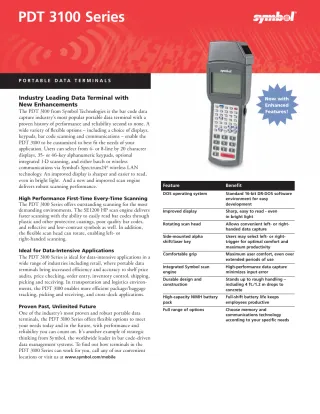
- Lightweight, battery powered hand-held data collection terminal running DR DOS; data from the keyboard or an integrated or attached laser scanner p. 17
- Radio
- PDT 3100 and 3500: batch, no radio; PDT 3110, 3510 and 3124: Spectrum One (3124: 2.4 GHz for Europe); PDT 3140 and 3540: Spectrum24 p. 17, 21, 22
- Batteries
- PDT 31X0: 9-Volt alkaline, NiCd 400 mAh KT-12596-01 or NiMH 600 mAh KT-12596-02; PDT 35X0: NiCd 800 mAh 21-14969-01 or NiMH 1200 mAh 21-14969-02 p. 103, 106
- Ports
- RJ41 serial port in the base (pin 6 +12VDC power); DE-9 scanner port on top p. 115, 116
- Environment
- Operating 0 C to 40 C; storage -20 C to 60 C; humidity 0 to 95% noncondensing; altitude up to 10,000 feet p. 151
- Integrated scanners
- Standard range 1-D (to 34 in., 5 mil minimum), long range 1-D (to 65 in., 10 mil minimum), or 1-D and PDF417 (560 scans/sec) p. 21, 152, 153, 154
- Display
- PDT 35XX: 16 display lines; PDT 31XX: 4 or 8 p. 87
- Battery life
- PDT 3100 on 600 mAh NiMH: about 50 hours keyboard use or 6400+ scans; PDT 3500S on 1200 mAh NiMH: about 80 hours or 10,000+ scans p. 103, 104
- Cradles and chargers
- Single-slot cradle CRD3100-100U (US) or CRD3100-100I (International); four-slot cradle CRD3100-400U or CRD3100-400I; Universal Four-Slot Charger 3004-xxx; UBC 1000 Charger UBC1000-xxxx p. 20
- Cradle power supplies
- 3165: p/n 59915-00-00 domestic, 60507-00-00 international; 3166: p/n 60153-00-00 domestic, 60174-00-00 international p. 27
- Attachable scanners
- LS 2000, LS 3000, LS 4800, LS 9100, LT 1700, LP 1500 wand and PDF 1000 p. 21
- Flash disk
- PDT 3140 and 3540: optional extra 1 MB flash disk, compatible with a standard DOS disk p. 21
- Printers
- Monarch Rascal, Monarch Renegade, ComTec 2-inch, 3-inch, 4-inch and 3-inch receipt printers; passive printer cable P/N 20-11062-03 (RJ41 to DB9) p. 22, 78
- Status codes
- Program loader codes in four hex digits, added together: 0000 success, 0010 programming voltage not present, 0100 insufficient NVM, 0800 receive time-out p. 149
What this manual walks you through
- Connecting a cradle to the host to load software on batch and Spectrum One terminals p. 26, 27
- Powering on and off, and forcing a frozen terminal off p. 50, 51
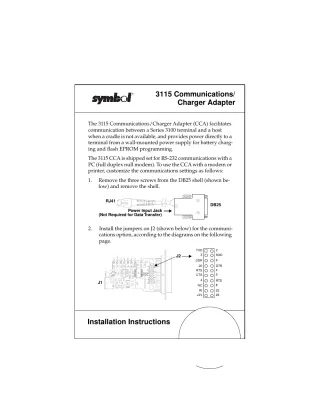
- Connecting to a PC, printer or modem through the 3115 CCA or passive cable p. 77, 78, 79
- Reading error messages such as Low Battery and Power Fault p. 86
- Troubleshooting start-up and boot failures and PDT 35XX out-of-memory errors p. 87, 88
- Troubleshooting Spectrum24 terminals p. 88, 89
- Battery life, low battery warnings and replacement batteries p. 103, 104, 105, 106
- Scanner port, RJ41 and 3115 CCA pinouts p. 115, 116, 117
- Communications status codes p. 149
- Environment and scan element specifications p. 151, 152, 153, 154, 155
Good to know
- Alkaline batteries are not recommended for the PDT 3110, 3140, 3510 or 3540. p. 103, 104
- A supercap keeps memory for about 5 minutes during a battery change but cannot run the terminal. p. 106
- On a PDT 3500, the 2D scanner will not scan while LOW BATTERY is shown. p. 105
- Below 0 C the LCD operates slowly, and batteries drain faster at temperature extremes. p. 151
- A Spectrum24 terminal loses its software when power is lost and must be cold booted and reloaded. p. 89
Questions this manual answers
What battery does the Symbol PDT 3100 use?
A 9-Volt alkaline battery, a 400 mAh NiCd pack (KT-12596-01) or a 600 mAh NiMH pack (KT-12596-02). p. 103, 106
How do I turn off a frozen PDT 3100 or 3500?
Press and hold PWR for 15 seconds, then warm boot to recover the data in memory. p. 50, 51
What does program loader status code 0010 mean?
Programming voltage not present; the codes add together, and 0000 means success. p. 149
Why does an application run out of memory on a PDT 3500 but not on a PDT 3100?
The 16-line display uses memory from the Transient Program Area; the guide says to raise the TPA size by 1K with BLDINIT. p. 87, 88
How long does the terminal run after the low battery warning?
Probably less than 1 hour; at the REPLACE BATTERY level the terminal powers off. p. 105
Contents
Chapters and sections
Each line opens the PDF at its page.
The whole text · 18 parts
Read the manual here as text
Its text as extracted from the PDF, unedited, in parts; each page opens the PDF at that page.
- Pages 1 to 81-8
- About This Manual9-14
- Chapter 1 The Series 31XX/35XX System15-22
- Chapter 2 Batch and Spectrum One Terminal Setup23-32
- Chapter 3 Spectrum24 RF Terminal Setup33-46
- Chapter 4 Operating the Series 3100/3500, pages 47 to 5547-55
- Chapter 4 Operating the Series 3100/3500, pages 56 to 6456-64
- Chapter 4 Operating the Series 3100/3500, pages 65 to 7365-73
- Chapter 4 Operating the Series 3100/3500, pages 74 to 8274-82
- Chapter 5 Error Recovery and Troubleshooting, pages 83 to 9183-91
- Chapter 5 Error Recovery and Troubleshooting, pages 92 to 10092-100
- Chapter 6 Maintaining the 3100/3500 Terminal101-114
- Appendix A Port Pin-Outs115-118
- Appendix B Keyboard Layouts, pages 119 to 128119-128
- Appendix B Keyboard Layouts, pages 129 to 138129-138
- Appendix B Keyboard Layouts, pages 139 to 148139-148
- Pages 149 to 156149-156
- Glossary157-170
The file