Manual · Symbol
Series 3500 Quick Reference
Manual26 pagesPDF 525 KB
Quick reference for the Symbol Series 3500 hand-held terminals (PDT 3500 and PDT 3510): batteries, cradles, communications and scanning.
Names · 2 models
The models it names
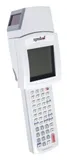 Symbol PDT-3500Portable batch data collection terminal Call for availability Symbol PDT-3510900 MHz wireless portable data collection terminal Call for availability
Filed with · 1 model
Also filed with these models on the old site
Summary
What is in it
Symbol's quick reference guide for the Series 3500 hand-held terminals, the PDT 3500 and the PDT 3510 (which adds an internal radio). It shows the parts of the terminal and the required and optional accessories, then covers installing and charging the battery pack, communicating through the 3115 communications/charger adapter or the single and four-slot cradles, connecting a printer, scanning 1-D and 2-D bar codes with the integrated laser scanner, using a tethered scanner, regulatory information, service and warranty.
Its parts
- Introduction
- Parts of the Series 3500 Terminal
- Accessories
- Installation Overview
- Removing NiCd or NiMH Batteries for Recharge
- Connecting the Terminal to a Printer
- Using the Integrated Laser Scanner
- Connecting and Using a Tethered Scanner
- Regulatory Information
- Service Information
- Warranty Coverage and Procedure
From the manual · read page by page
Key facts from this manual
Each line names its page in the PDF.
This is the Symbol Series 3500 Quick Reference (70-16646-02, Revision B, March 1998) for the PDT 3500 and PDT 3510 hand-held terminals; the PDT 3540 is not named. It shows the terminal's parts and accessories and walks through batteries, charging, host and printer connections, and using the integrated and tethered scanners.
- Device
- Lightweight, battery-powered hand-held computer for collecting data to upload to a host p. 3
- Data entry
- Keyboard, integrated laser scanner, or tethered bar code scanners p. 3
- Keyboard
- 47 keys, with Alpha / Scanner triggers p. 4
- Serial port
- 10-pin RJ-41 at the base of the terminal p. 4, 9
- Batteries
- NiCd or NiMH packs of the same physical form p. 5, 12
- Radio
- PDT 3510: internal radio transmitter and receiver p. 3
- Cradle charging
- NiCd or NiMH pack fully charged in about 3 to 5 hours p. 10
- Communications
- Single-slot or four-slot cradle (CRD 3100-1000/4000), or 3115 communications/charger adapter with 15V power supply p. 5, 7
- Printer cable
- p/n 25-10413-01, to a PS 1000 Series printer or tethered PS 200 printer (P/N 20-11062-03) p. 13
- Optional scanners
- LS 2000, LS 3000, LS 4800, LS 9100 and LT 1700 laser scanners; LP 1500 contact wand p. 5
- Optional printers
- Symbol PS 1000, PS 200, PS 8000 p. 5
- Battery charger
- UBC 1000 p. 5, 7
- Laser
- 680nm, 1.0 mW maximum output p. 20
What this manual walks you through
- Installing a battery pack p. 6, 7
- Connecting to a PC or modem through the 3115 communications/charger adapter p. 8, 9
- Charging and communicating in a cradle p. 10, 11
- Removing a battery pack for recharge p. 12
- Connecting the terminal to a printer p. 13
- Choosing the scanner trigger on the integrated laser scanner p. 14
- Scanning linear and PDF417 bar codes p. 15, 16, 17
- Attaching and using a tethered wand or laser scanner p. 18
Good to know
- A battery pack may get warm while the terminal charges in the cradle; the guide calls this normal. p. 7
- The 3115 adapter ships set for RS-232 to a PC; a modem or printer may need its internal settings changed. p. 9
- Terminals with an IEC825/EN60825 Class 1 scanner cannot scan continuously; scan time is rationed. p. 19
- Only single-slot cradles can be equipped with a modem. p. 11
Questions this manual answers
How long does a PDT 3500 battery take to charge in the cradle?
A NiCd or NiMH pack is fully charged in about 3 to 5 hours. p. 10
What is the difference between the PDT 3500 and the PDT 3510?
The PDT 3510 has an internal radio transmitter and receiver. p. 3
What cable connects a PDT 3500 to a printer?
Optional cable p/n 25-10413-01, from the terminal's RJ-41 port to the DB9 port of a PS 1000 Series or PS 200 printer. p. 13
Why does my Series 3500 scanner stop with a long low beep?
On Class 1 scanner models the scan time allowance has run out. Release the trigger and wait for a long high beep before scanning again. p. 19
Contents
Chapters and sections
Each line opens the PDF at its page.
- Series 3500 Quick Reference1
- Patents and Symbol Information2
- Introduction3
- Parts of the Series 3500 Terminal4
- Accessories5
- Installation Overview6
- Removing NiCd or NiMH Batteries for Recharge12
- Connecting the Terminal to a Printer13
- Using the Integrated Laser Scanner14
- Connecting and Using a Tethered Scanner18
- Regulatory Information19
- Service Information24
- Warranty Coverage and Procedure25
The whole text · 3 parts
Read the manual here as text
Its text as extracted from the PDF, unedited, in parts; each page opens the PDF at that page.
The file