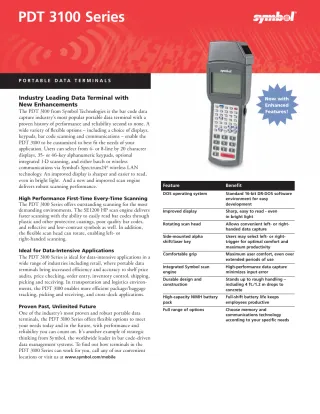
Manual · Symbol
Series 3100 Quick Reference
Manual100 pagesPDF 1.7 MB
Quick reference for the Symbol Series 3100 hand-held terminals (PDT 3100, 3110, 3124, 3140): power, charging, cradles and scanning.
What this file really is
The old site listed this file as “Quick Reference” for the Symbol PDT-3000, PDT-3100 and 2 more models. Named as a PDT 3000 quick reference, this is the Series 3100 Quick Reference covering the PDT 3100, 3110, 3124 and 3140 terminals.
Names · 3 models
The models it names
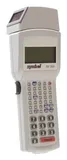 Symbol PDT-3100Portable batch data collection terminal from$795.004 in stock Symbol PDT-3110900 MHz wireless portable data collection terminal from$595.0071 in stock Symbol PDT-3140802.11 (1 Mbps) wireless portable data collection terminal Call for availability
Filed with · 1 model
Also filed with these models on the old site
Summary
What is in it
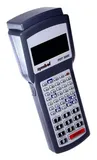
Symbol's multilingual quick reference for the Series 3100 battery-powered hand-held terminals, which include the batch PDT 3100 and the radio PDT 3110, 3124 and 3140. It shows the parts of the terminal and explains powering on and off, charging and communications with the 3115 adapter or 31XX cradles, replacing batteries, connecting modems and a printer, and using the integrated laser scanner or a tethered scanner. The same content is repeated in French, German, Italian and Spanish.
Its parts
- Introduction
- Parts of the Series 3100 Terminal
- Power On and Off
- 31XX Cradles
- Replacing the Batteries
- Connecting the Modems
- Acoustic
- Connecting the Terminal to a Printer
- Using the Integrated Laser Scanner
- Connecting and Using a Tethered Scanner
- IEC825/EN60825 Class 1 Scanner
- Service Information
From the manual
Key facts from this manual
Each line names its page in the PDF.
The Symbol Series 3100 Quick Reference (RS 2200/3200 Series) for the PDT 3100, PDT 3110, PDT 3124 and PDT 3140 hand-held terminals. It shows the parts of the terminal, charging and communicating through the 3115 adapter or a cradle, changing batteries, connecting modems and printers, and using the scanners.
- Device
- Lightweight, battery powered hand-held computer; data entered by keyboard, integrated laser scanner or tethered scanner p. 3
- Communications
- PDT 3100: direct communications; PDT 3110 and 3124: Spectrum One radio; PDT 3140: Spectrum 24 radio p. 3
- Serial port
- RJ-41 serial port in the base of the terminal p. 5, 6
- Batteries
- Rechargeable NiCd or NiMH pack, or an alkaline battery, each with its own socket p. 5, 11
- Charge time
- About 90 minutes in a 31XX cradle; NiCd 12 to 16 hours through the 3115 adapter p. 7, 9
- Scanner
- Integrated rotatable laser scanner with a trigger the operator chooses; a wand or laser scanner can plug into the top p. 5, 17, 19
- Cradles
- Single-slot and four-slot 31XX cradles charge and communicate; single-slot cradles can have a modem; null modem cable to the host p. 9, 10
- Adapter power supply
- 3115 CCA: 15V supply P/N 55915-00-00 (US, 115V) or 60507-00-00 (International, 230V) p. 6
- Modems
- Optional internal direct connect modem up to 14,400 bps (v.32 bis); some terminals have a built-in acoustic modem p. 13, 15
- Printer cable
- p/n 25-10413-01, RJ41 to DB9, for PS-1000 Series printers or the tethered PS-200 printer (P/N 20-11062-03) p. 16
- Related manuals
- Series 3100 System Administration Manual P/N 62605-00-90; Series 3000 Application Programmer's Guide P/N 59045-00-92; 3165/3166 Cradle Base Modules guide P/N 70-11313-xx p. 10
- Guide number
- 70-35895-04, Revision A, March 2002 p. 100
What this manual walks you through
- Charging the terminal through the 3115 Communications/Charger Adapter p. 6, 7
- Communicating with a PC, printer or modem through the adapter p. 8
- Charging and communicating in a 31XX cradle p. 9, 10
- Replacing the NiCd or NiMH battery p. 11, 12
- Connecting a direct connect modem to a phone jack p. 13, 14
- Using the acoustic modem with a telephone handset p. 15
- Connecting the terminal to a printer p. 16
- Choosing the scanner trigger and scanning with the integrated laser p. 17, 18
- Attaching and using a wand or tethered laser scanner p. 19
Good to know
- Alkaline batteries cannot be charged in the terminal. p. 7
- NiMH batteries cannot be charged in the terminal through the 3115 adapter. p. 11
- Wrong internal modem settings can make modem use illegal and unreliable. p. 13
- The scanner cannot scan continuously; when its scan time runs out it gives a long low beep. p. 20
Questions this manual answers
How long does a Symbol PDT 3100 battery take to charge?
About 90 minutes in a 31XX cradle, or 12 to 16 hours for a NiCd battery through the 3115 adapter. p. 7, 9
What radio does the Symbol PDT 3140 use?
The PDT 3140 uses Spectrum 24 radio; the PDT 3110 and 3124 use Spectrum One. p. 3
Why does my Series 3100 terminal give a long low beep when scanning?
The scanner has used up its scan time; release the trigger and wait for a long high beep before scanning again. p. 20
How do I connect a PDT 3100 to a printer?
Use cable p/n 25-10413-01: the RJ41 end goes into the terminal base and the DB9 end into the printer. p. 16
How do I choose which trigger fires the scanner?
Press FUNC and then the trigger you prefer; the other trigger becomes an ALPHA shift key on the 35-key terminal. p. 17
Contents
Chapters and sections
Each line opens the PDF at its page.
- Introduction3
- Parts of the Series 3100 Terminal4
- Power On and Off6
- 31XX Cradles9
- Replacing the Batteries11
- Connecting the Modems13
- Acoustic15
- Connecting the Terminal to a Printer16
- Using the Integrated Laser Scanner17
- Connecting and Using a Tethered Scanner19
- IEC825/EN60825 Class 1 Scanner20
- Introduction21
- Composants du terminal 310022
- Marche/arrêt24
- Puits de chargement 31XX27
- Remplacement des piles29
- Raccordement des modems31
- Raccordement du terminal à une imprimante33
- Utilisation du lecteur laser intégré35
- Branchement et utilisation d'un lecteur raccordé par câble37
- Lecteur IEC825/EN60825 classe 138
- Einführung39
- Teile des Terminals der Serie 310040
- Ein- und Ausschalten42
- 31XX Cradle45
- Austauschen der Batterien47
- Anschließen des Terminals an einen Drucker51
- Benutzen des integrierten Laserscanners52
- Anschließen und Benutzen eines Handscanners54
- IEC825/EN60825 SCANNER, KLASSE I55
- Introduzione57
- Componenti del terminale Serie 310058
- Accensione e spegnimento60
- Cradle 31XX63
- Sostituzione delle batterie65
- Collegamento con modem66
- Modem acustico68
- Collegamento del terminale ad una stampante69
- Uso del lettore laser integrato70
- Collegamento ed uso di un lettore a filo72
13 more lines, from page 73 on
- Lettore Classe 1 IEC825/EN6082573
- Introducción74
- Componentes del terminal de la serie 310075
- Encendido y apagado77
- Soportes 31XX80
- Sustitución de las baterías82
- Conexión de un módem83
- Módem acústico85
- Conexión del terminal a una impresora86
- Empleo del scanner láser integrado87
- Conexión y uso de un scanner independiente89
- Scanner IEC825/EN60825 de clase 190
- Service Information100
The whole text · 10 parts
Read the manual here as text
Its text as extracted from the PDF, unedited, in parts; each page opens the PDF at that page.
The file