Manual · Symbol
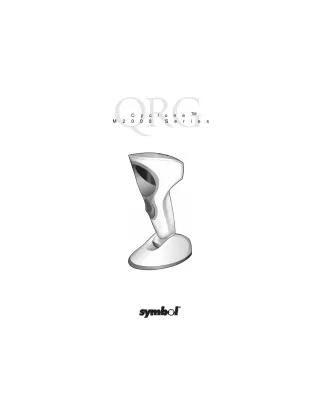
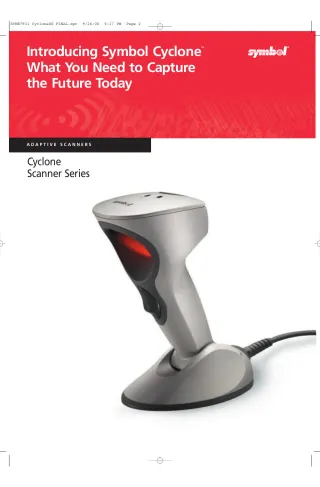
Cyclone M2000 Series Product Reference Guide
Manual287 pagesPDF 2.4 MB
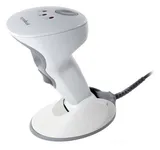
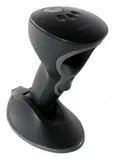
Product reference guide for the Symbol Cyclone M2000 Series scanners (M2004 RS-232C, M2005 IBM and M2007 USB): setup and programming.
Covers · 3 models
The models it covers
Summary
What is in it
The product reference guide for the Symbol Cyclone M2000 Series hands-free and hand-held laser scanners, covering the M2004 (RS-232C), M2005 (IBM 468X/469X) and M2007 (USB) models, with and without EAS. It explains unpacking, connecting to a host, wall mounting and accessories, then scan patterns, beeper and LED meanings, maintenance and troubleshooting. Most of the guide is parameter bar code menus for symbologies, RS-232 and USB options, plus Advanced Data Formatting, specifications and cable pinouts.
Its parts
- About This Guide
- Setting Up Your Scanner
- Scanning
- Parameter Menus
- Advanced Data Formatting (ADF)
From the manual
Key facts from this manual
Each line names its page in the PDF.
The Cyclone M2000 Series Product Reference Guide for the Symbol M2004 (RS-232C), M2005 (IBM 468X/469X) and M2007 (USB) hands-free and hand-held scanners. It covers connecting to a host, USB setup, changing cables, wall mounting, scan patterns, beeper codes, troubleshooting, the programming bar code menus, specifications and cable pinouts.
- What it is
- Laser bar code scanner with a built-in stand: continuous scanning on the counter-top, triggered scanning in the hand p. 17, 25
- Power
- 5.2 VDC ± 5% @ 300 mA nominal p. 273
- Decode capability
- UPC/EAN, Bookland EAN, Code 39, Code 39 Full ASCII, Code 93, Code 128, Codabar, Interleaved 2 of 5, Discrete 2 of 5, MSI Plessey; PDF417, MicroPDF; UCC/EAN and RSS composite codes p. 275
- Memory
- 64K x 16 RAM, 256K x 16 Flash p. 275
- Size and weight
- 7.8 in. (198 mm) high, 5.4 in. (137 mm) deep, 3.4 in. (86 mm) wide; 12 oz (340 gm) p. 274, 275
- Temperature
- Operating 0° to 40° C (32° to 104° F); storage -40° to 60° C (-40° to 140° F) p. 274
- Interfaces
- M2004: RS-232C; M2005: IBM 468X/469X; M2007: USB. All take Synapse Smart Cables; -I100 versions add Checkpoint VII EAS p. 18
- M2007 USB hosts
- M2007: Windows 98, 2000, ME, NT 5.0; MacOS 8.0 and above; 4690 OS v2.3 and above; powered by the USB bus p. 20
- RS-232 cables
- 9-pin female D-type P/N 25-32465-01, -02; Siemens Nixdorf 8-pin female P/N 25-32469-01, -02 p. 277, 278
- IBM and Synapse cables
- IBM Port 5B P/N 25-32466-01, -02; Port 9B 25-32467-01, -02; Port 17 25-32468-01, -02; IBM Sure One 25-32470-01, -02; Synapse 25-32463-01, -02 p. 279, 280
- Power supplies
- 115 VAC, 220/240 VAC (Europe) or 100 VAC (Japan) p. 22, 23
- Scanner connector
- 10-pin modular connector at the base of the handle; 6 ft. (183 cm) coil cable p. 274
- Optical resolution
- Decodes a 6.0 mil PDF417 symbol; Y-dimension must be 2X or greater p. 273
- Shock
- Multiple 4-ft/1.2m drops to concrete p. 274
What this manual walks you through
- Connecting the scanner to a host p. 19, 20
- Setting up the M2007 on a USB host p. 20
- Switching to a different host cable p. 21
- Wall mounting the scanner p. 21, 22
- Adding Checkpoint EAS p. 23
- Choosing laser patterns for counter-top and hand-held use p. 25, 26
- Scanning PDF417 and other 2D bar codes p. 27, 28
- Avoiding specular reflection p. 29
- What the beeps and LEDs mean p. 30, 31, 32
- Troubleshooting scanning and data problems p. 33
Good to know
- Using a cable that does not match the host may damage the scanner or the host. p. 21
- In a hot environment the laser may not turn on; move the scanner or let the laser cool. p. 33
- The scanner cannot tell Code 39 and Code 39 Full ASCII apart automatically. p. 275
- Scanning is not effective when the beam hits the bar code at more than 30° from the normal to its surface. p. 29
Questions this manual answers
Does the Symbol M2007 USB scanner need a power supply?
No. The USB host or a self-powered hub supplies enough power. p. 20
Which Cyclone M2000 model works with IBM 468X/469X registers?
The M2005-I000, or the M2005-I100 for EAS deactivation. p. 18
What does it mean when the Cyclone M2000 gives three short high beeps while working?
The scanner has reset and any work in progress is lost; the guide says to contact Symbol if it happens often. p. 30
What is the part number of the M2000 RS-232 9-pin cable?
P/N 25-32465-01 or -02, a single-port RS-232C cable with a 9-pin female D-type connector. p. 277
How do I remove the cable from a Cyclone M2000?
Press the connector clip through the access hole on the bottom of the scanner with a screwdriver or paper clip, then slide the cable out. p. 21
Contents
Chapters and sections
Each line opens the PDF at its page.
The whole text · 29 parts
Read the manual here as text
Its text as extracted from the PDF, unedited, in parts; each page opens the PDF at that page.
- Pages 1 to 101-10
- Pages 11 to 2011-20
- Pages 21 to 3021-30
- Pages 31 to 4031-40
- Pages 41 to 5041-50
- Pages 51 to 6051-60
- Pages 61 to 7061-70
- Pages 71 to 8071-80
- Pages 81 to 9081-90
- Pages 91 to 10091-100
- Pages 101 to 110101-110
- Pages 111 to 120111-120
- Pages 121 to 130121-130
- Pages 131 to 140131-140
- Pages 141 to 150141-150
- Pages 151 to 160151-160
- Pages 161 to 170161-170
- Pages 171 to 180171-180
- Pages 181 to 190181-190
- Pages 191 to 200191-200
- Pages 201 to 210201-210
- Pages 211 to 220211-220
- Pages 221 to 230221-230
- Pages 231 to 240231-240
- Pages 241 to 250241-250
- Pages 251 to 260251-260
- Pages 261 to 270261-270
- Pages 271 to 280271-280
- Pages 281 to 287281-287
The file