Manual · Symbol
Cyclone M2000 Series Quick Reference
Manual16 pagesPDF 721 KB
Quick reference for the Symbol Cyclone M2000 Series hands-free/hand-held laser scanners, including the M2004, M2005 and M2007 models.
Covers · 2 models
The models it covers
Summary
What is in it
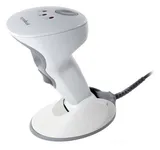
Symbol quick reference for the Cyclone M2000 Series scanners, which combine several laser scan patterns with a built-in stand for counter-top or hand-held use. It lists the M2004 (RS-232C), M2005 (IBM 468X/469X) and M2007 (USB) models with and without EAS, then covers setting up and removing the interface cable, wall mounting, Checkpoint EAS, scanning modes and the four laser patterns, LED and beeper indications, ergonomics, regulatory and laser safety information and the warranty.
Its parts
- Introduction
- Setting Up your Scanner
- Electronic Article Surveillance (EAS) (Optional)
- Scanning Modes
- LED Indications
- Beeper Indications
- Ergonomic Recommendations
- Regulatory Information
- Warranty
From the manual · read page by page
Key facts from this manual
Some pages are scans or cannot be read; this says only what the readable text supports. Each line names its page in the PDF.
Quick reference guide (72-39695-01) for the Symbol Cyclone M2000 Series hands-free and hand-held laser scanners: models M2004, M2005 and M2007, each in I200 and I290 (with EAS) versions. It shows how to connect and remove the interface cable, wall-mount the scanner, choose laser patterns for counter-top and hand-held use, and read the LEDs and beeps.
- Device
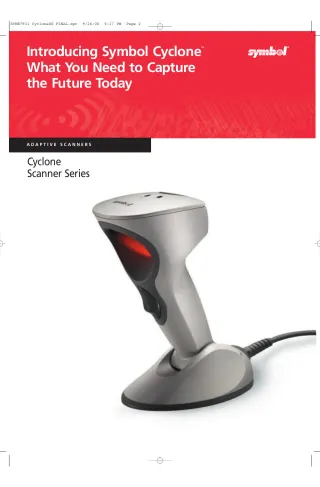
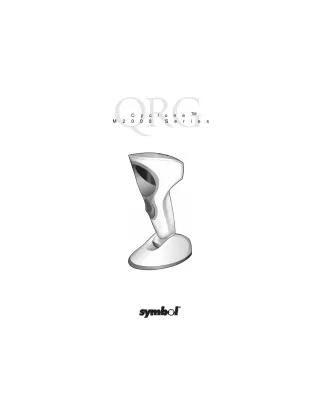
- Laser bar code scanner with built-in stand for counter-top and hand-held use p. 3
- Scan patterns
- Omnidirectional, semi-omnidirectional, raster, and single scan line (Smart Raster) p. 7
- Symbologies
- 1D, PDF-417, RSS, EAN/UCC and Composite Codes p. 7
- Scanning modes
- Hand-held: triggered; counter-top: continuous (constant-on), decoding any bar code presented p. 6
- Host setup
- Autodetects the host with a Synapse cable; with other cables, set the host by scanning bar codes in the Product Reference Guide p. 4
- Beeper codes
- 3 beeps: power up or reset; 1 beep: good decode; 4 beeps: transmission error; fast warble: parameter entered p. 9
- M2004 interface
- M2004: M2004-I200 on-board discrete RS-232C for RS-232C asynchronous terminals and hosts, takes Synapse Smart Cables; M2004-I290 adds Checkpoint VII EAS p. 3
- M2005 interface
- M2005: M2005-I200 for IBM 468X/469X terminals, takes Synapse Smart Cables; M2005-I290 adds EAS deactivation lines (Checkpoint VII) p. 3
- Other series models
- M2007-I200 (USB) and M2007-I290 (USB with EAS) p. 3
- LEDs
- Green LEDs flash 3 times at power-up; the lit LED shows the selected pattern; all three light on a good decode p. 4, 9
- Wall mount
- Optional wall-mount bracket for scanning from above, hung on three #6 screws p. 5
- Reference guide
- M2000 Series Product Reference Guide p/n 72-39696-xx (programming bar codes) p. 8
- EAS cable sheet
- Universal Cable EAS Installation Sheet, Symbol p/n 70-32824-xx p. 6
- Guide edition
- 72-39695-01 Revision C, January 2003 p. 16
What this manual walks you through
- Connecting the interface cable, host and power supply p. 4
- Removing the interface cable p. 5
- Wall mounting the scanner p. 5, 6
- Choosing laser patterns for counter-top and hand-held mode p. 8
- Reading the LED and beeper indications p. 9
- Ergonomic recommendations p. 10
Good to know
- The semi-omnidirectional pattern needs the bar code presented horizontally, tilted no more than 20 degrees. p. 7
- The counter-top laser pattern can be changed only with programming bar codes. p. 9
- The EAS cable should be installed by the local Checkpoint representative. p. 6
- The scanner label marks a 630-680 nm, 1.0 mW maximum Class 2 laser; do not stare into the beam. p. 12
Questions this manual answers
What is the difference between the Symbol M2004 and M2005?
The M2004 has on-board RS-232C for RS-232C terminals and hosts; the M2005 is built for IBM 468X/469X terminals. The I290 versions of each add EAS support. p. 3
What do 4 beeps mean on the Cyclone M2000 scanner?
A transmission error: the host did not receive the bar code data. p. 9
How do I change the scan pattern on the M2000 in hand-held mode?
Lift the scanner and press the Scan Pattern Mode Selector button to step to the next pattern, or set it with a programming bar code. p. 8, 9
How do I remove the interface cable from the M2004 or M2005?
Press the connector clip through the access hole on the bottom with a screwdriver or paper clip, then carefully slide the cable out. p. 5
Can the Cyclone M2000 read PDF-417 bar codes?
Yes. The raster pattern and the single scan line (Smart Raster) pattern decode PDF-417 as well as 1D, RSS and Composite Codes. p. 7
Contents
Chapters and sections
Each line opens the PDF at its page.
The whole text · 2 parts
Read the manual here as text
Its text as extracted from the PDF, unedited, in parts; each page opens the PDF at that page.
The file