Manual · Symbol
LT 1820 Product Reference Guide
Manual105 pagesPDF 360 KB
Product reference guide for the Symbol LT 1820 hand-held laser bar code scanner: setup, scanning, specifications and programming.
Names · 1 model
The models it names
Filed with · 7 models
Also filed with these models on the old site
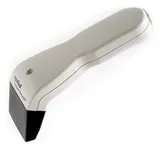 Symbol LT-1800Hand-held laser barcode scanner from$185.0015 in stock Symbol LT-1804Hand-held laser barcode scanner from$185.0013 in stock Symbol LT-1806Hand-held laser barcode scanner from$185.0085 in stock Symbol LT-1810Hand-held laser barcode scanner from$185.0064 in stock Symbol LT-1830Hand-held laser barcode scanner from$185.0013 in stock Symbol LT-1850Hand-held laser barcode scanner from$185.005 in stock Symbol LT-1880Hand-held laser barcode scanner from$185.0032 in stock
Summary
What is in it
The product reference guide for the Symbol LT 1820, a hand-held laser bar code scanner for close range scanning that can run on external power or a battery. It covers setting up and connecting the scanner, battery operation and recharging, scanning and the decode zone, maintenance, accessories, technical specifications, signal descriptions and interface cable pinouts, and programming the scanner with parameter bar code menus.
Its parts
- About This Manual
- Setting Up the LT 1820
- Scanning with the LT 1820
- Maintenance and Specifications
- Programming the LT 1820
- Parameter Menus
From the manual · read page by page
Key facts from this manual
Each line names its page in the PDF.
The LT 1820 Product Reference Guide (Symbol part 70-08043-02, Revision B, November 1996) covers setup, scanning, cleaning, specifications and bar code programming for the Symbol LT 1820 hand-held laser scanner. The document names only the LT 1820 (and a companion LT 1810/1820 Quick Reference Guide); the other LT 1800 series models are not mentioned. It lists accessory part numbers and cable pinouts and holds every programming bar code.
- Device
- Hand-held bar code scanner with a visible laser diode light source p. 8
- Interface
- RS-232C serial port, RTS/CTS handshaking optional p. 43
- Power
- 5 VDC ±10%; 120 mA average, 160 mA peak; 10 µA standby p. 19
- Battery
- 9-volt alkaline or nickel-cadmium rechargeable, in a battery pack (Battery Box 20-10615-01, 5V regulated) p. 12, 17
- Reading range
- Up to 5.0 in. (12.70 cm) on 100% UPC/EAN; narrowest bar 5.5 mils p. 15, 19
- Bar codes read
- UPC/EAN, Code 39, Code 39 Full ASCII, Codabar, Interleaved 2 of 5, Discrete 2 of 5, Code 128, Code 93 p. 19, 29
- Default serial setup
- 9600 baud, even parity, 7 data bits, 2 stop bits, no handshaking, CR/LF suffix p. 36, 37, 38
- Scan rate
- 40 (± 3) scans per second, bidirectional p. 19
- Weight
- 6.0 oz (170 gm) without the cable p. 8, 19
- Dimensions
- 8.0 in long, 1.8 in high, 2.8 in nose width, 2.0 in handle width p. 20
- Temperature
- Operating 32 to 104 F (0 to 40 C); storage -40 to 140 F (-40 to 60 C) p. 19
- Power supplies
- 50-14000-005 (117V input) and 50-04000-083 (220/240V input), both 5V output p. 17
- Host cables
- Straight RS-232C cables 25-06862-01, 25-06753-01, 25-06858-01, 25-06860-01 (25-pin male or female); battery adapter cables 20-03113-02 to 20-03116-02; 3-foot extension 25-08892-01 p. 17, 18
- Stands and holster
- Hands-free stands 20-12769-01, 20-08414-01, 20-08415-01; desk stand 21-08288-02; wall stand 23-08253-01; holster 20-08416-01 p. 18
What this manual walks you through
- Connecting the scanner with an external power supply p. 10, 11
- Running on a battery pack, changing and recharging the battery p. 10, 12, 13
- Scanning in triggered or triggerless mode, and the decode zone p. 14, 15
- Cleaning the window and what to check when nothing scans p. 16
- Scanner connector signals and host cable pinouts p. 21, 22, 23, 24, 25
- Programming the scanner by scanning bar code sequences p. 26, 27, 28
- Every setting, its choices and its default p. 29, 37, 38
- Beeper signals and what they mean p. 39, 40
- Hardware and software handshaking with the host p. 33, 34, 43, 44, 45
- Code 39 scan and store buffering p. 32, 41, 42
Good to know
- Power the host device down before connecting the scanner. p. 11
- Four short high beeps with interrupted scanning mean a low battery; change or recharge it soon. p. 12, 39
- Never spray water or cleaner straight into the window, and do not remove the scanner nose. p. 16
- The scanner baud rate must match the host, or data may be lost or garbled. p. 32
- Code 39 buffering cannot be turned off while the buffer holds data; send or clear it first. p. 41
Questions this manual answers
What battery does the LT 1820 take?
A 9-volt battery, alkaline or nickel-cadmium rechargeable, fitted in the battery pack that sits between the scanner and the terminal. p. 12, 13
What are the LT 1820 default communication settings?
9600 baud, even parity, 7 data bits with parity, two stop bits, no hardware or software handshaking, and a CR/LF suffix. p. 36, 37, 38
How do I reset the LT 1820 to its default settings?
Scan the SET DEFAULT bar code at the start of the parameter menus chapter. p. 29, 47
What do four long low beeps mean on the LT 1820?
A transmission error: the last scanned data was lost and must be scanned again. p. 39
How far away can the LT 1820 read a bar code?
From contact to about 5 in for 13 mil (100% UPC/EAN) codes, 2.2 in for 7.5 mil, 1 in for 6 mil and 0.75 in for 5.5 mil codes. p. 15
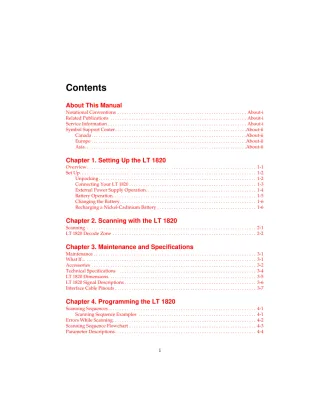
Contents
Chapters and sections
Each line opens the PDF at its page.
The whole text · 11 parts
Read the manual here as text
Its text as extracted from the PDF, unedited, in parts; each page opens the PDF at that page.
The file