Manual · Symbol
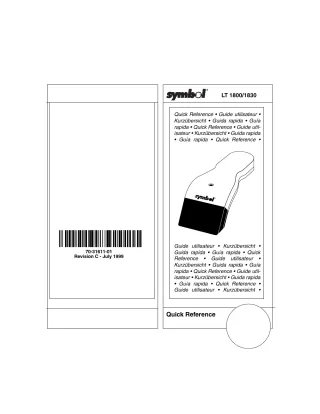
LT 1800/1830 Quick Reference
Manual39 pagesPDF 222 KB
Quick reference for the Symbol LT 1800 and LT 1830 hand-held laser scanners: scanning modes, software port codes, beeps and care.
Names · 2 models
The models it names
 Symbol LT-1800Hand-held laser barcode scanner from$185.0015 in stock Symbol LT-1830Hand-held laser barcode scanner from$185.0013 in stock
Filed with · 6 models
Also filed with these models on the old site
Symbol LT-1804Hand-held laser barcode scanner from$185.0013 in stock Symbol LT-1806Hand-held laser barcode scanner from$185.0085 in stock Symbol LT-1810Hand-held laser barcode scanner from$185.0064 in stock Symbol LT-1820Hand-held laser barcode scanner from$185.0025 in stock Symbol LT-1850Hand-held laser barcode scanner from$185.005 in stock Symbol LT-1880Hand-held laser barcode scanner from$185.0032 in stock Summary
What is in it
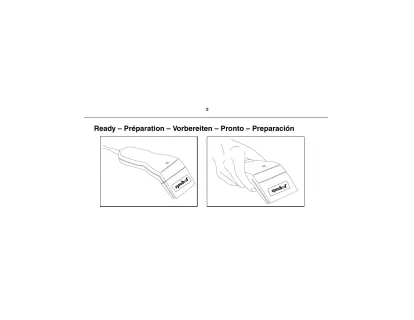
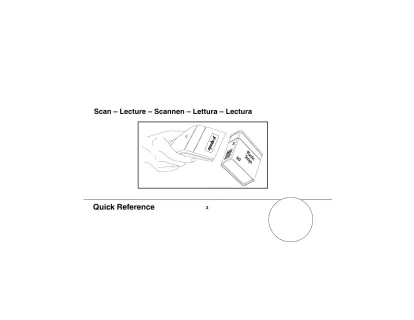
A short multilingual quick reference (English, French, German, Italian and Spanish) for the Symbol LT 1800 and LT 1830 hand-held laser scanners. It shows how to scan in triggered mode (LT 1800 only) and triggerless mode, gives the bar codes for setting the software port on LT 1830-I4XXA and LT 1830-E4XXE models, explains the beep, how to clean the exit window and what to check when nothing happens, followed by warranty and regulatory information.
Its parts
- LT 1800/1830 QRG
- Guide utilisateur
- Kurzübersicht
- Guida rapida
- Guía rapida
- Warranty
- Regulatory Information
From the manual · read page by page
Key facts from this manual
Each line names its page in the PDF.
A short multilingual quick reference card (part 70-31611-01, Revision C, July 1999) for the Symbol LT 1800 and LT 1830 bar code scanners, in English, French, German, Italian and Spanish. It shows how to scan in triggered and triggerless modes, how to set the software port on two LT 1830 models, what the beep means, how to clean the window and what to check when nothing happens.
- Document
- LT 1800/1830 Quick Reference, 70-31611-01 Revision C, July 1999 p. 1
- Triggered mode
- LT 1800 only: press the trigger; beam and red LED light for about one second or until a decode p. 4
- Triggerless mode
- Beam blinks constantly and goes steady while decoding; LT 1800 needs a Symbol Controller (LL 400/425/500) p. 5
- Software port
- LT 1830-I4XXA and LT 1830-E4XXE: scan the bar code for the host's port (PORT 9B/9E, 5B or 17) p. 14, 19
- Good read signal
- One short high beep and the decode LED turns green p. 4, 20
- Laser label
- IEC Class 2 laser product, 630 to 680 nm, 1.0 mW p. 36
- Cleaning
- Tissue moistened with ammonia and water p. 20
- Languages
- English, French, German, Italian, Spanish p. 1
What this manual walks you through
- Scanning in triggered mode p. 4
- Scanning in triggerless mode p. 5
- Setting the software port to match the host p. 14, 19
- Understanding the beep p. 20
- Cleaning the exit window p. 20
- What to check when nothing happens p. 21
Good to know
- Do not spray water or cleaning liquids directly into the window. p. 20
- The software port bar codes are only for the LT 1830-I4XXA and LT 1830-E4XXE, and the port need not be the one the scanner is plugged into. p. 14
- The scanner label warns not to stare into the laser beam. p. 36
Questions this manual answers
Can the LT 1800 scan without pulling the trigger?
Yes, in triggerless mode, but the card says the LT 1800 needs a Symbol Controller (LL 400/425/500) for it. p. 5
How do I set the host port on an LT 1830?
On the LT 1830-I4XXA and LT 1830-E4XXE, scan the port bar code (9B/9E, 5B or 17) that matches the port the host is set for. p. 14, 19
What does one beep mean on the LT 1800 or LT 1830?
One short high beep means the data decoded successfully; any other beeps call for the person in charge of scanning. p. 20
My LT 1800 scanner does nothing. What should I check?
Check system power and cable connections, make sure the system is programmed for that bar code type, and that the symbol is not defaced. p. 21
Contents
Chapters and sections
Each line opens the PDF at its page.
2 more lines, from page 33 on
The whole text · 4 parts
Read the manual here as text
Its text as extracted from the PDF, unedited, in parts; each page opens the PDF at that page.
The file