Manual · Symbol
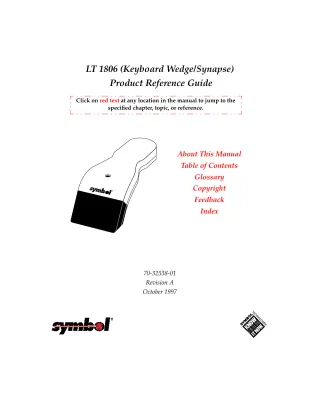
LT 1806 (Keyboard Wedge/Synapse) Product Reference Guide
Manual105 pagesPDF 636 KB
Product reference guide for the Symbol LT 1806 keyboard wedge laser scanner: setup, scanning, specifications and programming bar codes.
Names · 1 model
The models it names
Filed with · 7 models
Also filed with these models on the old site
 Symbol LT-1800Hand-held laser barcode scanner from$185.0015 in stock Symbol LT-1804Hand-held laser barcode scanner from$185.0013 in stock Symbol LT-1810Hand-held laser barcode scanner from$185.0064 in stock Symbol LT-1820Hand-held laser barcode scanner from$185.0025 in stock Symbol LT-1830Hand-held laser barcode scanner from$185.0013 in stock Symbol LT-1850Hand-held laser barcode scanner from$185.005 in stock Symbol LT-1880Hand-held laser barcode scanner from$185.0032 in stock
Summary
What is in it
The product reference guide for the Symbol LT 1806, a close-range hand-held laser bar code scanner with an on-board keyboard wedge interface that can also use Synapse smart cables. It covers connecting the scanner with a Y-cable or Synapse cable, scanning and the decode zone, maintenance, troubleshooting, accessories and technical specifications, then programming the scanner, with parameter menus of bar codes for keyboard type, code types, decode options, beeper, prefixes and suffixes and Code 39 scan and store.
Its parts
- Setting Up the LT 1806
- Scanning with the LT 1806
- Maintenance and Specifications
- Programming the LT 1806
- Parameter Menus
From the manual
Key facts from this manual
Each line names its page in the PDF.
The Product Reference Guide (70-32538-01, Revision A, October 1997) for the Symbol LT 1806, the keyboard wedge and Synapse version of the hand-held laser scanner. It covers connecting the Y-cable between keyboard and PC, scanning, cleaning, cables and accessories by host, specifications, and programming keyboard type and other parameters by scanning bar codes. Only the LT 1806 is described.
- Device
- Hand-held close range laser scanner with a keyboard wedge interface p. 7, 8
- Interfaces
- On-board keyboard wedge via Y-cable, or Synapse Smart Cables p. 8
- Output
- Scan data sent as keystrokes, so no host software changes p. 8
- Power
- 5 VDC plus or minus 10%; 120 mA average, 160 mA peak p. 17
- Range
- Up to 5.0 in (12.70 cm) on 100% UPC/EAN; 5.5 mil minimum element width p. 17
- Symbologies
- UPC/EAN, Code 39, Code 39 Full ASCII, Codabar, Interleaved 2 of 5, Code 128, UCC/EAN 128, Discrete 2 of 5, Code 93 p. 17
- Weight and size
- 6.0 oz (170 g) without cable; 8.0 in (20.3 cm) long p. 17, 18
- Operating temperature
- 32 to 104 F (0 to 40 C) p. 17
- Y-cable
- 25-31828-01 for IBM PS/2, NCR 7052 and IBM PC AT/XT; adapter kit KT-32903-01 for PC AT/XT and clones p. 15
- Power supplies
- 50-14000-008 (110V, 60Hz) and 50-14000-009 (220V, 50Hz) p. 15
- Synapse cable
- 25-31617-01, 6-foot straight cable p. 16
- Stands and holster
- Hands-free stands 20-12769-01, 20-08414-01, 20-08415-01; desk 21-08288-02; wall 23-08253-01; holster 20-08416-01 p. 16
- Keyboard types
- About 20 PC and terminal keyboards, including IBM AT, XT and PS/2, Compaq, HP Vectra, NCR, Zenith 248 p. 47
- Scan rate
- 40 (plus or minus 3) scans per second, bidirectional p. 17
What this manual walks you through
- Connecting the Y-cable between the scanner, keyboard and PC p. 8, 9
- Connecting through a Synapse Smart Cable p. 10
- Scanning in triggered and triggerless modes and the decode zone p. 11, 12
- Cleaning the exit window p. 13
- Fixing no scan or wrongly displayed data p. 14
- Choosing cables and power supply for each host p. 15
- Programming parameters with scanning sequences, BACKSPACE and CANCEL p. 19, 20, 21
- Default parameter settings p. 29, 30
- What the beeper sequences mean p. 31
- Selecting the keyboard type by its two-digit identifier p. 47, 48
Good to know
- Connecting the LT 1806 to a PC or terminal not in its keyboard list may damage the scanner or the terminal. p. 47
- A keyboard type must be selected even with all defaults; Synapse hosts are detected automatically. p. 48
- Keep CAPS LOCK off on PC compatible hosts while scanning. p. 8
- Some PS/2 systems with many peripherals may need the external power supply; the host must supply at least 160 mA. p. 15
- Switch off the PC and unplug the keyboard before connecting the Y-cable. p. 8
Questions this manual answers
Which Y-cable does the Symbol LT 1806 use?
25-31828-01 for the listed IBM PS/2, NCR 7052 and IBM PC AT/XT hosts; PC AT/XT and clones also need adapter kit KT-32903-01. p. 15
Why does my LT 1806 type the wrong characters?
Check that the scanner is programmed for the correct keyboard type and that CAPS LOCK is off. p. 14
How do I set the keyboard type on the LT 1806?
Scan the KEYBOARD TYPE bar code, then the two digits of the keyboard identifier from the list, then ENTER. p. 48
What do three short beeps mean on the LT 1806?
Power-up or a watchdog reset; two long high beeps mean data transmission was not successful. p. 31
Does the LT 1806 need a power supply?
Only on some hosts: the cable table marks which need one (50-14000-008 for 110V), and the host must supply at least 160 mA. p. 15
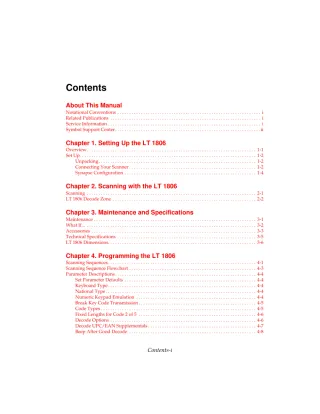
Contents
Chapters and sections
Each line opens the PDF at its page.
- About This Manual5
- Chapter 1 Setting Up the LT 18067
- Chapter 2 Scanning with the LT 180611
- Chapter 3 Maintenance and Specifications13
- Chapter 4 Programming the LT 180619
- Chapter 5 Parameter Menus46
14 more lines, from page 72 on
The whole text · 14 parts
Read the manual here as text
Its text as extracted from the PDF, unedited, in parts; each page opens the PDF at that page.
- Contents1-4
- Pages 5 to 105-10
- Pages 11 to 1811-18
- Chapter 4 Programming the LT 1806, pages 19 to 2719-27
- Chapter 4 Programming the LT 1806, pages 28 to 3628-36
- Chapter 4 Programming the LT 1806, pages 37 to 4537-45
- Chapter 5 Parameter Menus, pages 46 to 5446-54
- Chapter 5 Parameter Menus, pages 55 to 6355-63
- Chapter 5 Parameter Menus, pages 64 to 7264-72
- Chapter 5 Parameter Menus, pages 73 to 8173-81
- Chapter 5 Parameter Menus, pages 82 to 9082-90
- Chapter 5 Parameter Menus, pages 91 to 9691-96
- Glossary97-102
- Pages 103 to 105103-105
The file