Manual · Symbol
LS 6000 Series Product Reference Guide
Manual175 pagesPDF 1.6 MB
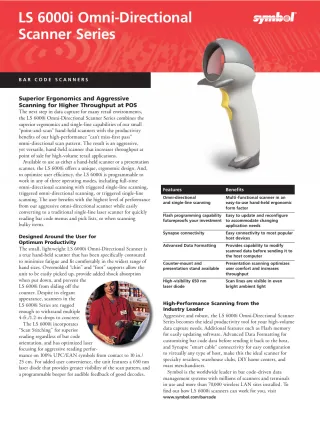
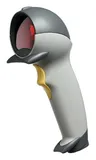
Product reference guide for the Symbol LS 6000 series hand-held omnidirectional scanners (LS 6004 and LS 6005): setup, use, specifications and programming.
Covers · 2 models
The models it covers
Summary
What is in it
The product reference guide for the Symbol LS 6000 series, covering the LS 6000, LS 6004 and LS 6005 hand-held omnidirectional scanners. It explains unpacking, installing the cable and connecting to a host, scanning in hand-held and hands-free mode, beeper and LED signals, maintenance, scan zone, technical specifications and troubleshooting. The largest chapter gives the programming bar codes for host type, symbologies and RS-232C parameters, with an appendix of programming reference tables.
Its parts
- About This Guide
- Introduction
- Setup
- Scanning With the LS 6000
- Maintenance and Specifications
- Programming the LS 6000
From the manual
Key facts from this manual
Each line names its page in the PDF.
This is the Symbol LS 6000 Series Product Reference Guide, revision B of January 1999, covering the LS 6000, LS 6004 and LS 6005 hand-held omnidirectional scanners. It explains cable and host setup, hand-held and hands-free scanning, beeper and LED signals, specifications and troubleshooting. It also prints the programming bar codes for host types, symbologies and RS-232C settings.
- Device
- Light hand-held omnidirectional bar code scanner; converts to hands-free use with an optional presentation stand p. 16
- Interfaces
- LS 6004: RS-232C; LS 6005: IBM 468X/469X terminals; both accept Synapse Smart Cables p. 16, 17
- EAS versions
- LS 6004-I090 and LS 6005-I090 add Checkpoint EAS modes V and VII p. 16, 17
- Power
- 5.2 VDC +/- 5% at 400 mA p. 30
- Scan pattern
- 20-line, 5-direction omnidirectional pattern at 1200 scans per second; single line at 60 scans per second p. 30
- Working range
- Up to 10 in. (25.4 cm) on a 100% UPC/EAN symbol p. 30
- Symbologies
- UPC/EAN/JAN with or without supplementals, Code 128, Code 39, Interleaved 2 of 5, Codabar, UCC/EAN 128, Bookland EAN p. 30
- Trigger modes
- Triggered omnidirectional (default), triggered single scan line, or combination mode p. 22
- Weight
- 7.4 oz. (210 gm) p. 30
- Dimensions
- 7.64 in. (194 mm) high, 2.72 in. (69 mm) wide, 3.19 in. (81 mm) deep p. 31
- Operating temperature
- 32° to 104°F (0° to 40°C) p. 30
- Durability
- 4 ft. (1.2 meter) drops to concrete p. 30
- Default serial settings
- 9600 baud, even parity, 1 stop bit, 8-bit ASCII, no hardware or software handshaking p. 39
- Related guides
- LS 6000 Series Quick Reference Guide p/n 70-33187-XX; Omnidirectional Scanner Advanced Programmer's Guide p/n 70-15600-XX p. 11
What this manual walks you through
- Installing and switching the scanner cable p. 18, 19
- Connecting the scanner to a host terminal p. 20, 21
- Scanning hand-held and the three trigger modes p. 22, 23
- Using the hands-free presentation stand p. 24
- Changing the beeper volume with the trigger p. 25
- Reading the beeper and LED signals p. 26, 27
- Cleaning the scan window p. 28
- Troubleshooting a scanner that does not decode or transmit p. 32
- Restoring the default settings p. 35, 40
- Selecting an IBM 46XX or RS-232C host type (ICL, Fujitsu, Nixdorf) p. 41, 43
Good to know
- The EAS cable must be installed by a local Checkpoint representative. p. 20
- Combination trigger mode is meant for hand-held use only. p. 22
- Apply the cleaning solution to the cloth, not directly to the scan window. p. 28
- Host type autodetection works only if the host is powered up before the scanner is attached. p. 34
- For ICL, Fujitsu and Nixdorf terminals the Transmit Code ID feature should not be enabled. p. 45
Questions this manual answers
What is the difference between the LS 6004 and LS 6005?
The LS 6004 has an RS-232C interface, while the LS 6005 connects to IBM 468X/469X terminals. Versions ending in I090 add Checkpoint EAS support. p. 16, 17
What power does the LS 6000 scanner need?
The manual lists 5.2 VDC +/- 5% at 400 mA. p. 30
How do I reset the LS 6000 to its default settings?
Scan the SET ALL DEFAULTS bar code, which returns all parameters to the values in the default table. p. 40
What do 4 beeps mean on the LS 6000?
Four beeps mean a transmission error: the host did not receive the bar code data. p. 26
Contents
Chapters and sections
Each line opens the PDF at its page.
The whole text · 18 parts
Read the manual here as text
Its text as extracted from the PDF, unedited, in parts; each page opens the PDF at that page.
- Pages 1 to 101-10
- Pages 11 to 2011-20
- Pages 21 to 3021-30
- Pages 31 to 4031-40
- Pages 41 to 5041-50
- Pages 51 to 6051-60
- Pages 61 to 7061-70
- Pages 71 to 8071-80
- Pages 81 to 9081-90
- Pages 91 to 10091-100
- Pages 101 to 110101-110
- Pages 111 to 120111-120
- Pages 121 to 130121-130
- Pages 131 to 140131-140
- Pages 141 to 150141-150
- Pages 151 to 160151-160
- Pages 161 to 170161-170
- Pages 171 to 175171-175
The file