Manual · Symbol
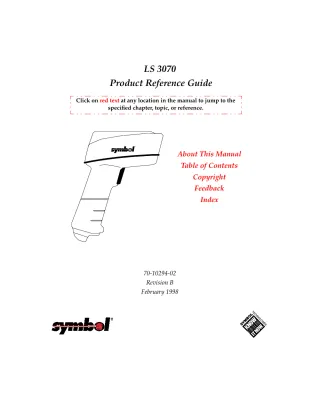
LS 3070 Product Reference Guide
Manual214 pagesPDF 1.2 MB
Product reference guide for the Symbol LS 3070 cordless laser scanner and RL 470 base/charger: setup, scanning, interfaces and programming.
Covers · 1 model
The models it covers
Summary
What is in it
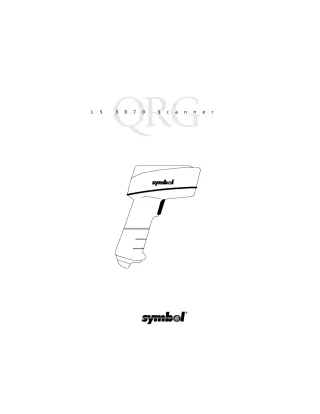
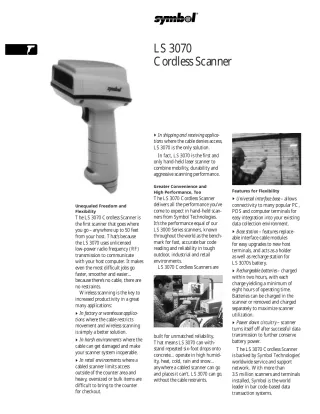
The product reference guide for the Symbol LS 3070 cordless bar code scanner, which talks to its RL 470 base/charger over a low-power radio link. It covers setup, pairing the scanner with the base, charging the NiCad battery, scanning technique and decode zones for the Standard, LR, ALR, XLR and HV versions, maintenance and technical specifications, connecting the base to hosts and keyboard wedges, and the programming parameters and bar code menus.
Its parts
- About This Manual
- The LS 3070 Cordless Scanner
- Setup
- Scanning with the LS 3070
- Maintenance and Specifications
- Interface Guide
- Programming
- Parameter Menus
From the manual
Key facts from this manual
Some pages are scans or cannot be read; this says only what the readable text supports. Each line names its page in the PDF.
Product reference guide for the Symbol LS 3070 cordless laser scanner and its RL 470 base/charger, covering the Standard, LR, ALR, XLR and HV versions. It explains setup, pairing, scanning, charging, battery changes, host cabling and programming.
- Device
- Cordless scanner that sends bar code data by low-power radio to an RL 470 base/charger, which passes it to the host over a cable p. 9, 12
- Radio
- Low power 2.4 GHz radio; range 30 - 50 feet (9 - 15 meters) depending on environment p. 13
- Battery
- Rechargeable NiCad pack in the handle, 360 mA hours, enough for an 8-hour shift p. 11
- Charge time
- Within two hours in the RL 470 base/charger; within 8 hours in the Universal Four-Slot Charger/Recharger p. 11
- Scan engine versions
- Standard, Long Range (LR), Advanced Long Range (ALR), Extra Long Range (XLR) and High Visibility (HV) p. 10
- Standard range
- Standard: 5 to 55 mil symbols at 0 - 35 in. p. 10
- XLR range
- XLR: up to 180 inches (457 cm) on 55 mil symbols, Class IIIA laser p. 10
- Scan rate
- Approximately 36 (± 3) scans/sec, bidirectional p. 35
- Dimensions
- 6.3 in. (16 cm) high, 5 in. (12.7 cm) long, 2.8 in. (7.1 cm) wide p. 35
- Operating temperature
- 0° to 40°C (32° to 104°F) p. 35
- Durability
- 6-ft. drop to concrete p. 35
- Host interfaces
- OCIA, OCR, RS-232C single and dual port, IBM 4683/4684/4693/4694 ports, and POS keyboard wedges p. 41, 42, 43
- Dual-port Y-cables
- IK-1500 (male TxD on pin 2, female TxD on pin 3); IK-1501 (male TxD on pin 3, female TxD on pin 2) p. 42
- Power supplies
- 50-04000-041 (117 V), 50-04000-040 (220 V), 50-04000-037 (100 V) p. 34
What this manual walks you through
- Charging the battery before first use p. 15
- Setting the base/charger address with the rotary dials p. 15, 16, 17
- Pairing the scanner with the base/charger p. 17, 18
- Changing the transmission channel when there is interference p. 18, 19
- Installing a magstripe reader on the base p. 19
- Aiming and scanning, including the two-position trigger on long range and HV models p. 20, 21, 22
- Troubleshooting scan and transmit errors p. 23, 24
- Changing battery packs p. 31, 32
- Reading the charge status LED p. 33
- Connecting the base station to a host and choosing the interface cable p. 40, 41, 42, 43, 62, 63
Good to know
- Positions 8 and 9 of the 10-position address dial must not be used; they cause an error beep during pairing. p. 16
- Remove the scanner from the base handle-first; pulling it nose-first can break the latch. p. 14
- Excessive force when seating the scanner can damage the charging contacts. p. 14
- In France only 9 radio channels (46 through 54) are available instead of 80. p. 18
- Keep the blank plug in the magstripe port when no reader is connected, to protect against static discharge. p. 19
Questions this manual answers
How long does the LS 3070 battery take to charge?
A depleted pack recharges fully within two hours in the RL 470 base/charger, or within 8 hours in the Universal Four-Slot Charger/Recharger. p. 11
How far from the base can the LS 3070 scanner work?
The radio range is 30 to 50 feet (9 to 15 meters), depending on the environment. p. 13
What do 4 error beeps mean on the LS 3070?
The scanner may be out of transmission range, not paired with the base/charger, or the base/charger may not be powered. p. 21
What do 6 beeps after a scan mean?
An RF communication error: the base got the data but the scanner did not get its reply. Move closer to the base; the data was already sent to the host. p. 23
What address can the RL 470 base be set to?
A value from 01 to 7E, and each base station must have a unique address. p. 15
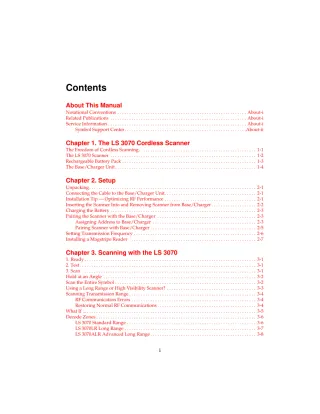
Contents
Chapters and sections
Each line opens the PDF at its page.
- About This Manual7
- Chapter 1 The LS 3070 Cordless Scanner9
- Chapter 2 Setup13
- Chapter 3 Scanning with the LS 307020
- Chapter 4 Maintenance and Specifications30
56 more lines, from page 40 on
- Chapter 5 Interface Guide40
- Chapter 6 Programming64
- Chapter 7 Parameter Menus96
- Set Default Parameter97
- Host Interface98
- Code Type112
- Code Lengths117
- Decode Options124
- UPC-A Preamble132
- UPC-E Preamble133
- Pause Duration134
- Prefix/Suffix Values137
- Data Transmission Formats141
- Laser Control148
- Baud Rate151
- Parity153
- Check Parity154
- Hardware Handshaking155
- Software Handshaking156
- Serial Response Timeout157
- Stop Bit Select160
- ASCII Data Format161
- RTS Line State162
- Intercharacter Delay163
- Transmit Code ID Character166
- Transmit AIM Code ID167
- Ignore Unknown Characters168
- OCIA Clock Polarity169
- OCIA Transmit Timeout170
- NCR 2152 Fast Transmit173
- IBM 4683 Magstripe Communications174
- International Keypad Emulation175
- International Keypad Emulation Fast Transmit176
- National Keyboard Types177
- Set Transmission Frequency179
- Wait for Host Interface Response Time182
- Reserved For Future Use185
- Pairing192
- Chapter 8 Keyboard Maps193
- Index211
- Feedback214
- Copyright2
The whole text · 25 parts
Read the manual here as text
Its text as extracted from the PDF, unedited, in parts; each page opens the PDF at that page.
- Contents1-6
- Pages 7 to 127-12
- Chapter 2 Setup13-19
- Chapter 3 Scanning with the LS 307020-29
- Chapter 4 Maintenance and Specifications30-39
- Chapter 5 Interface Guide, pages 40 to 4740-47
- Chapter 5 Interface Guide, pages 48 to 5548-55
- Chapter 5 Interface Guide, pages 56 to 6356-63
- Chapter 6 Programming, pages 64 to 7164-71
- Chapter 6 Programming, pages 72 to 7972-79
- Chapter 6 Programming, pages 80 to 8780-87
- Chapter 6 Programming, pages 88 to 9588-95
- Chapter 7 Parameter Menus, pages 96 to 10596-105
- Chapter 7 Parameter Menus, pages 106 to 115106-115
- Chapter 7 Parameter Menus, pages 116 to 125116-125
- Chapter 7 Parameter Menus, pages 126 to 135126-135
- Chapter 7 Parameter Menus, pages 136 to 145136-145
- Chapter 7 Parameter Menus, pages 146 to 155146-155
- Chapter 7 Parameter Menus, pages 156 to 165156-165
- Chapter 7 Parameter Menus, pages 166 to 175166-175
- Chapter 7 Parameter Menus, pages 176 to 185176-185
- Chapter 7 Parameter Menus, pages 186 to 192186-192
- Chapter 8 Keyboard Maps, pages 193 to 201193-201
- Chapter 8 Keyboard Maps, pages 202 to 210202-210
- Pages 211 to 214211-214
The file