Manual · Symbol
LS 3070 Scanner Quick Reference
Manual52 pagesPDF 385 KB
Quick reference guide for the Symbol LS 3070 cordless laser scanner and its RL 470 base/charger: setup, pairing, host types and charging.
Covers · 1 model
The models it covers
Summary
What is in it
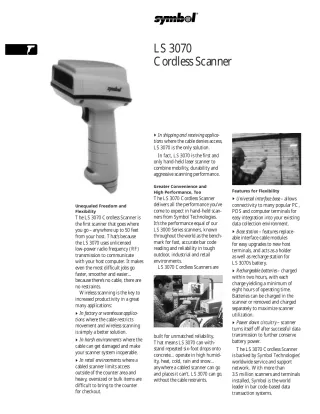
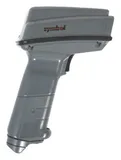
A quick reference for the Symbol LS 3070 cordless laser scanner and its RL 470 base/interface/charger. It describes the scanner varieties (standard, long range, advanced long range, extra long range and high visibility), then walks through setup: connecting the base, charging, setting the base address, pairing the scanner, choosing the host type by bar code, an optional magstripe reader and transmission frequency. It also covers scanning, battery packs, troubleshooting, maintenance, default tables and test symbols.
Its parts
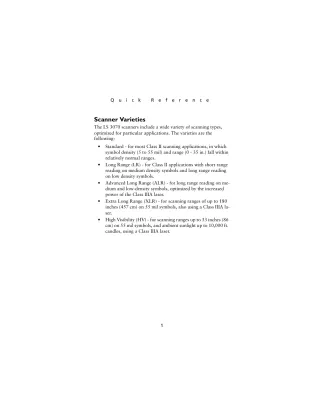
- Scanner Varieties
- Setup
- Set Transmission Frequency
- Scanning
- RL 470 Base / Charger Unit
- Recharging the Battery
- What If...
- Maintenance
- Default Table
- Terminal Specific RS-232C Defaults
- Test Symbols
- Test Symbols: Long Range Scanners
- Warranty
- Ergonomic Recommendations
- Regulatory Information
From the manual · read page by page
Key facts from this manual
Some pages are scans or cannot be read; this says only what the readable text supports. Each line names its page in the PDF.
Symbol quick reference guide for the LS 3070 cordless laser scanner and its RL 470 base/charger unit. It walks through setup, including base addressing, pairing, host type bar codes and radio channel selection, then scanning, charging, battery changes and troubleshooting. It ends with the default settings table and test symbols.
- What it is
- Cordless laser bar code scanner that sends data by low power radio to the RL 470 base/charger, which passes it to the host p. 8, 33
- Varieties
- Standard (5 to 55 mil, 0 - 35 in.), Long Range (LR), Advanced Long Range (ALR), Extra Long Range (XLR, up to 180 inches on 55 mil), High Visibility (HV, up to 33 inches on 55 mil) p. 3
- Radio range
- 30 to 50 ft. (9 - 15 meters) between scanner and base/charger p. 37
- Base/charger
- RL 470: base station interface to the host and charging stand, with power supply port, host cable, charge status LED and an optional magstripe reader port p. 23, 33
- Charge time
- Less than two hours in the RL 470 base/charger p. 34
- Charge status LED
- Red on: charging; blinking rapidly: complete; blinking slowly: charge pending (battery too hot, too cold or deeply discharged); off: scanner not seated or battery fault p. 35
- Battery
- Ni-Cd battery pack in the handle; spare packs charge in the Universal Four Slot Battery Charger p. 33, 36
- Base address
- 01 to 7E, set with two rotary dials under the base; each base needs a unique address p. 6
- Radio channels
- 80 channels (2 through 81) in most countries, 9 in France (46 through 54); default channel 50 p. 24, 41
- Host cables
- IK- interface cable assemblies for IBM, ICL, NCR, Fujitsu, Nixdorf, Wyse, HP and DEC hosts and for standard or dual RS-232C; each defaults to its host p. 9
- Dual RS-232 cables
- IK-1500: Port 1 male, TxD on pin 2; Port 2 female, TxD on pin 3. IK-1501: the reverse (Port 1 TxD on pin 3, Port 2 on pin 2) p. 10
- RS-232C defaults
- 9600 baud, two stop bits, 7 bit ASCII, no hardware or software handshaking p. 40
- Laser label
- 680 NM laser diode, 1.0 mW maximum power, Class II laser product; ALR, XLR and HV varieties use a Class IIIA laser p. 3, 50
- Document
- 70-19993-02 Revision A, June 1999 p. 52
What this manual walks you through
- Setting up the scanner, base/charger and power supply p. 4, 5
- Setting the base/charger address with the rotary dials p. 6, 7
- Pairing the scanner with the base/charger p. 8, 9
- Setting the host type with bar codes p. 9, 10, 11, 12
- Installing an optional magstripe reader p. 23
- Changing the radio channel p. 24, 25
- Scanning, including long range and high visibility models p. 30, 31, 32
- Recharging the battery and reading the charge status LED p. 34, 35
- Changing battery packs p. 36
- Troubleshooting and the default settings table p. 37, 38, 39
Good to know
- Excessive force when seating the scanner can damage the charging contacts and stop charging. p. 5
- Remove the scanner handle first; pulling the nose first can break the latch in the base. p. 5
- Positions 8 and 9 are illegal on the 10-position address dial, and too large a screwdriver can damage the dials. p. 7
- Keep the blank plug in the magstripe port unless a magstripe reader is installed; it guards against static discharge. p. 23
- Clean the exit window with a damp cloth or ammonia/water tissue; no abrasives and no spraying liquid into the window. p. 38
Questions this manual answers
How long does the Symbol LS 3070 take to charge?
Less than two hours in the RL 470 base/charger. The charge LED blinks rapidly when it is full. p. 5
How do I pair an LS 3070 with its base?
Scan the PAIRING bar code, then put the scanner in the base/charger cradle within 15 seconds. A warble beep means pairing worked. p. 8, 9
LS 3070 gives 4 beeps when I scan
The scanner and base may be out of range, not paired, or the base/charger may not be powered. p. 30
What does 6 beeps after decode mean on the LS 3070?
Frequent communication errors. Check the transmit range, the pairing, and that the base/charger is powered with secure cables. p. 37, 38
How far can the LS 3070 be from its base?
The guide gives a scanning and transmission range of 30 to 50 ft. (9 to 15 meters). p. 37
Contents
Chapters and sections
Each line opens the PDF at its page.
- LS 3070 QRG1
- Scanner Varieties3
- Setup4
- Set Transmission Frequency25
- Scanning30
- RL 470 Base / Charger Unit33
- Recharging the Battery34
- What If...37
- Maintenance38
- Default Table39
- Terminal Specific RS-232C Defaults41
- Test Symbols43
- Test Symbols: Long Range Scanners44
- Warranty45
- Ergonomic Recommendations47
- Regulatory Information48
- Patents2
The whole text · 6 parts
Read the manual here as text
Its text as extracted from the PDF, unedited, in parts; each page opens the PDF at that page.
The file