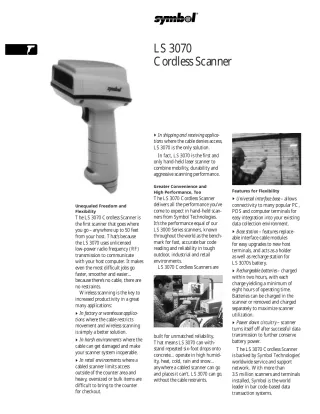
Manual · Symbol
NiCad Battery Pack for LS3064 Memory and LS3070 Cordless Scanners
Manual6 pagesPDF 45 KB
Installation instructions for the rechargeable NiCad battery pack of the Symbol LS 3064 and LS 3070 scanners.
Covers · 1 model
The models it covers
Summary
What is in it
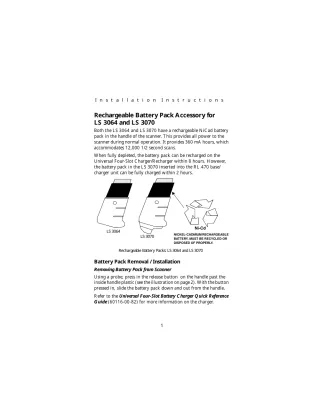
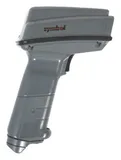
Short installation sheet for the rechargeable NiCad battery pack that powers the Symbol LS 3064 memory scanner and LS 3070 cordless scanner. It gives the pack's capacity and charging times, explains how to remove the pack with the release button and install a charged one, lists the battery pack assembly numbers by scanner and color, and ends with service, warranty and patent information.
Its parts
- Battery Pack Removal / Installation
- Battery Pack Assembly Numbers
- Service Information
- Warranty
- Patents
From the manual · read page by page
Key facts from this manual
Some pages are scans or cannot be read; this says only what the readable text supports. Each line names its page in the PDF.
Symbol installation instructions for the rechargeable NiCad battery pack that sits in the handle of the LS 3064 and LS 3070 scanners. It gives the pack's capacity, charging times and assembly numbers by scanner and color. The reader can remove and install the pack and order the right one.
- What it is
- Rechargeable NiCad battery pack in the scanner handle; it powers the scanner in normal use p. 3
- Capacity
- 360 mA hours, about 12,000 1/2 second scans p. 3
- LS 3070 battery pack
- LS 3070: KT-11211-01 (dark gray), KT-11211-02 (light gray) p. 4
- LS 3064 battery pack
- LS 3064: KT-11212-01 (dark gray), KT-11212-02 (light gray) p. 4
- Charging
- Within 8 hours in the Universal Four-Slot Charger/Recharger; LS 3070: within 2 hours in the RL 470 base/charger p. 3
- Charger guide
- Universal Four-Slot Battery Charger Quick Reference Guide (60116-00-82) p. 3
- Chemistry
- Nickel-cadmium (Ni-Cd) p. 3
- Document
- 70-11217-01 Revision C, May 1999 p. 6
What this manual walks you through
- Removing the battery pack from the scanner handle p. 3
- Installing a charged battery pack in the handle p. 4
- Battery pack assembly numbers by scanner and color p. 4
Good to know
- The nickel-cadmium pack must be recycled or disposed of properly. p. 3
- A probe is needed to press in the release button on the handle. p. 3
Questions this manual answers
What is the battery part number for the Symbol LS 3070?
KT-11211-01 for a dark gray LS 3070 and KT-11211-02 for a light gray one. p. 4
How long does the LS 3070 battery take to charge?
Within 2 hours in the RL 470 base/charger, or within 8 hours on the Universal Four-Slot Charger/Recharger. p. 3
How many scans does an LS 3070 battery last?
The 360 mA hour pack accommodates about 12,000 half-second scans. p. 3
How do I remove the battery from an LS 3070 scanner?
Press in the release button on the handle with a probe, then slide the pack down and out of the handle. p. 3
Contents
Chapters and sections
Each line opens the PDF at its page.
The whole text · 1 part
Read the manual here as text
Its text as extracted from the PDF, unedited, in parts; each page opens the PDF at that page.
The file