Manual · Microscan
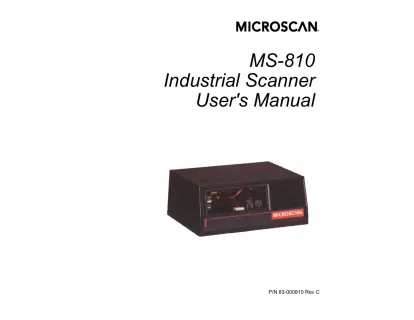
MS-810 Industrial Scanner User's Manual
Manual144 pagesPDF 2.5 MB
User's manual for the Microscan MS-810 fixed-mount industrial laser bar code scanner: installation, ESP menu and serial configuration.
Names · 1 model
The models it names
Filed with · 2 models
Also filed with these models on the old site
Summary
What is in it
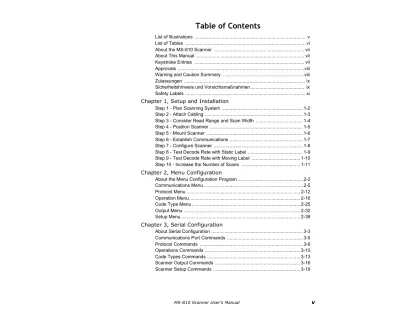
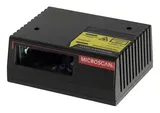
The user's manual for the Microscan MS-810, a programmable fixed-mount laser bar code scanner. A ten-step quick start covers planning, cabling, read range, mounting and testing decode rates. Later chapters explain configuration through the ESP (Easy Setup Program) menus, the serial configuration commands and the operational commands. Appendices give scanner and electrical specifications, grounding, the IB-130 interface module, the IB-105, troubleshooting and multidrop communications.
Its parts
- Quick Start
- ESP Menu Configuration
- Serial Configuration
- Operational Commands
From the manual
Key facts from this manual
Each line names its page in the PDF.
The Microscan user's manual (P/N 83-000810 Rev C) for the MS-810 fixed-mount industrial laser bar code scanner. It walks through setup, menu and serial configuration, operational commands, wiring and troubleshooting, and an appendix covers the IB-130 interface module. The MS-815 is not named in the pages read.
- Device
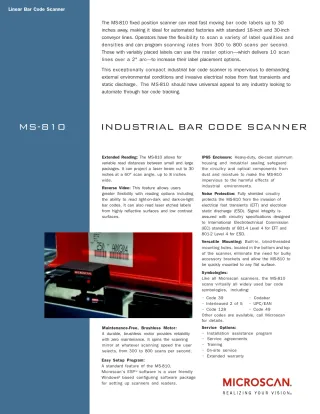
- Programmable fixed-mount high-speed laser bar code scanner using a 10-sided spinning mirror p. 6
- Interface
- RS-232 standard; RS-422/485, DeviceNet, SDS, Profibus DP and Ethernet also available p. 100
- Connector
- 15-pin high-density D-subminiature plug; RS-232 cable to the host up to 47 feet if it carries no DC input p. 13, 102
- Power
- 10 to 28 VDC, 200 mV p-p max. ripple, 2.7 watts rated at 24 VDC; also a +5V version, regulated at 480 mA p. 102
- Scan rate
- 300 to 800 scans per second (default 400); scan width angle typically 60 degrees p. 100
- Read range
- .005" bars: 1.2" to 2.75"; .040" bars: 4" to 30" (Code 39 grade A label at 400 decodes per second) p. 101
- Code types
- Code 39, Codabar, Interleaved 2 of 5, UPC/EAN, Code 128; also Code 16K, UCC/EAN-128, Code 49, Code 93, DX Code, EDP & STK/EDP, MSI, Pharma Code, Plessey p. 101
- Size and weight
- 3.47" L x 2.59" W x 1.38" H (8.81 x 6.58 x 3.50 cm); 7.5 oz. (212 g) p. 100
- Operating temperature
- 0 to 50 C (32 to 122 F) inside ambient; storage -29 to 70 C; humidity up to 90% non-condensing p. 101
- Discrete I/O
- Opto-isolated trigger input, 5 to 28V (12 mA at 24 VDC); two opto-isolated outputs, 1 to 28V, under 100 mA p. 102
- Communications
- 300 to 76.8K baud; point-to-point (RTS/CTS, XON/XOFF), polling mode D, multidrop and user defined protocols p. 100
- IB-130 parts
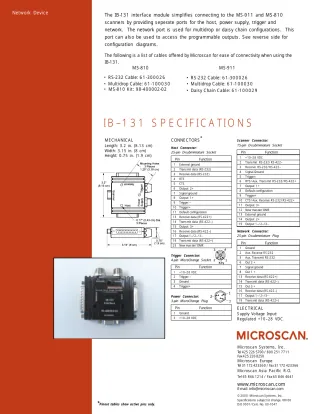
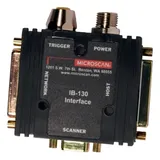
- IB-130 module 99-400005-01; RS-232 cable 61-300026; multidrop cable 61-100030; daisy chain cable 61100029; power supply 97-10004-05; trigger 99-440001-01 p. 111, 112
- Laser
- Laser diode, 670 nm nominal; operating life 50,000 hours at 25 C (10,000 hours at 50 C) p. 100
- Enclosure
- Die-cast aluminum; the manual states it is IP65 rated p. 101
What this manual walks you through
- Setting up and installing the scanner step by step p. 11
- Attaching the cable to the host p. 13
- Configuring the scanner with the Easy Setup Program (ESP) p. 6
- Configuring and operating the scanner with serial commands p. 6
- Wiring power, trigger and outputs on the 15-pin connector p. 102
- Connecting through the IB-130 interface module, stand-alone or multidrop p. 111, 112
- Troubleshooting poor or missing reads p. 126, 127, 128
Good to know
- There are no user serviceable parts; opening the scan head can expose the user to laser diode power of up to 7 mW. p. 8
- The current through the optoisolator must be limited to 100 mA by the user. p. 102
- Use a VDE approved 10 to 28 V DC power supply; the SELV supply must be rated at least 6.5 W at the output. p. 7
- Do not aim the scanner into direct light or sunlight, and do not connect scanner and host chassis to different ground potentials. p. 126
Questions this manual answers
What power supply does the Microscan MS-810 need?
10 to 28 VDC with no more than 200 mV p-p ripple, 2.7 watts rated at 24 VDC; a +5V version is also available. p. 102
What interface does the MS-810 scanner have?
RS-232 as standard on a 15-pin connector, with RS-422/485, DeviceNet, SDS, Profibus DP and Ethernet also available. p. 100
What is the IB-130 used for with the MS-810?
It is an interface module that gives the MS-810 separate ports for the host, power supply, trigger and network (multidrop or daisy chain). p. 111
How fast does the MS-810 scan?
300 to 800 scans per second, 400 by default, with a scan width angle of typically 60 degrees. p. 100
What should I check if the MS-810 gives no data in a decode rate test?
The manual points to the wrong label type enabled, label range, poor label quality, or excessive ambient light, sunlight or strobes. p. 127
Contents
Chapters and sections
Each line opens the PDF at its page.
The whole text · 15 parts
Read the manual here as text
Its text as extracted from the PDF, unedited, in parts; each page opens the PDF at that page.
- Pages 1 to 101-10
- Pages 11 to 2011-20
- Pages 21 to 3021-30
- Pages 31 to 4031-40
- Pages 41 to 5041-50
- Pages 51 to 6051-60
- Pages 61 to 7061-70
- Pages 71 to 8071-80
- Pages 81 to 9081-90
- Pages 91 to 10091-100
- Pages 101 to 110101-110
- Pages 111 to 120111-120
- Pages 121 to 130121-130
- Pages 131 to 140131-140
- Pages 141 to 144141-144
The file